
On-Page SEO: How to Optimize for Robots and Readers

By Ryan Law
Director of Content Marketing at Ahrefs



- Include your target keyword in relevant places
- Use header tags to structure your page
- Write a compelling title tag
- Write an engaging meta description
- Set SEO-friendly URLs
- Add internal links in useful places
- Add external links
- Optimize your images
- Fill your content gaps
- Show off your experience and expertise
- Optimize for zero-click search
- Get rich results with schema markup
- Improve user experience
- Monitor your on-page SEO performance
On-page SEO is the process of optimizing blog posts and website pages to improve their search rankings and AI visibility.
On-page SEO is important because small changes to your page can have a big impact on its rankings, traffic, and visibility in AI.
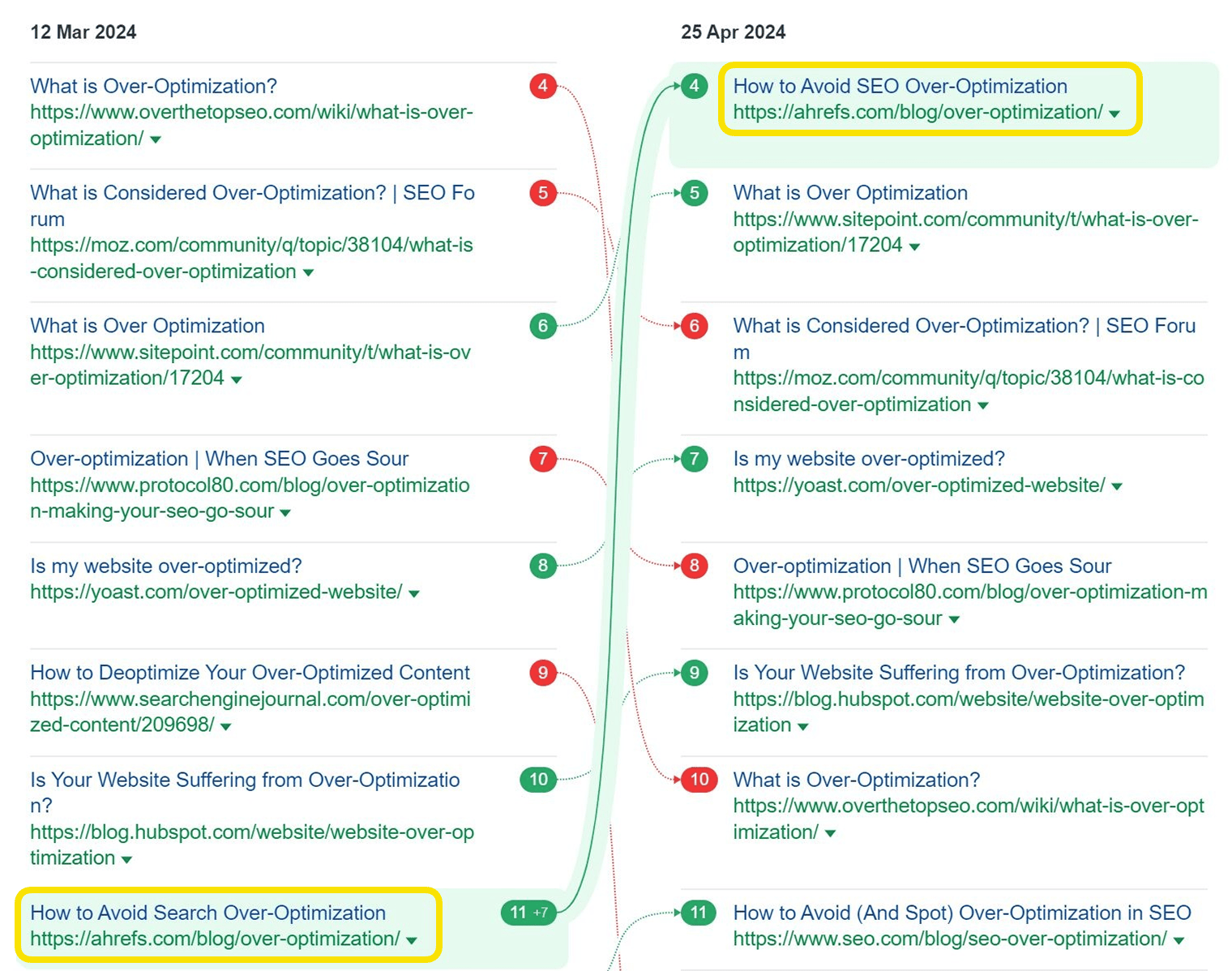
Here’s an example of one of our blog posts climbing 7 places in the search results after changing a single word in the title:
On-page SEO is like icing on a cake. To get the most from it, you need helpful, accurate content that matches the intent of the keyword you’re targeting. (We have a guide on this topic in the previous chapter.)
And on-page optimization isn’t just about getting more visibility in search engines.
Now, people use AI to get their questions answered.
Many of the best practices that help you rank well in search now also help you appear in AI.
Meaning, your on-page SEO is as important as ever.
With that taken care of, here are some practical on-page tweaks that can help you rank higher and get more search traffic performance:
Tip
Include your target keyword in relevant places
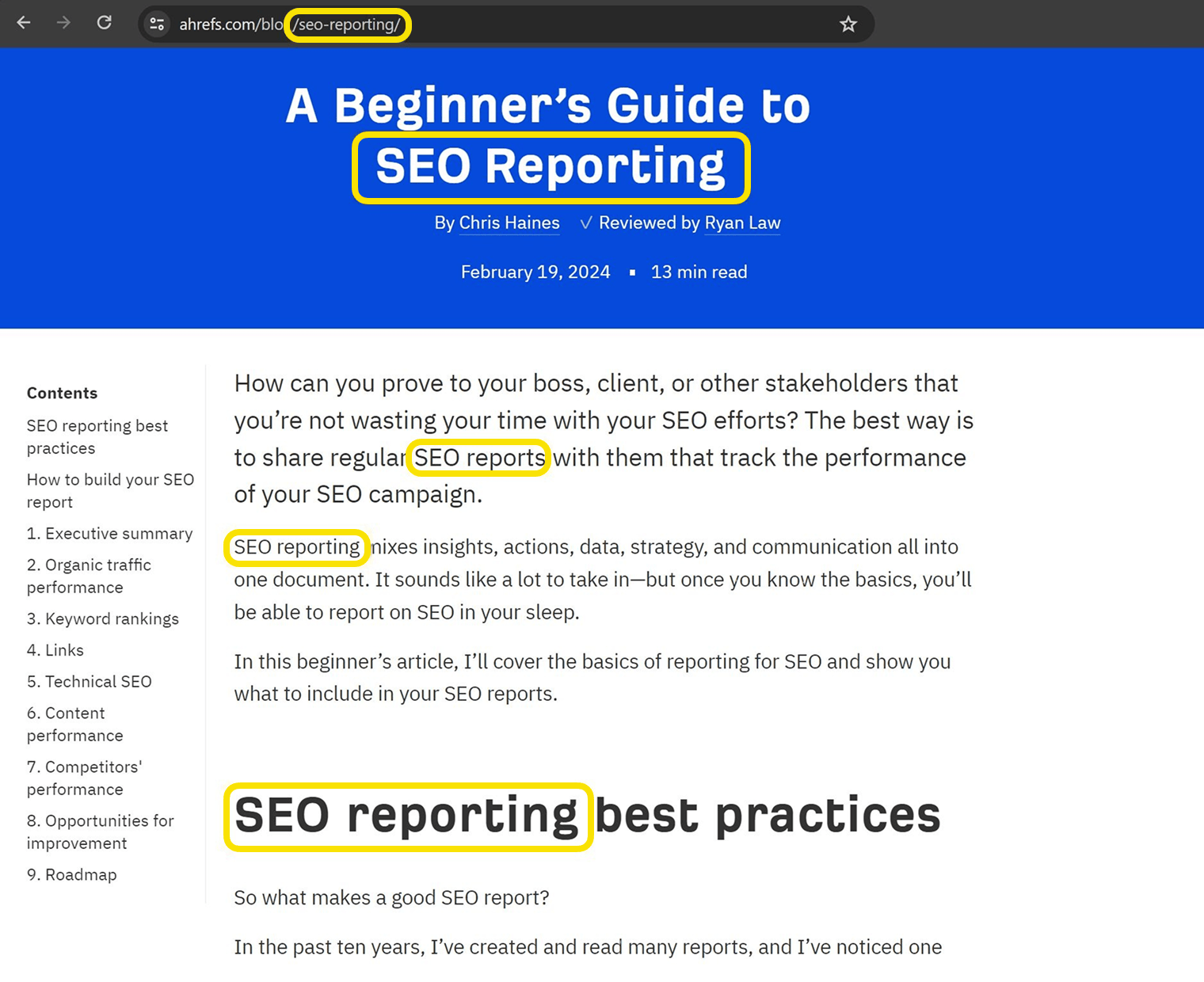
Including your target keyword within key elements of your page will help Google, AI assistants like ChatGPT and Gemini, and your readers, understand what the page is about.
But search engines now understand topics and user intent much better than they used to.
Meaning, SEO is not just about repeating one exact keyword anymore.
It’s about covering topics comprehensively, and matching what users are searching.
This is even more crucial for AI visibility—AI assistants like ChatGPT and Perplexity were built to understand the relationships between words and topics.
For that reason, they prioritize content that covers subjects thoroughly when generating their responses.
What is the core topic of your page?
Once you’ve figured that out, make sure you clearly signpost it in the places search engines and LLMs will look.
That means your target keyword should still appear in key places to build that topical relevance...
- Page title
- URL
- Main header (H1)
- Subheaders (some of your H2s, H3s, etc.)
- Intro paragraph
...but your content also needs to cover related concepts and answer common user questions.
Use header tags to structure your page
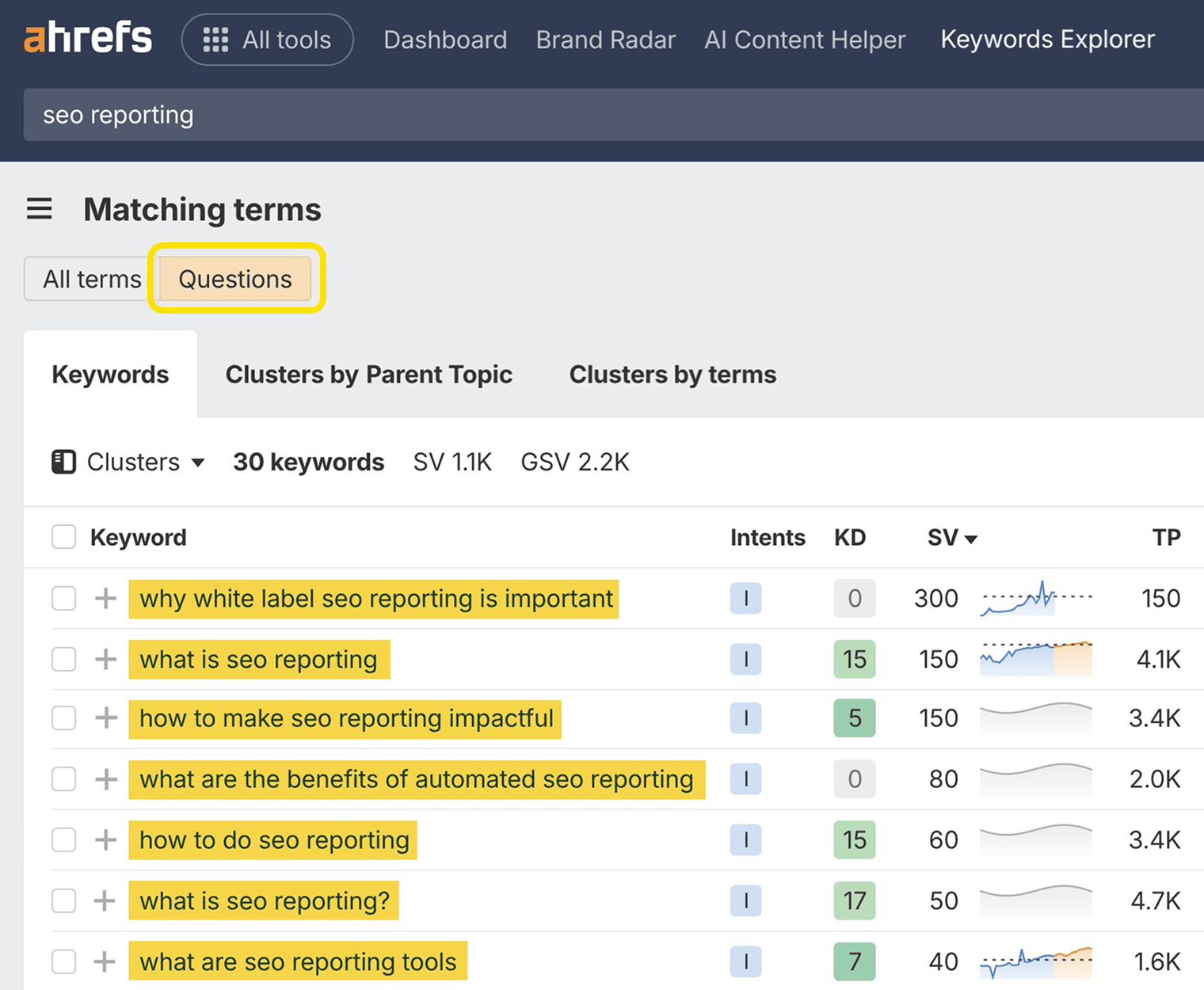
HTML header tags help Google and AI assistants understand the content on your pages, and break it up into logical, easily skimmed sections for readers.
Header tags look like this—<h2>Header goes here</h2>—in your page’s code. You can use the Ahrefs toolbar to quickly see how header tags are used on a page:
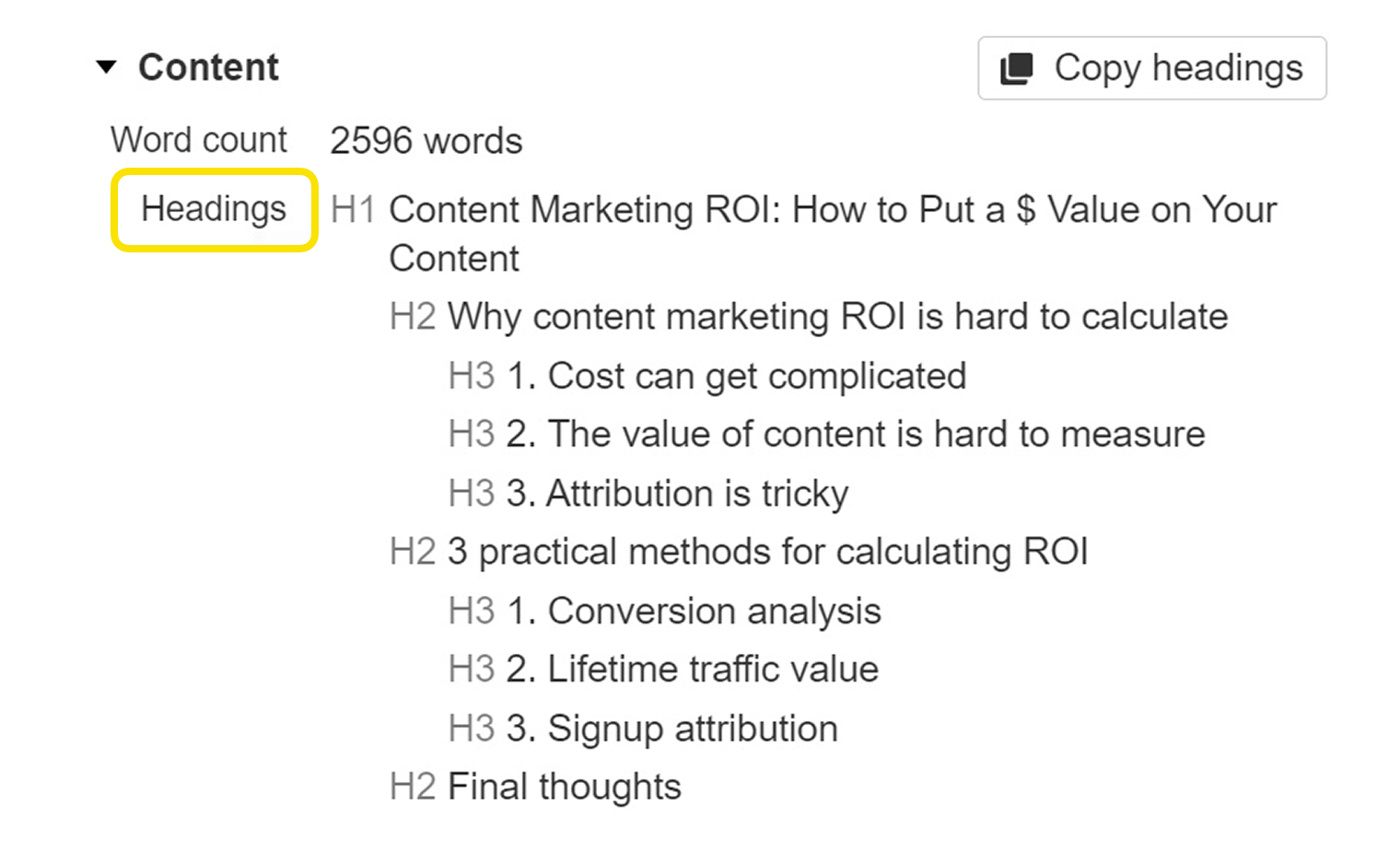
As a general guide, try to:
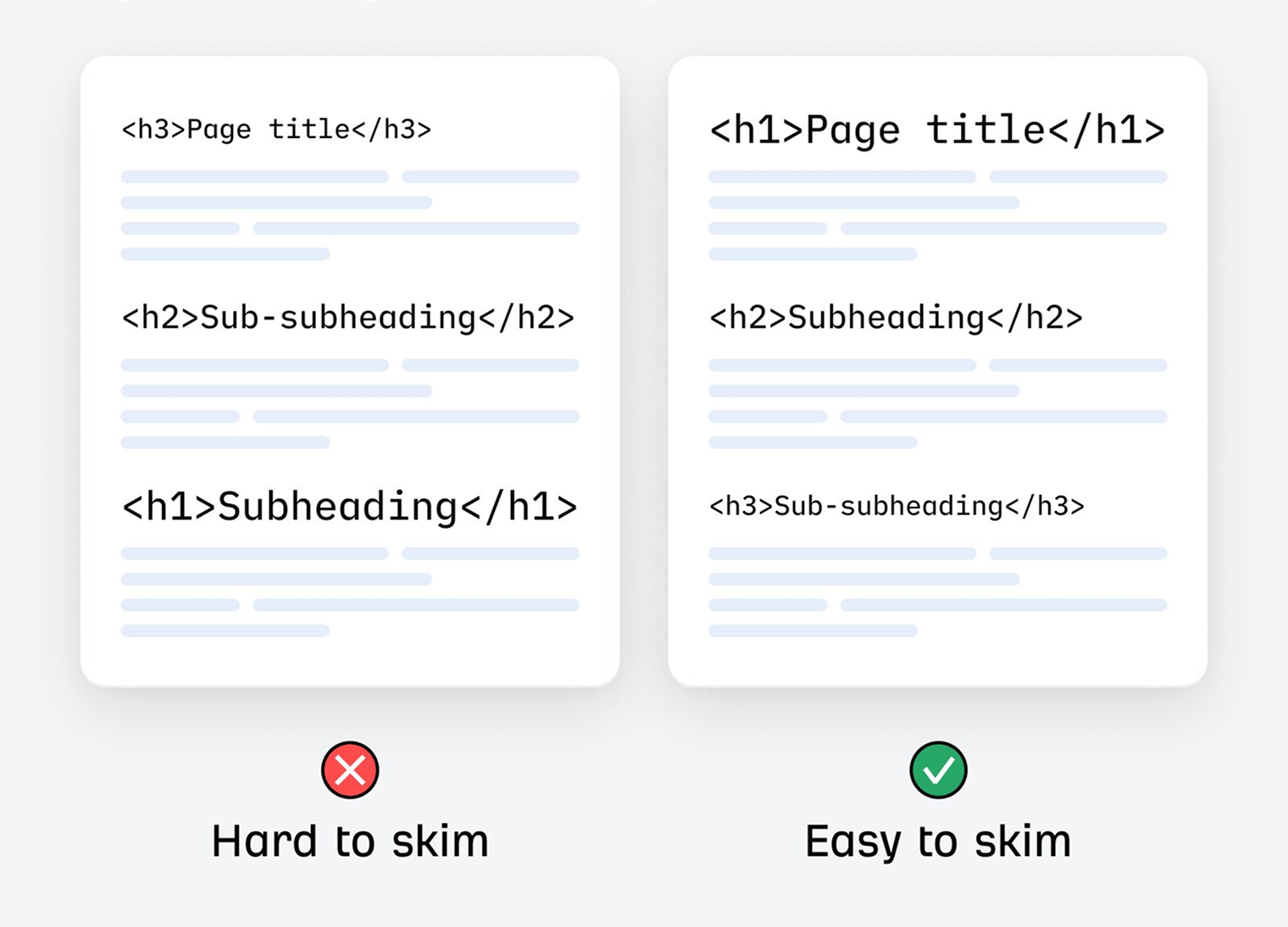
- Use one <h1> tag per page
- Use <h2> tags for your page’s main points.
- Use <h3> tags (and beyond) for sections that support your main points, like examples or related ideas.
As an added benefit, good use of subheadings will improve the readability of your content, making it easier to see, at a glance, what each section is about:
Headings (including H1 tags) improve user experience by creating hierarchy
Write a compelling title tag
Title tags are often the main piece of information audiences use when deciding whether or not to click on your site.
Google rewrites title tags 61.6% of the time (most often for titles that are very short or very long). But these are usually small changes, and Google still uses your original title during the process of ranking, so it’s worth spending time making it as compelling as possible.
Adding to that, your page title tags can influence how an AI recognizes and references your brand in conversations.
Here are a few tips for writing titles:
- Keep them short—under 70 characters is best to avoid truncation.
- Match search intent – tell searchers you have what they want.
- Harness the curiosity gap—but don’t create misleading clickbait that isn’t reflective of the article’s contents.
- Include the keyword—or a close variation if it makes more sense.
- Include the year for topics that demand freshness—like tax allowance 2026.
- Do something to stand out—show a sense of humour, or respond to other articles in the SERP.
- If in doubt, use the ABC formula—adjective, benefit, confidence booster.

You should set a title tag on every indexable page. If you like, you can use Ahrefs’ Site Audit to find pages with title tag issues like being empty or too long. Once you’ve signed up and crawled your site (it’s free), go to the Content report to check for issues.
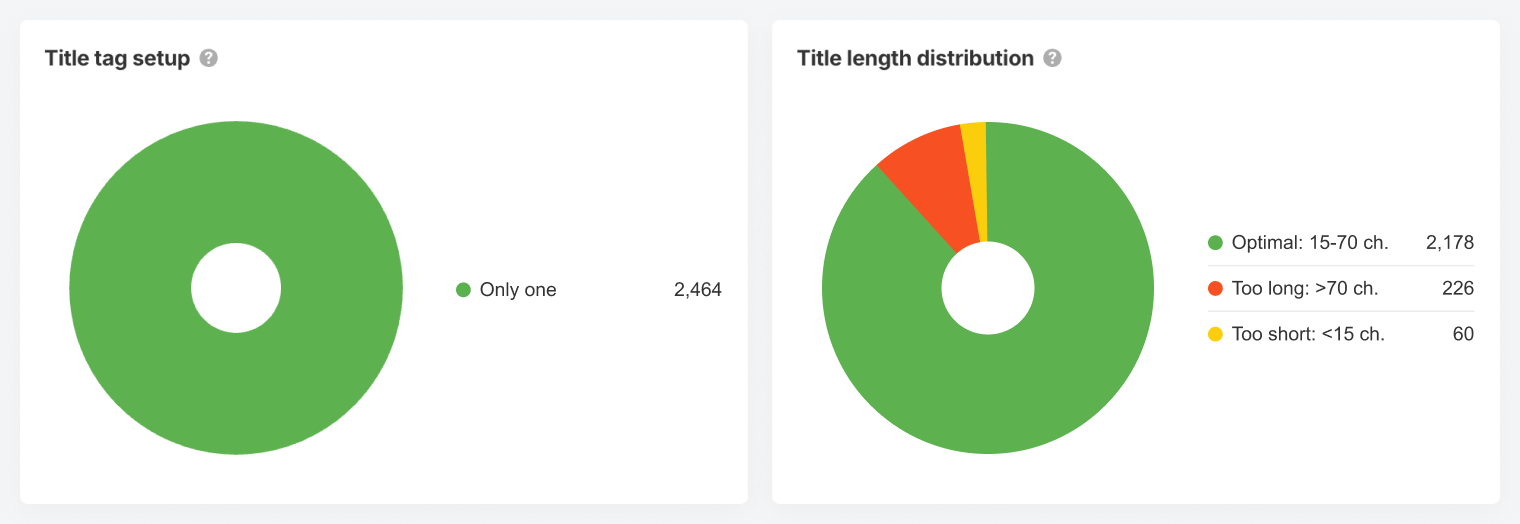
Here we can see 226 page titles that are too long, and at risk of getting truncated:
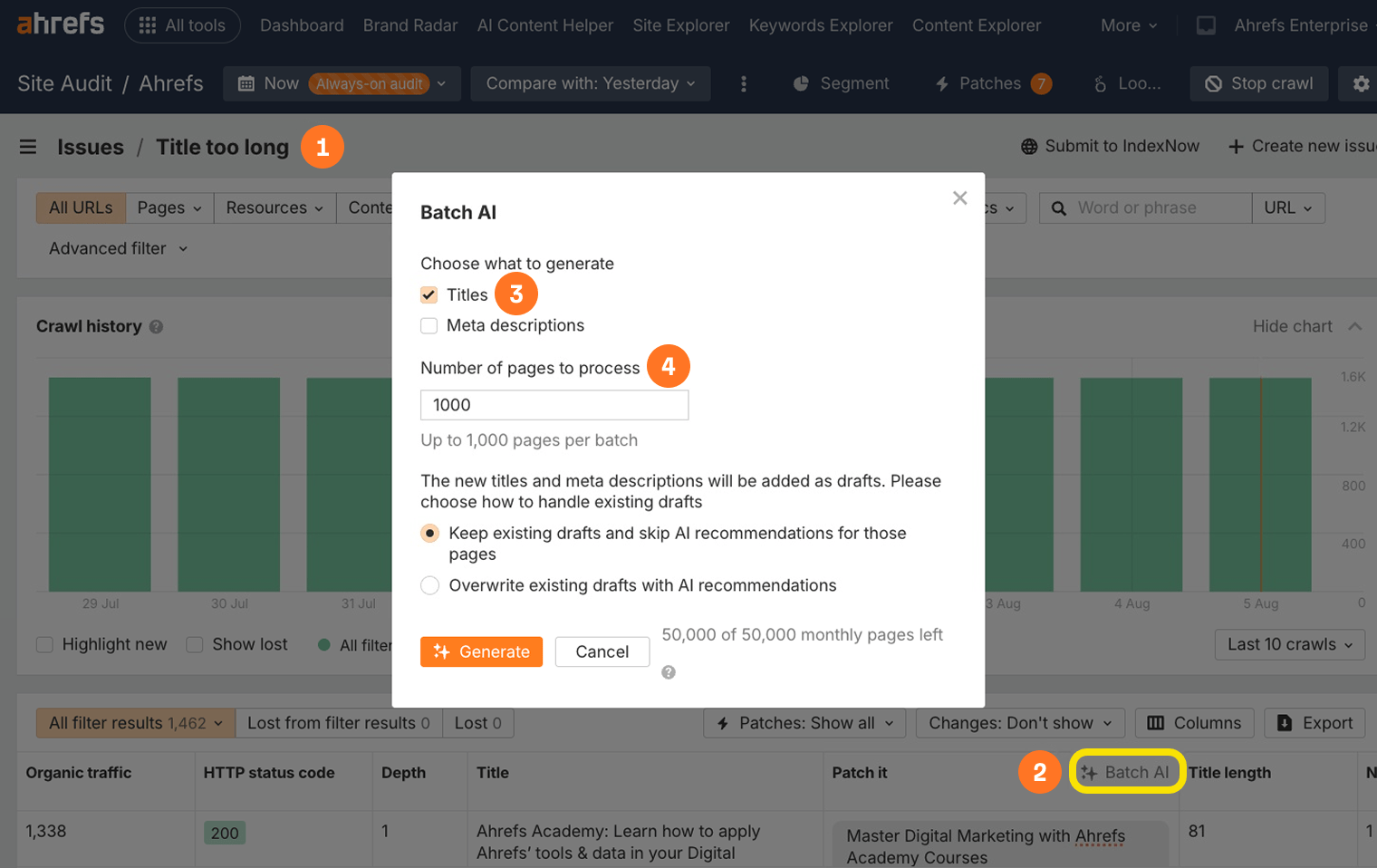
To save some time, you can generate your title tags at scale using Patches in Ahrefs Site Audit.
Further reading: What Are Title Tags? How To Write Them for SEO
Write an engaging meta description
Meta descriptions aren’t a ranking factor, but they can bring more clicks and traffic. This is because Google uses them for the descriptive snippet in the search results 37.22% of the time. The rest of the time, they use other content from the page.
For that reason, there’s no need to obsess over crafting perfect meta descriptions for every page. Just focus on writing good ones for important pages, like your homepage or those that get lots of search traffic. Here are a few writing tips:
- Keep them short—under 160 characters is ideal.
- Expand on the title tag—include extra information that your title doesn’t contain.
- Match search intent—double down on what searchers want.
- Use an active voice—address the searcher directly.
- Include your keyword—Google often bolds these in the results.
Meta descriptions have long been a fundamental on-page SEO factor, but they still matter today—even when it comes to AI visibility.
ChatGPT selects the best source to cite for its response based on the content’s:
All of these, bar #4, are examples of on-page SEO factors you should absolutely still be paying attention to in 2025.
To batch-create meta descriptions for all your other pages, try Patches again.
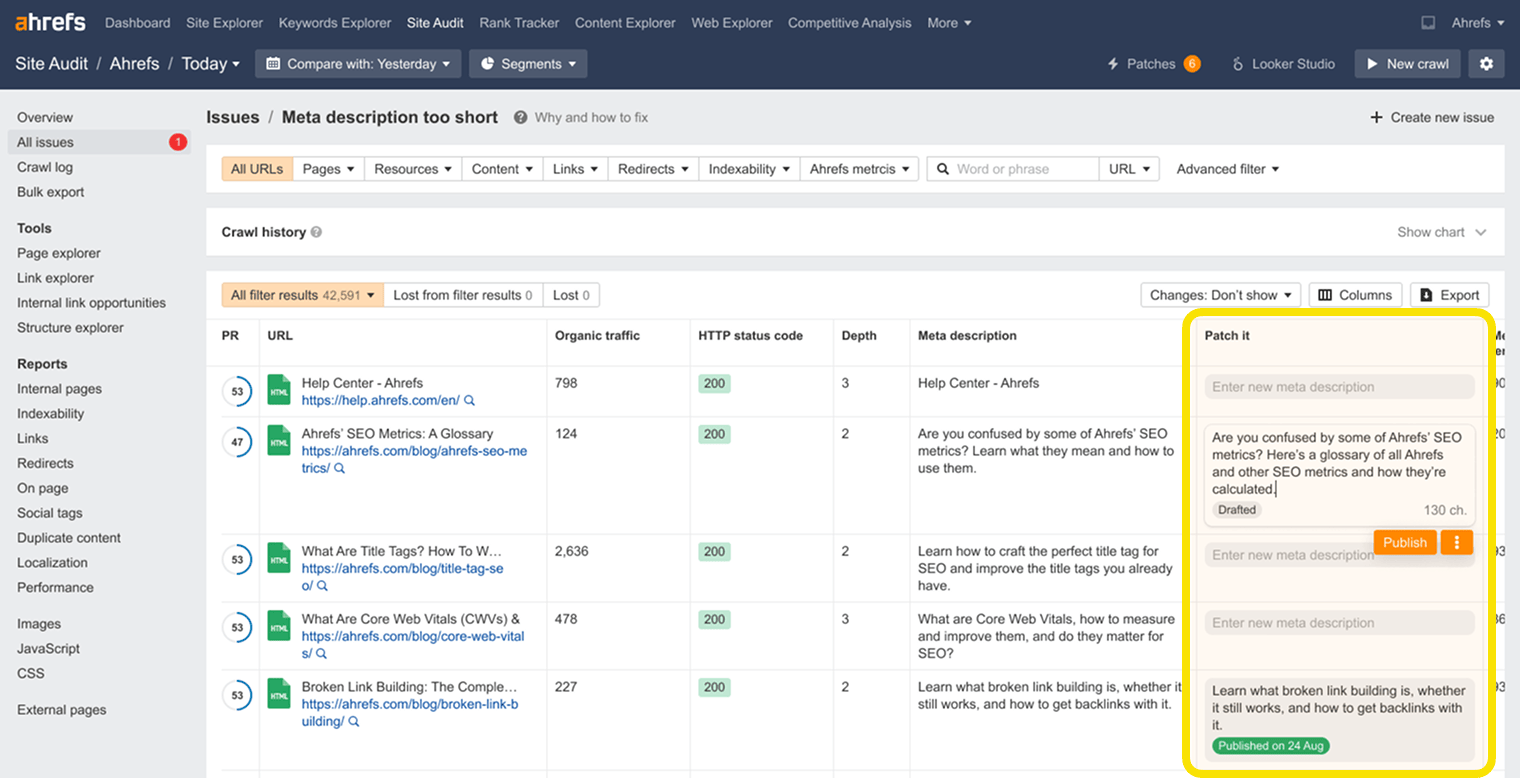
The tool will generate thousands of options for you to use or remix to your heart’s content.
Set SEO-friendly URLs
It’s helpful to use a short, descriptive URL structure highlighting the core topic of the page. As Google explains in its SEO starter guide:
"Parts of the URL can be displayed in search results as breadcrumbs, so users can also use the URLs to understand whether a result will be useful for them."
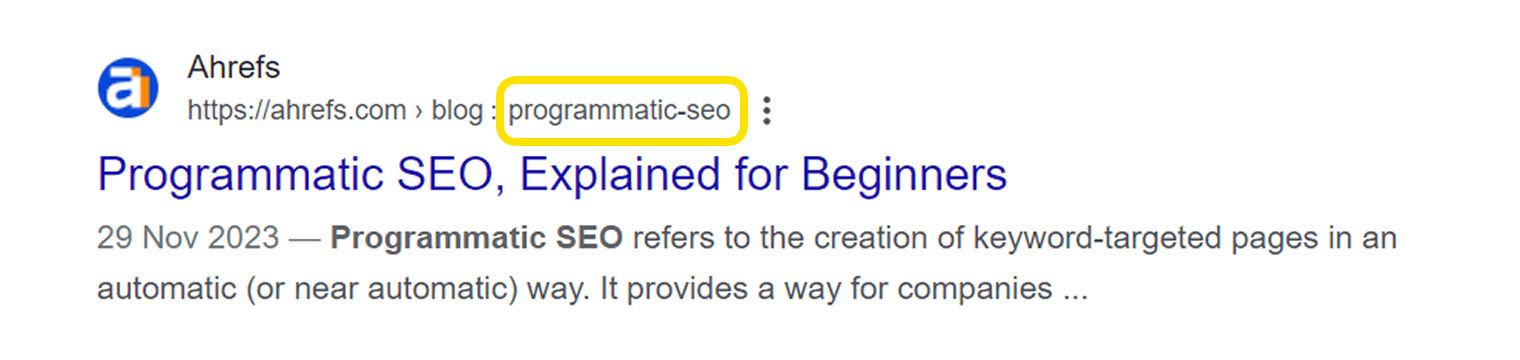
We recommend using your target keyword as the URL slug, like we do throughout the Ahrefs blog:
Page Title | Target Keyword | URL Slug |
|---|---|---|
| SEO Agency Software (My Tried and Tested Tools) | seo agency software | /blog/seo-agency-software/ |
| Franchise SEO: Local and National Growth Strategies for Franchises | franchise seo | /blog/franchise-seo/ |
| SEO Trends 2024: Separating Fact From Fiction | seo trends | /blog/seo-trends/ |
| How to Promote Your Blog (There Are Only Three Ways) | how to promote your blog | /blog/how-to-promote-your-blog/ |
Adding your keyword to your URL won’t magically boost search performance, but it will build the reader’s confidence that your page is relevant to their query.
(And make your life easier when you come to update your old content and can’t remember what the target keyword was.)
Short, descriptive URLs are best for SEO
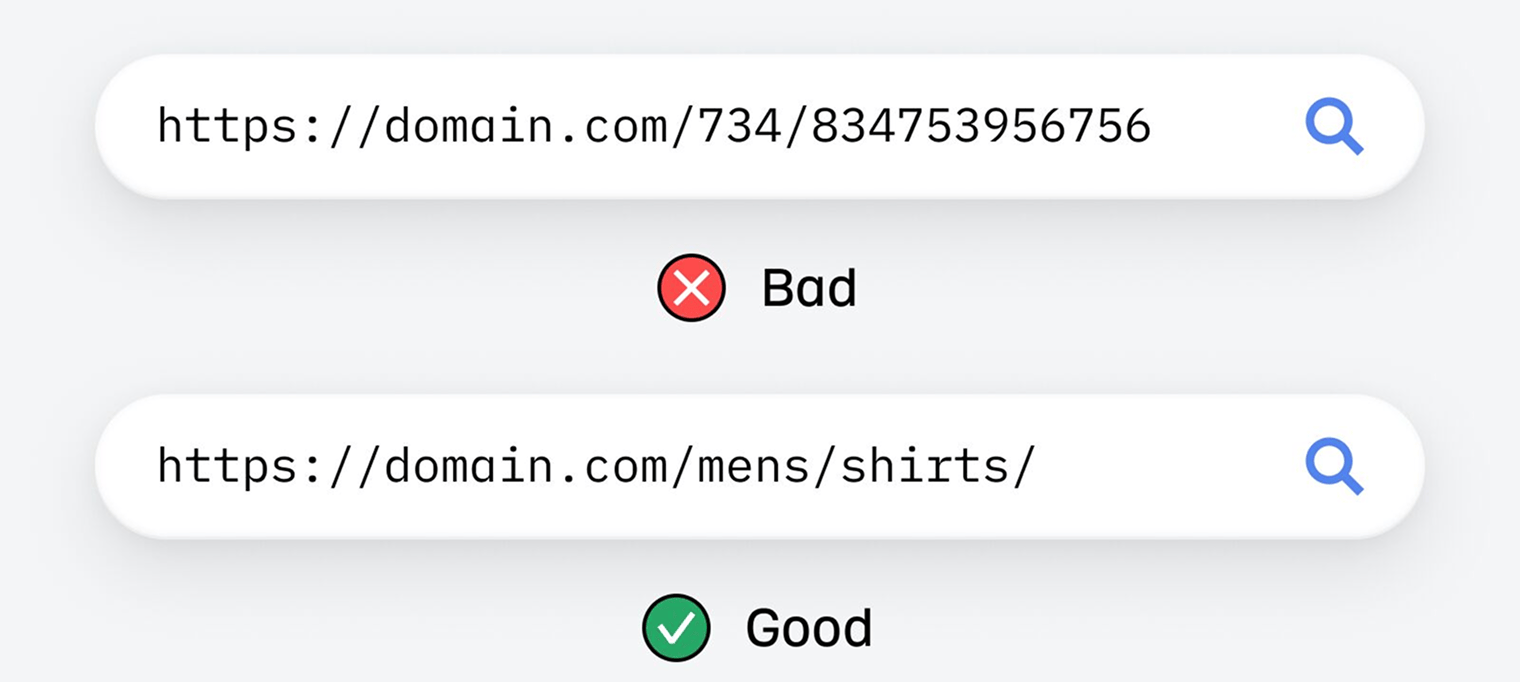
When choosing your URL, it’s a good idea to:
- Avoid including dates (unless they’re essential). /best-seo-tools-2026 makes sense this year, but it will send the wrong message to searchers if you want to update your article next year.
- Don’t worry about function words. Words like for, and, or to can be safely left out of your URL.
- Make URLs simple and readable. domain.com/article/keyword-research-guide is better than domain.com/2026/03/21/article-keyword-research.
Add internal links in useful places
Link to relevant pages on your website, if you have them. Internal links help visitors navigate your website and increase the odds that they’ll find the information they need—but there are benefits for SEO too.
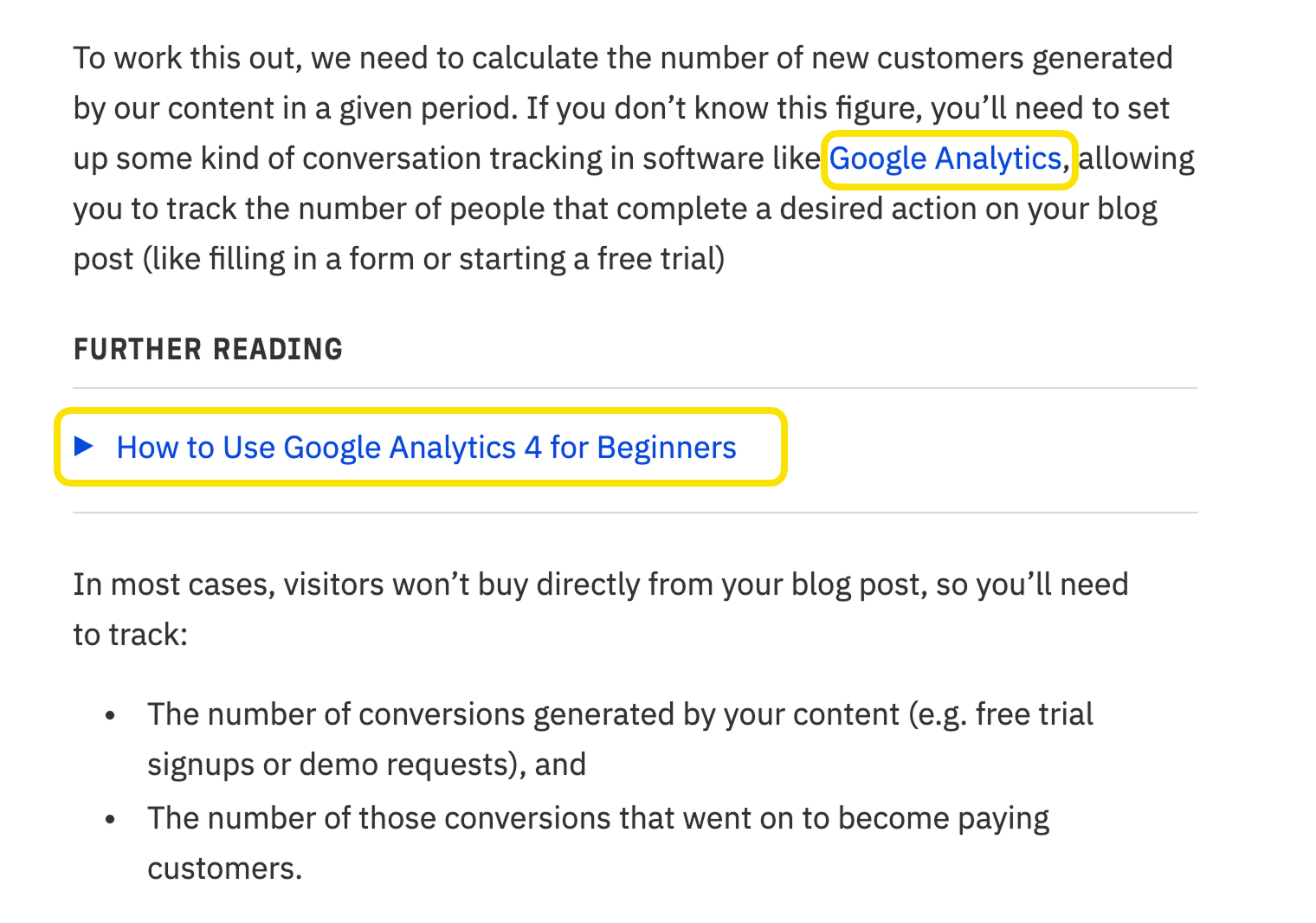
Internal linking helps search engines and AI crawlers find all the pages on your website, understand what each page is about (and how they relate to one another), and highlight the pages you believe to be the most important. These links also help pass link authority between your pages.
When adding internal links:
- Use relevant anchor text—but keep it natural and don’t keyword stuff your anchors.
- Link to your most important pages, like your product and service pages, or your best blog posts.
- Use the hub-and-spoke model to ensure that your most important "hub" pages receive the link authority they deserve.
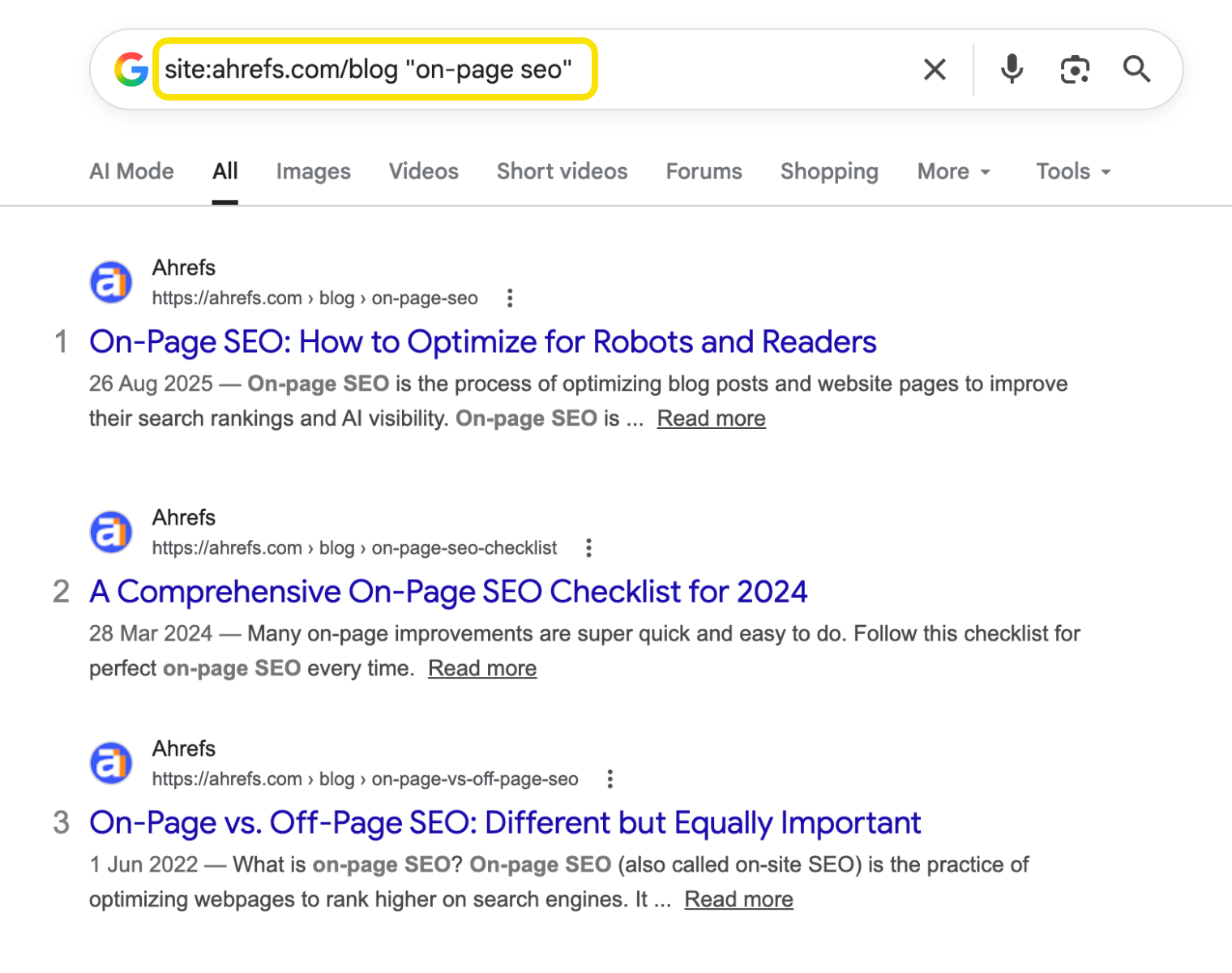
You can use Google’s site: search operator to quickly find relevant pages to link to. Search your website for your target keyword (in quotes to find exact matches), and Google will show every indexed page that features the keyword:
Or you can automate the process using Ahrefs’ Site Audit:
- Go to the Internal link opportunities report
- Enter the URL of your newly-published page in the search box
- Choose “Source page” from the dropdown
Hit enter, and you’ll see a list of recommended internal linking opportunities.
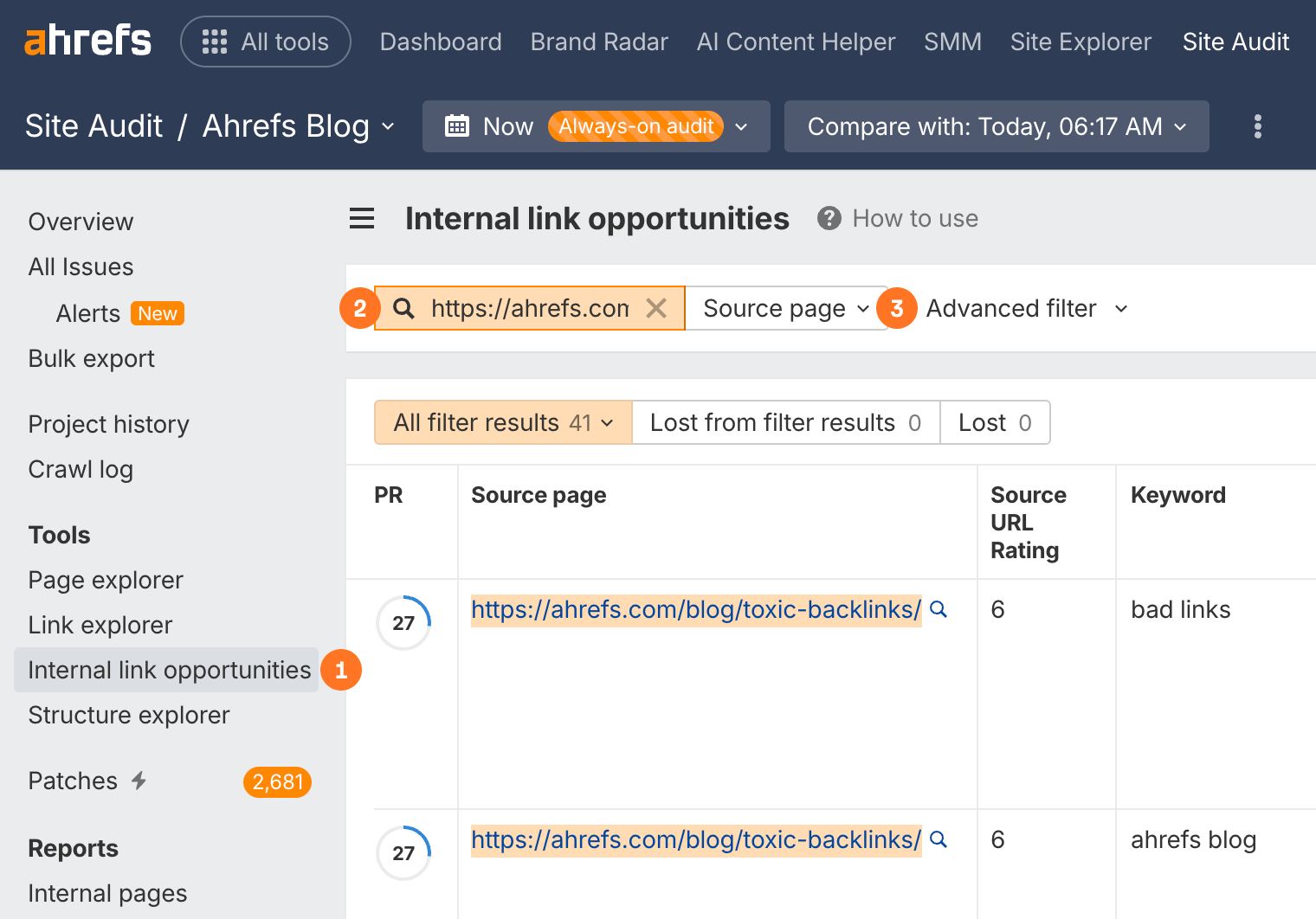
For example, here the report is suggesting that I link from our post on toxic backlinks to our guide on bad links:

Internal links can also help search-integrated AI assistants find related topics and information to shape their responses.
Learn about the ins and outs of internal linking in our full guide: Internal Links for SEO: An Actionable Guide.
Add external links
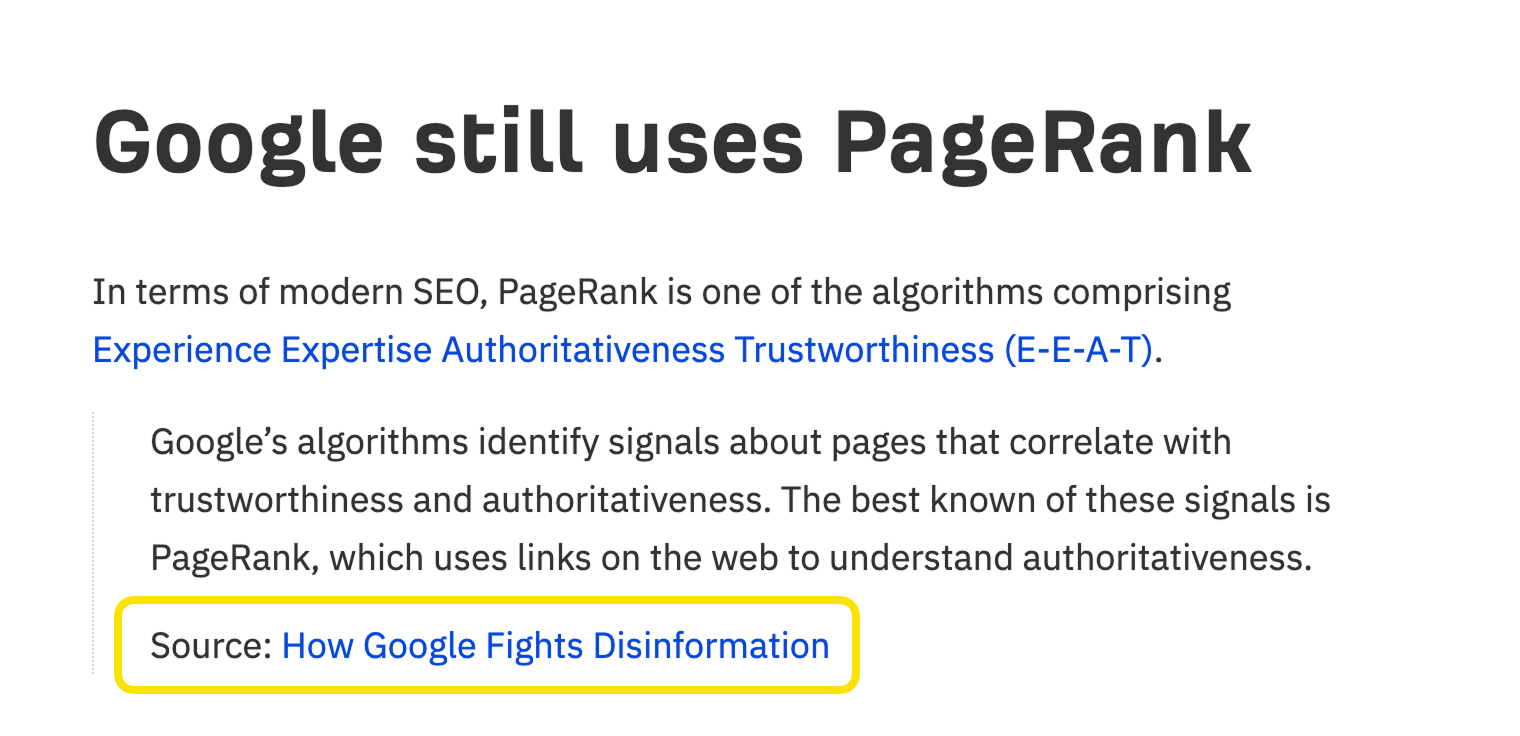
Google says linking to other websites is a great way to provide value to your users
External linking is also a good idea whenever you want to cite information from elsewhere on the web, or send the reader to an authoritative third-party source of information.
We do this all the time on the Ahrefs blog:
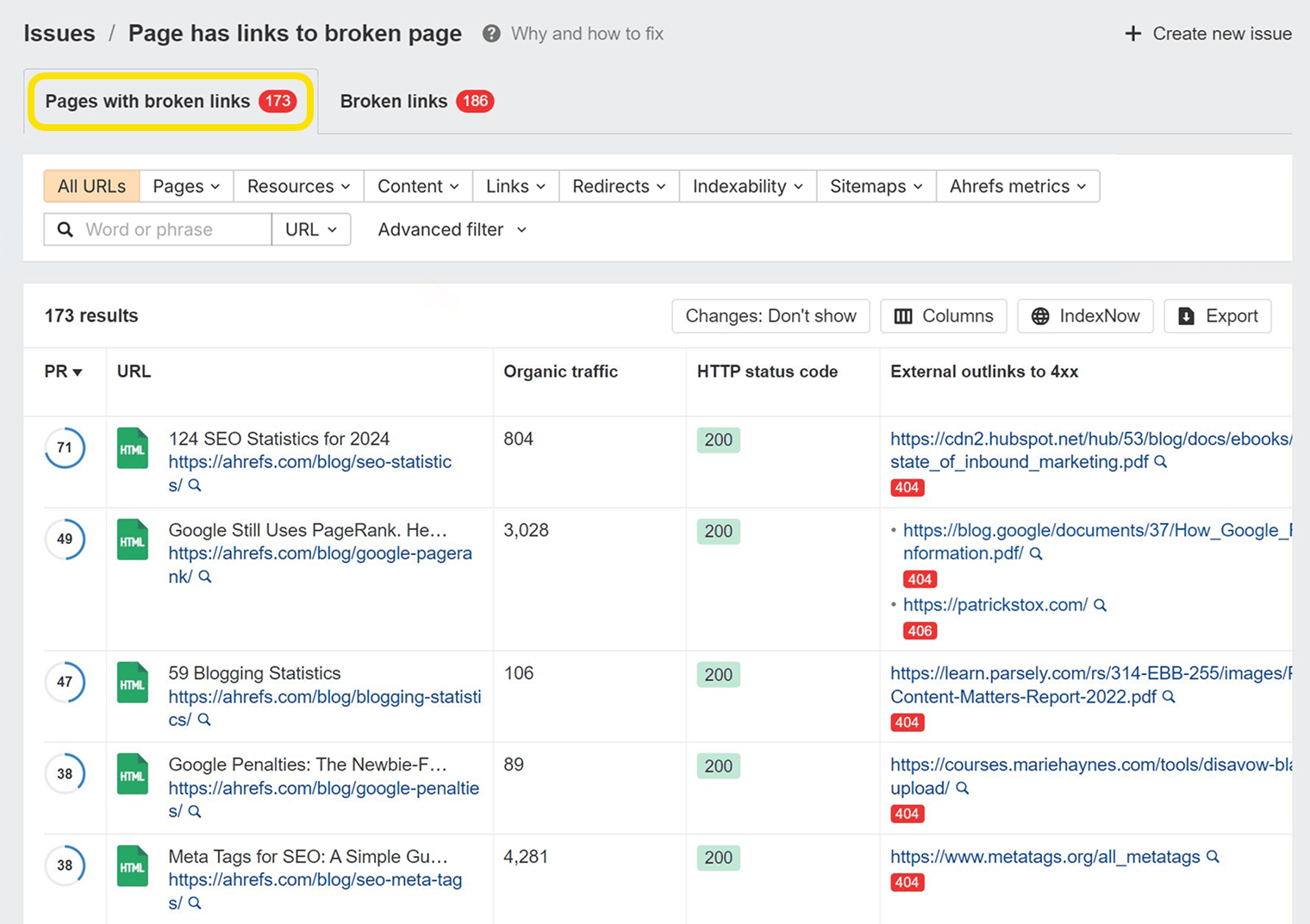
Over time, some of your external links will break as the linked page is redirected or deleted, creating a bad user experience. You can find and fix these broken links using Site Audit: just set up a regular crawl of your website, and monitor the Pages with broken links issue in your crawls.
Optimize your images
Images from your pages can rank in Google image search, appear in AI search results, and send more traffic your way.
You need to do three things to optimize them:
- Compress your images. Compressing images makes file sizes smaller, leading to faster load times. Plenty of tools exist for doing this. ShortPixel is a good option.
- Use descriptive filenames. Google says that filenames give them clues about the image’s subject matter.[9] So dog.jpg is better than IMG_859045.jpg. As a rule of thumb, be descriptive, be succinct, and don’t stuff keywords.
- Use descriptive alt text. The main purpose of alt text is to improve accessibility for visitors who use screen readers, but Google also uses alt text (alternative text) to understand the subject matter of an image.[9] This is an HTML attribute that looks something like this: <img src="https://yourdomain.com/puppy.jpg" alt="puppy">
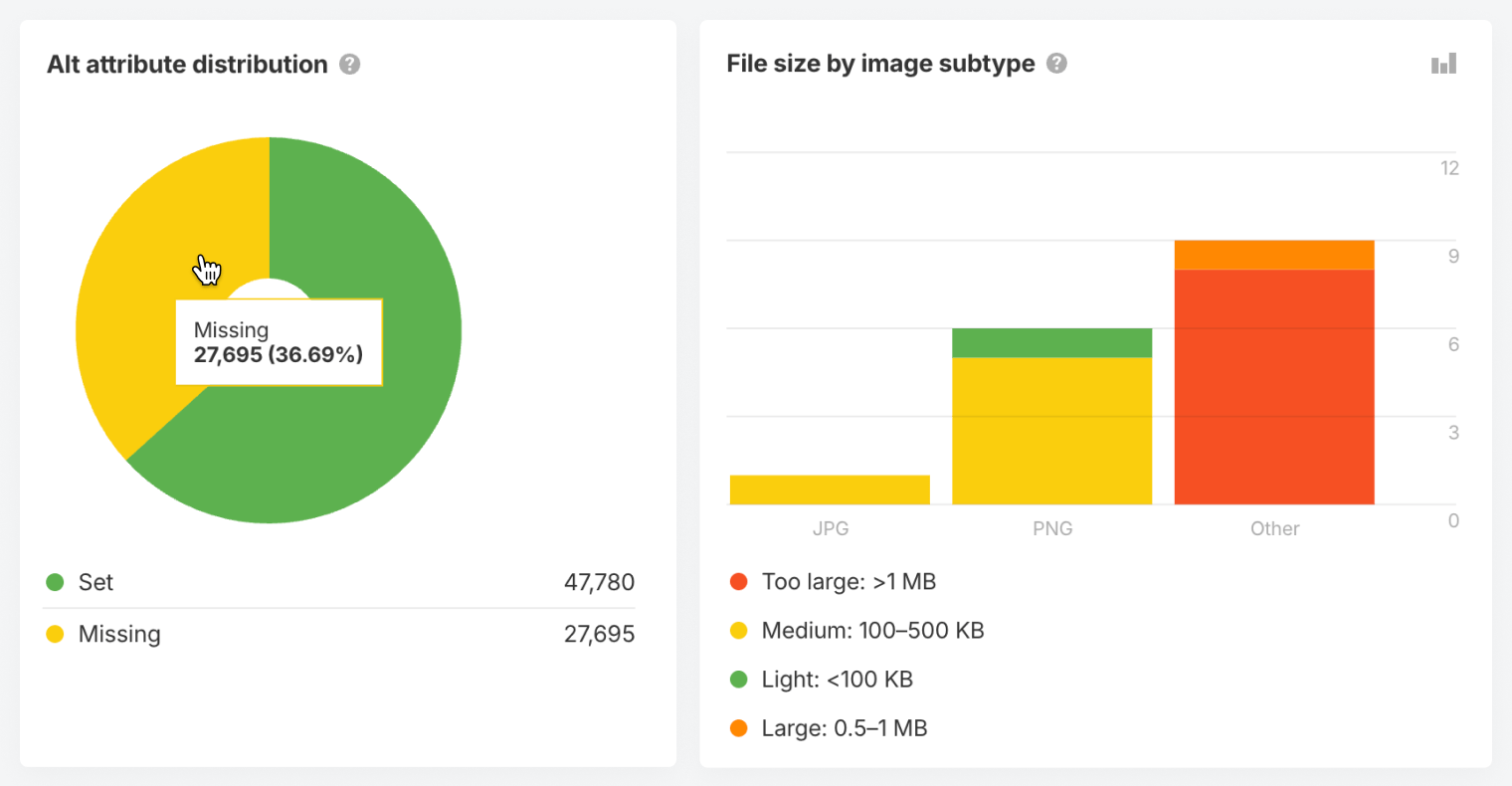
Alt text helps AI and search engine crawlers understand what’s in your images, so that they can better rank or cite your content.
You can use the Images report in Ahrefs’ Site Audit to check your site for images with missing alt text (and flag a host of other possible optimization opportunities, like oversized images):
Fill your content gaps
You can often improve your ranking by filling any "content gaps" in your article: important information that other articles cover, but you don’t.
Adding new sections to include this missing information can help you rank for extra long-tail keyword variations and improve your ranking for your primary keyword.
This is important for AI visibility, too.
When someone asks ChatGPT about "healthy breakfast ideas", the AI doesn’t just match keywords. It uses a process called "query fan-out" to generate questions like:
- What are quick healthy breakfasts?
- What’s the healthiest thing to eat in the morning?
- Are eggs a healthy breakfast?
- What are high-protein breakfast options?
- What should I avoid eating for breakfast?
Even if it doesn’t rank highly, content that answers many related questions is more likely to be cited by AI than a single high-ranking page.
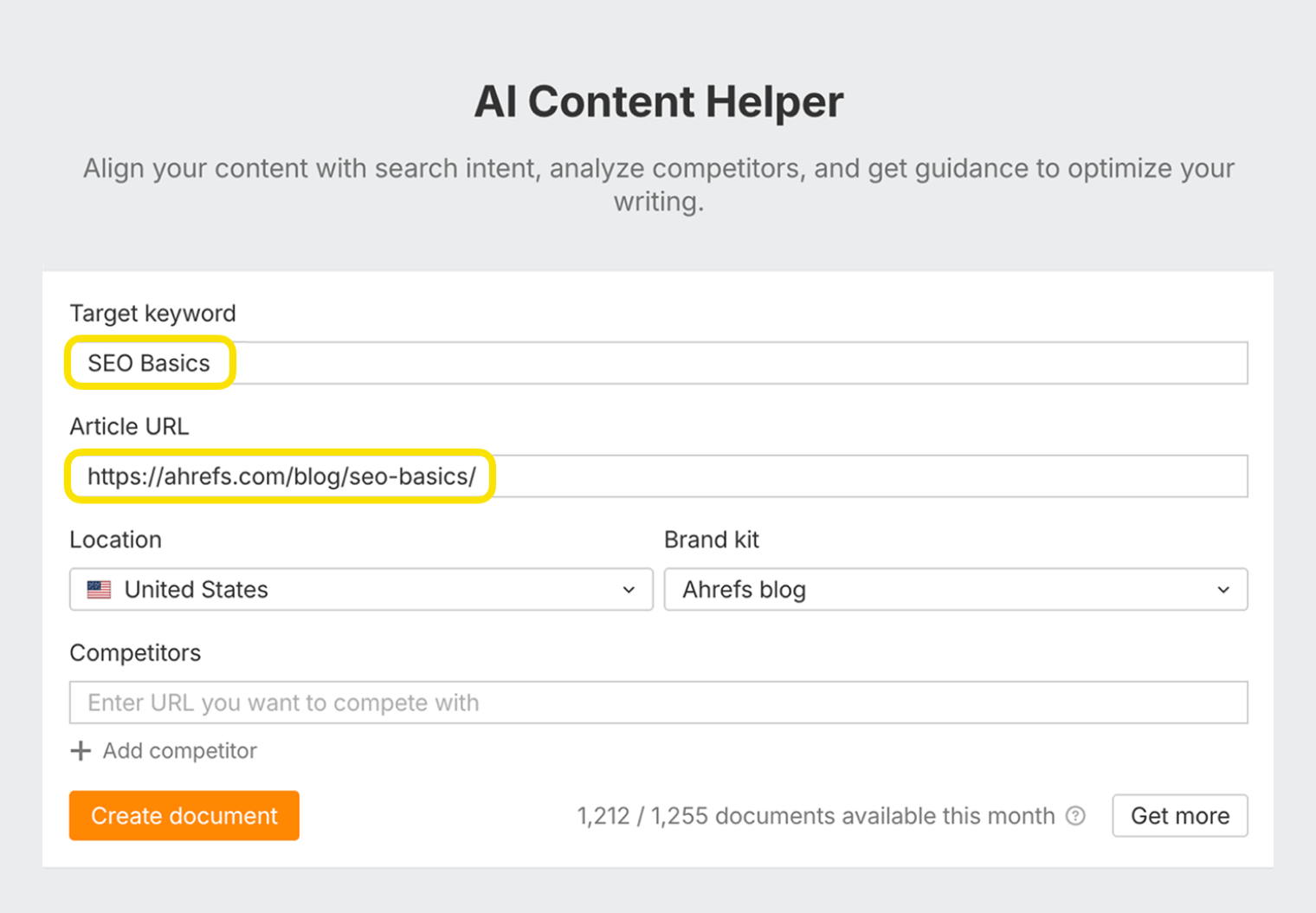
Our AI Content Helper helps you spot gaps in your content, based on what’s already ranking.
Here we just added a published URL, and the target keyword.
The AI Content Helper then scored the article based on how well it covered the overarching topic.
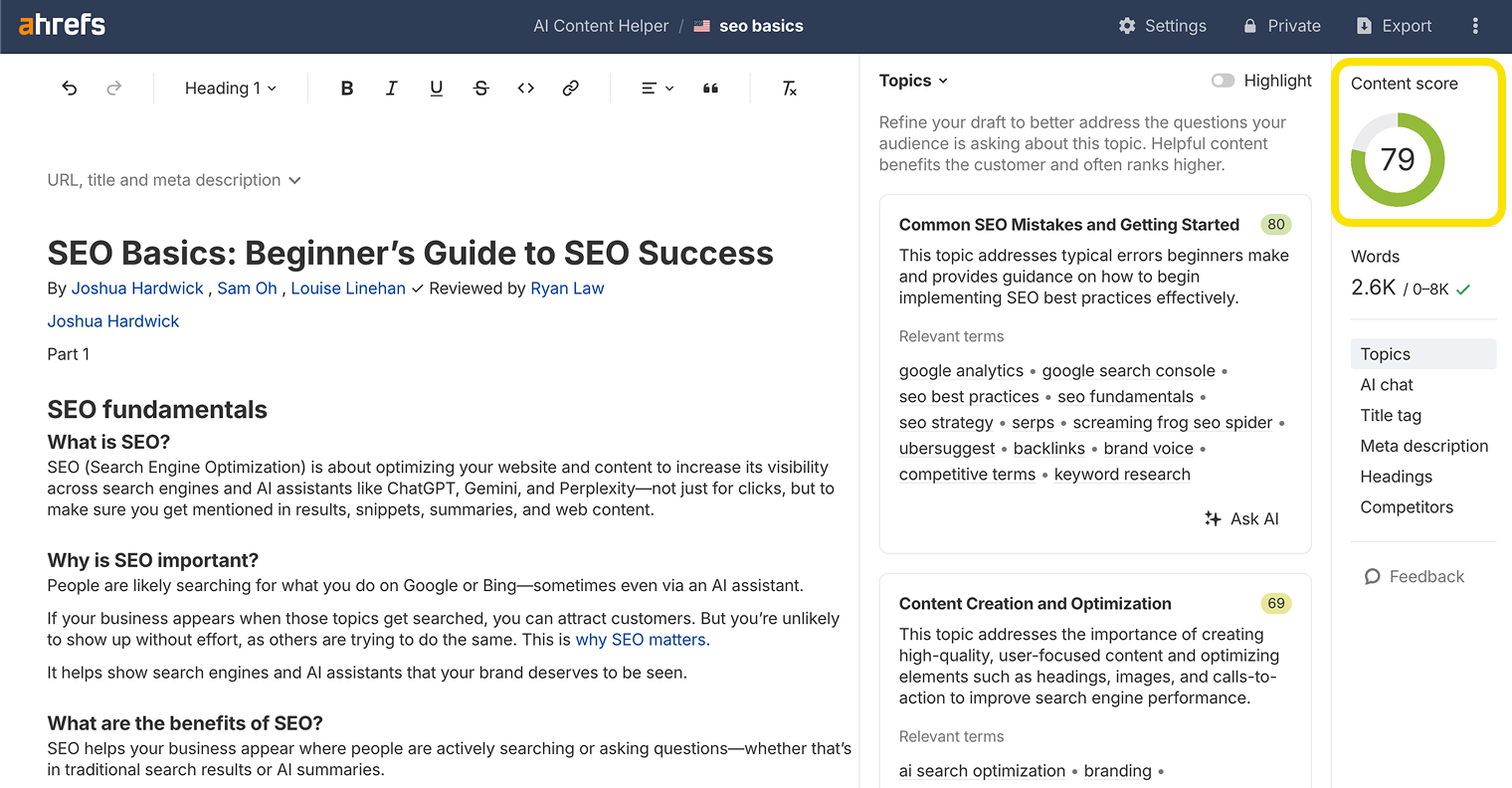
This tool is useful for improving both search and AI visibility.
It uses the same mechanics as AI models to interpret your content, and score topic coverage out of 100.
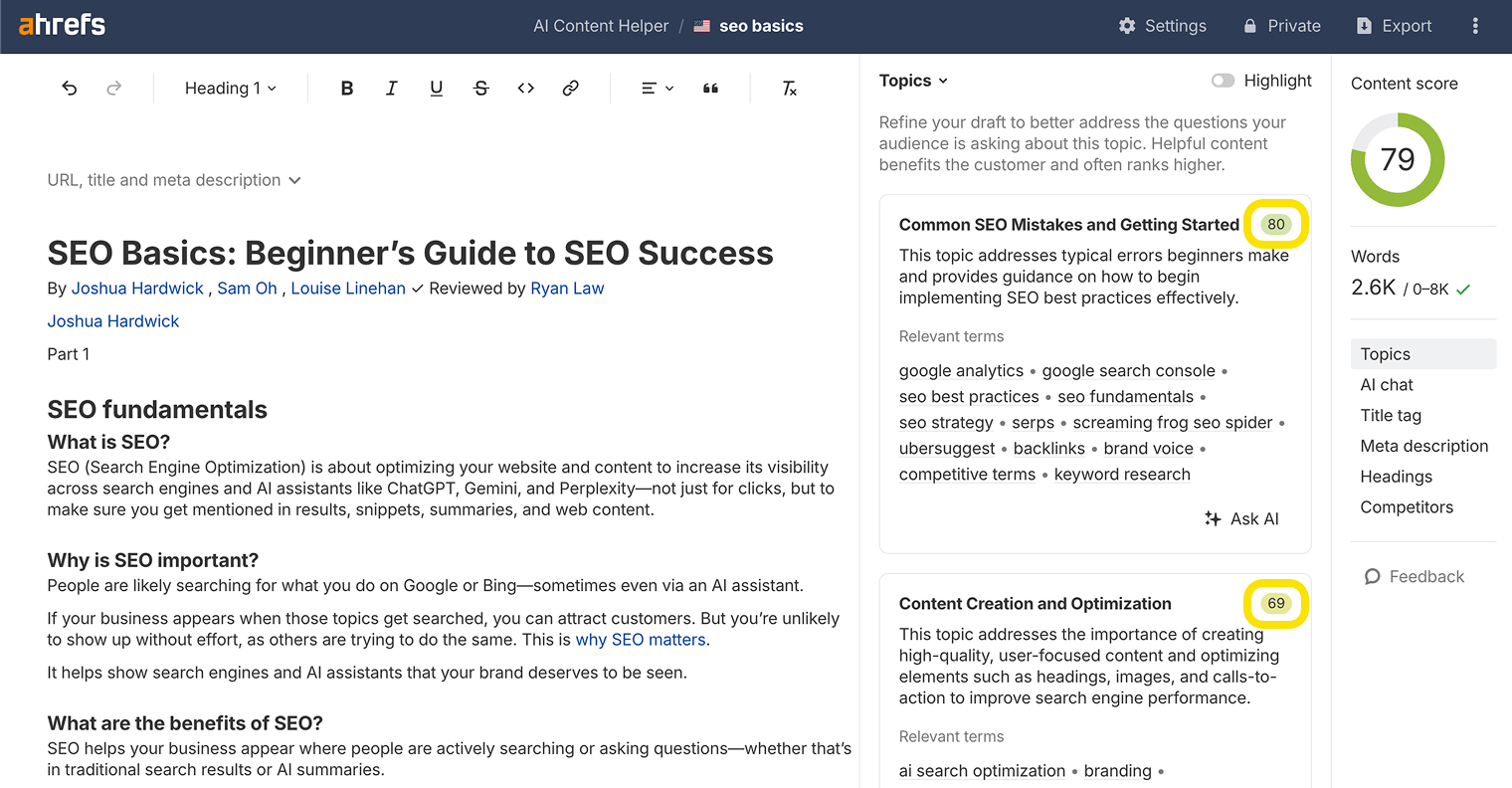
Then it suggests subtopics that can be included to further enrich the article.
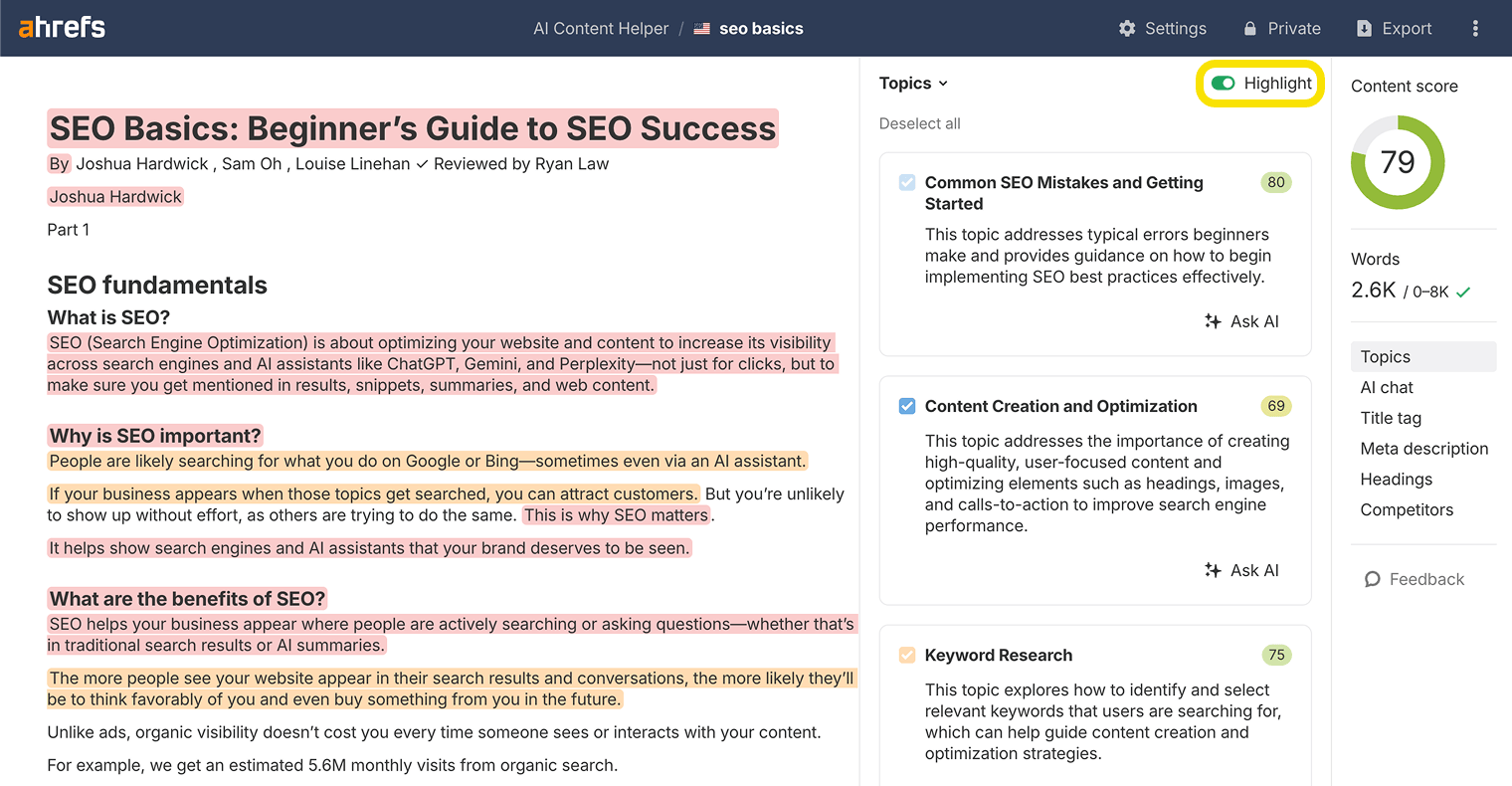
You can switch on the ”Highlights” function to make specific topic-level line edits, and watch your score change in real-time.
Show off your experience and expertise
Google’s quality rater guidelines encourage authors to demonstrate "EEAT" in their content: expertise, experience, authoritativeness, and trustworthiness.
These guidelines are used by Google’s quality raters, and although they’re not a direct ranking factor, they give a clear indication of the type of content Google aims to reward in its search results. You can emphasize your EEAT in a few different ways:
- Show relevant expertise in your author bio. This is especially important for so-called YMYL (Your Money or Your Life) topics: medical content should be reviewed by medical professionals, investment advice by accredited investors, and so on.
- Include expert quotes. When your expertise isn’t enough to be authoritative on the subject, seek out quotes and feedback from people who are experts (especially in fields that require specific certifications and qualifications, like healthcare or accountancy).
- Get hands-on with your topic. If you’re writing about brewing espresso, actually go and brew a few hundred shots. Reviewing free CRM software? Download, install, and spend a few hours with each option. If you aren’t willing to go to these lengths, there’s a good chance you’ll be beaten by someone who will.
- Show evidence. Prove to readers (and Google) that you did the thing you’re talking about: add experience to your author bio, and include original photographs and videos of your experience.
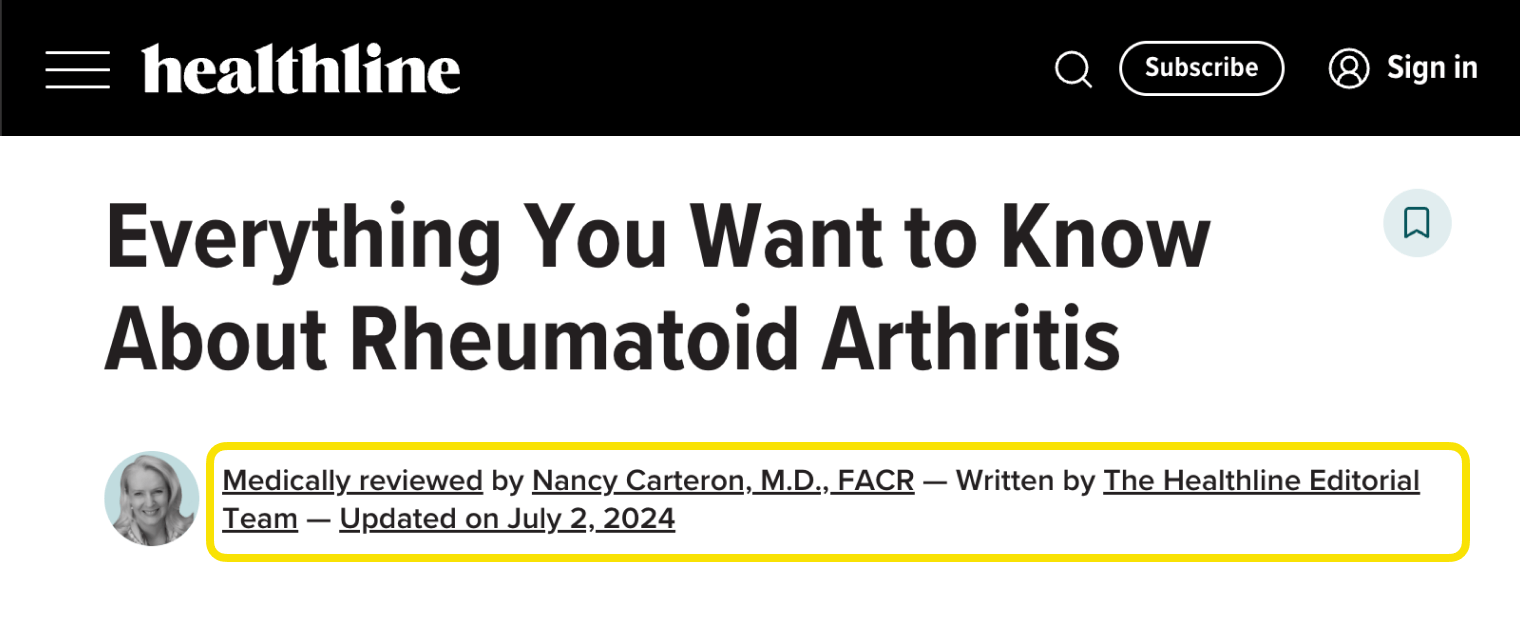
Here’s an example of an author bio demonstrating relevant expertise for the article topic.
Optimize for zero-click search
Now that users have access to instant AI answers like Featured Snippets, AI Overviews, and AI Mode, clicks and traffic are disappearing fast-this is known as ”zero-click search”.
But getting your site featured in AI responses can still help you get your brand seen by more people.
There’s no surefire way to win these features—ranking well generally is still the most important thing.
But, as a general rule of thumb, if your article contains similar text to the response generated by zero-click features, you’ll have a better chance of appearing in them.
For example, writing in declarative sentences and opening with your key point early in the article can help.
Rich answers like AI Overviews and Featured Snippets are meant to provide simple, concrete answers, so they look for text that offers a simple, concrete answer to cite/rephrase.
One possible way to increase your presence in AI Overviews is by learning from competitor pages that are already being cited.
Just search your competitor’s domain in the AI Responses of Ahrefs Brand Radar.
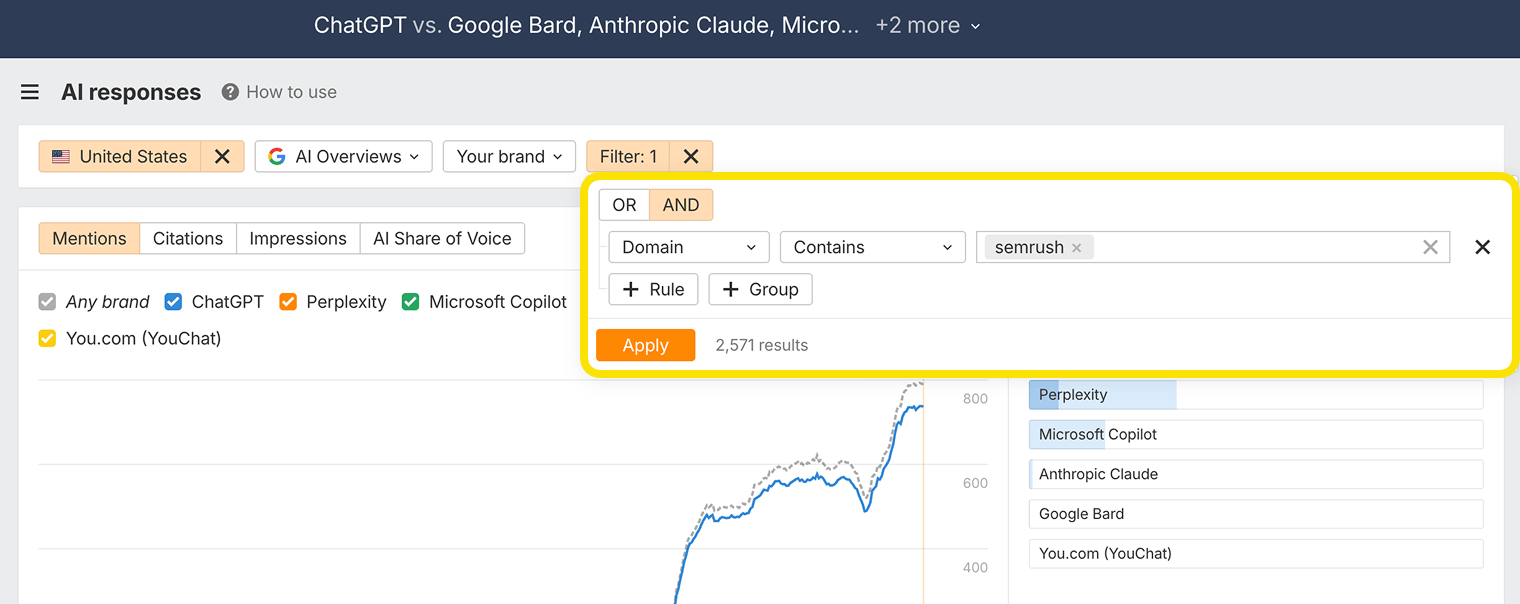
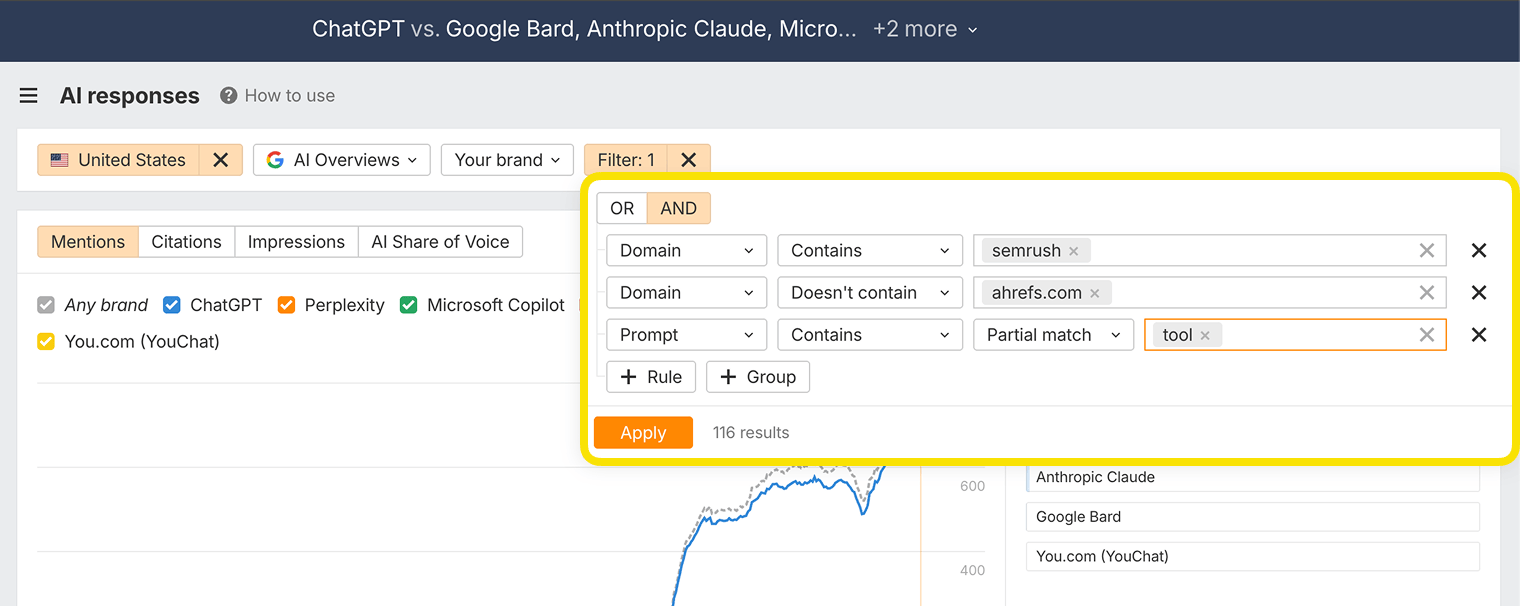
Then, add a negative ”Doesn’t contain” filter for your own domain—this way you’re seeing which AI Overviews your competitors are being referenced that you aren’t.
In this example, we filtered down even further to find valuable, bottom-of-the-funnel queries, by adding a filter for the keyword ”Tool”.
We were left with 56 keywords, including one with fairly strong Business Potential for Ahrefs: competitor traffic analysis tool.
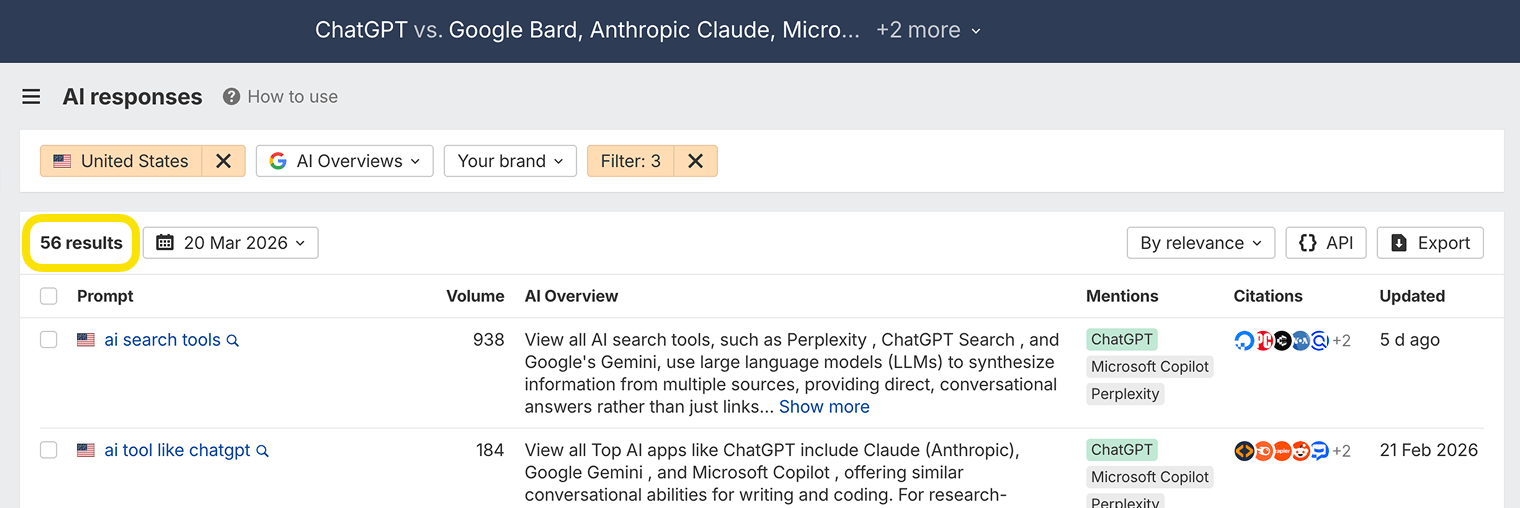
By studying the pages that typically get cited, we can optimize our on-page SEO to compete for that search feature.
In this example, we found that a newly published tool list and two landing pages were referenced—each featuring the keyword in their H1.
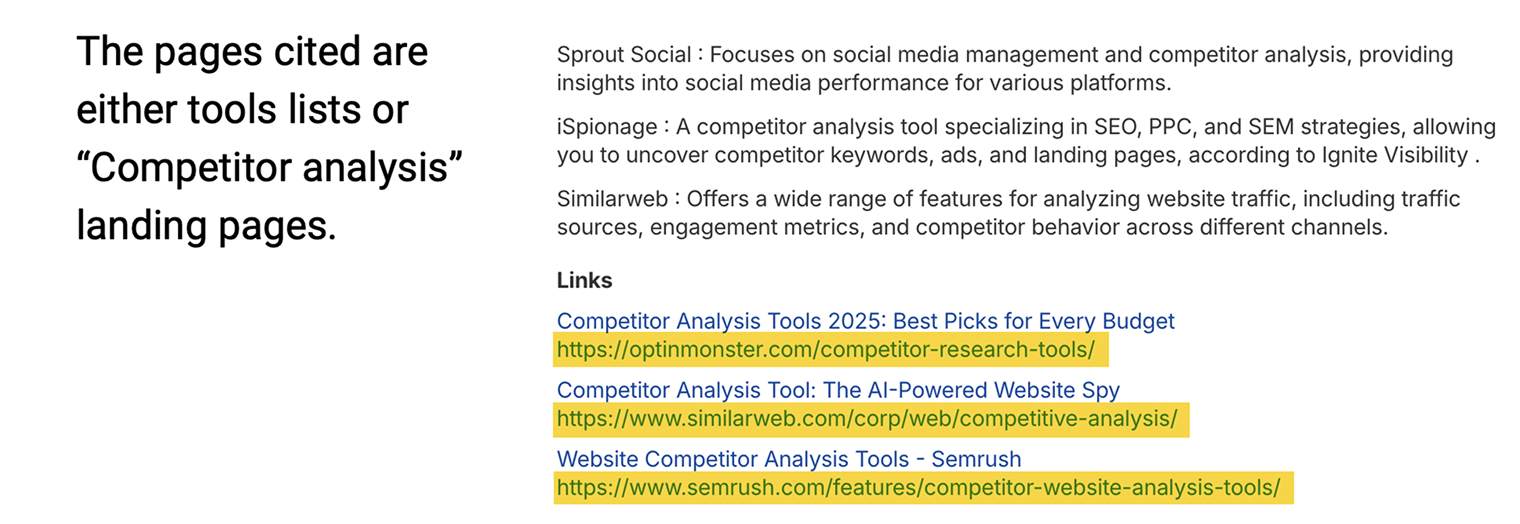
We checked our own content archives on the topic of "Competitor analysis tools" and found an outdated (2024) tool list, and a weakly themed landing page.
So, we can take this to mean that we either need to update our old tool list or re-theme our landing page around the focus keyword, if we want to win that AI search citation.
Get rich results with schema markup
Schema markup is a type of code you can add to your pages to help search engines and AI assistants understand the meaning and structure of your content.
This can lead to rich results in Google: enhanced search listings that include extra information like ratings, step-by-step instructions, or FAQs.
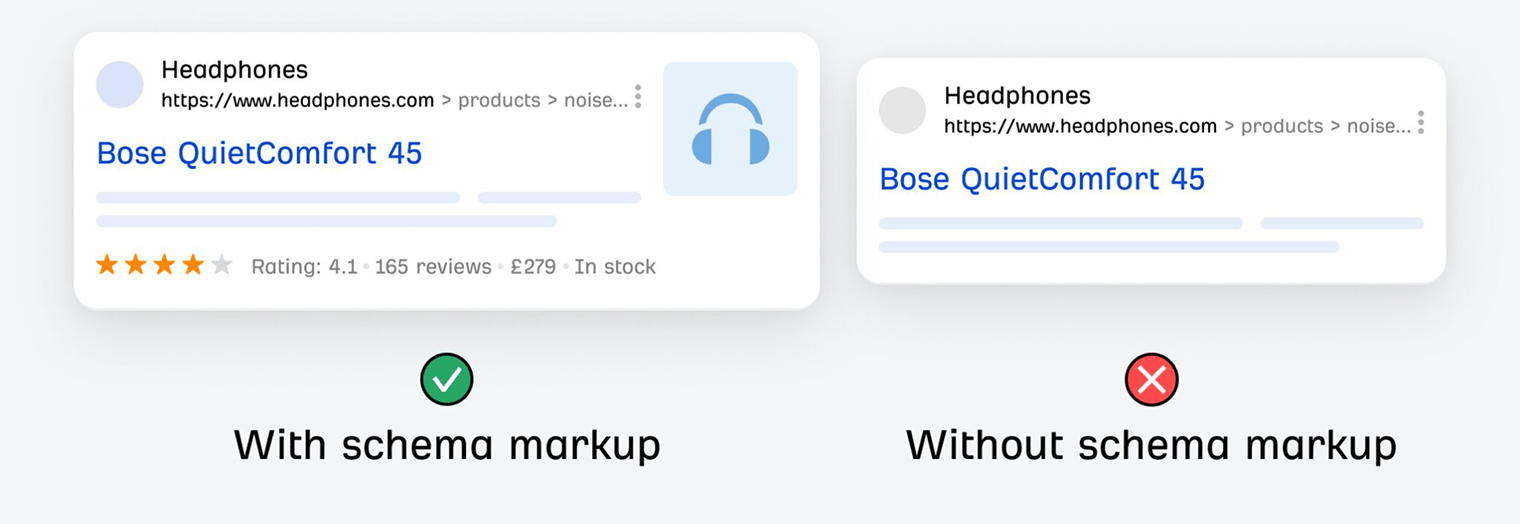
Both Google and Microsoft confirm that structured data, like schema markup, is important for AI search, and may help LLMs correctly interpret your page content.
Think of schema markup as a label that tells search engines, "Hey, this part is a question and this part is the answer," or "These are steps in a process."
Here are some useful types of schema markup to consider:
- FAQPage schema: Use this when you include a short Q&A section answering common beginner questions. It helps AI search tools and Google identify and reuse your answers.
- HowTo schema: Great for step-by-step instructions. Makes your guide more useful in visual search features and voice assistants.
- Article or Organization schema: Helps show who wrote the content and why they’re credible—useful for building trust and authority.
You can learn more about the different types of schema, and how to apply them using our guide: Schema Markup: What It Is & How to Implement It.
Improve user experience
Google considers how users interact with your pages when determining rankings.
This is called "user experience", or "UX".
Good UX is also important for AI visibility, since AI systems prioritize content that’s easy to read and well-structured when generating their responses.
To rank your pages, Google takes into account a set of "page experience signals." These include (but are not limited to):
- Core Web Vitals (CWV) (in other words, whether the page is fast enough and stable).
- Security (whether the page connects via HTTPS).
- Mobile-friendliness (Google uses the mobile version of your pages for indexing and ranking).
- Avoiding intrusive interstitials and dialogs.
You can keep an ”always-on” check of your Core Web Vitals in Ahrefs Site Audit.
Just head to Site Audit > Performance report > and look out for CrUX metrics.
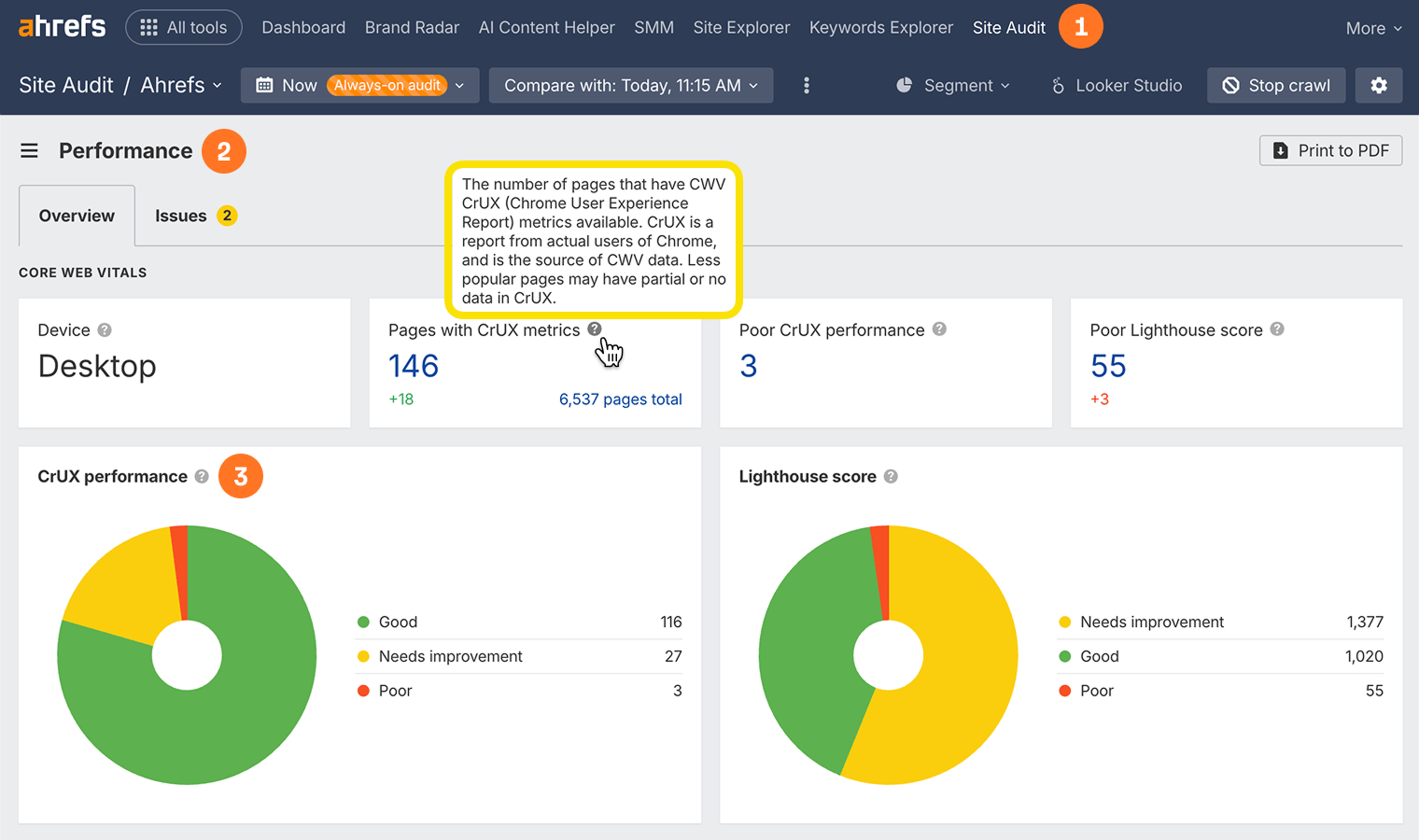
Here are some other steps you can take to improve your on-page UX.
Make your content easy to read and navigate
Use short paragraphs, clear headings, plenty of white space, and design your content layout with your target audience in mind—for example, a technical blog should look different from a lifestyle site.
For landing pages, guide users toward your goal with content and visuals that support rather than distract from your message.
And make sure you optimize site-wide—not just the odd page.
Don’t forget technical on-page SEO
Technical factors also directly impact your page’s ability to provide a good UX.
Search and AI crawlers, for example, can scan your website more easily when it has a clean technical structure.
Your web hosting quality, server-side caching, and site architecture can also affect how quickly your pages load and how easily crawlers can access your content.
Tools like PageSpeed Insights can help you spot technical issues that might be impacting UX and holding back your rankings.
Check out our guides to learn more:
Further reading
Make your content accessible to search and AI crawlers
Websites need to be accessible to bots, as well as people.
Ahrefs’ “always-on” Site Audit lists out when AhrefsBot last crawled each page of your site—AhrefsBot sees what all other bots see.
Running a full crawl with AhrefsBot will show you what search and AI crawlers might encounter when they get to your page.
This will help you:
- Make sure all your key pages return 200 OK (no broken links).
- Fix any issues in Robots.txt or Meta Robots that say “noindex” or block important content.
- Find orphan pages with no internal links, and reference them from related articles, category pages, or navigation menus.
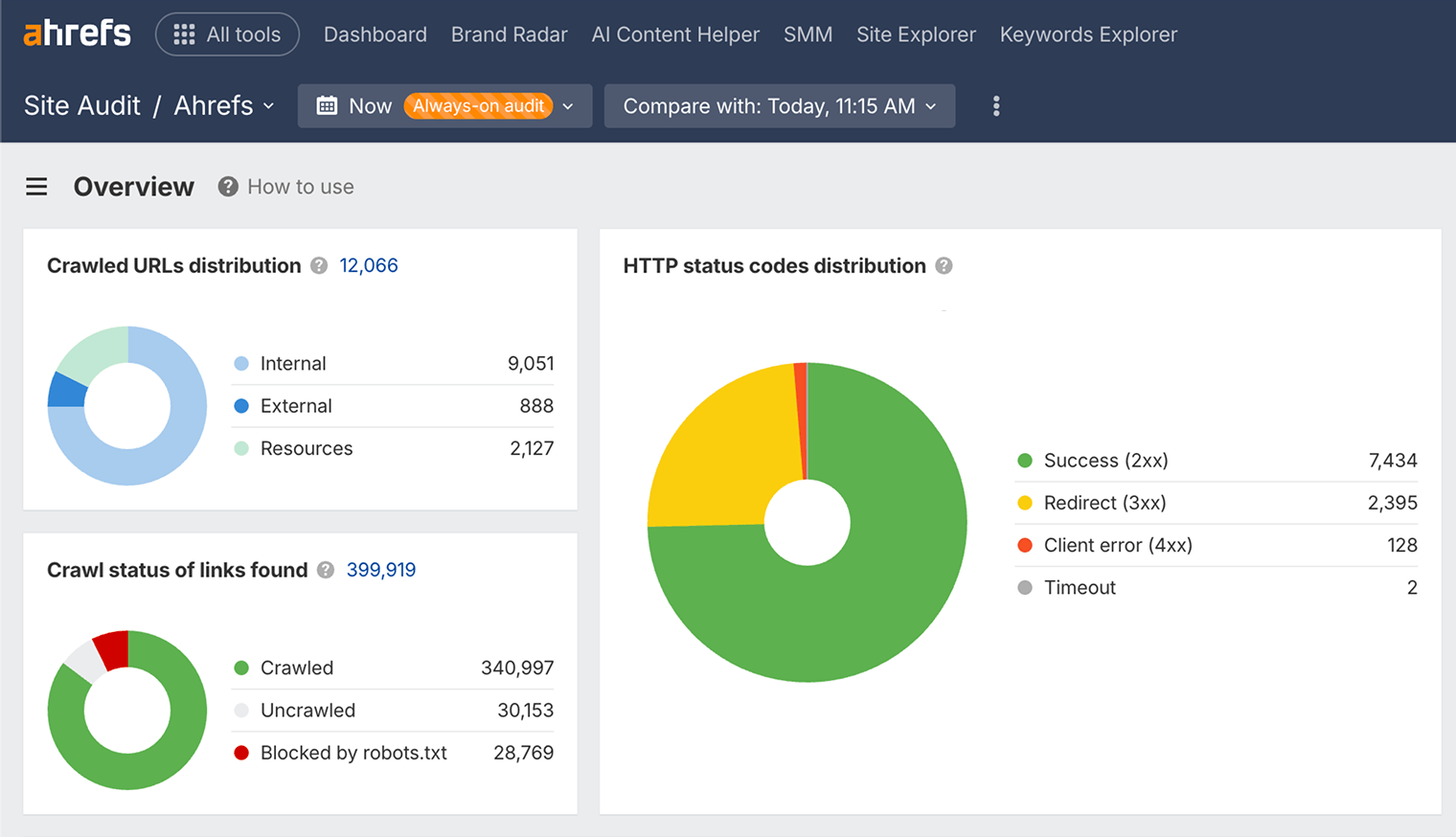
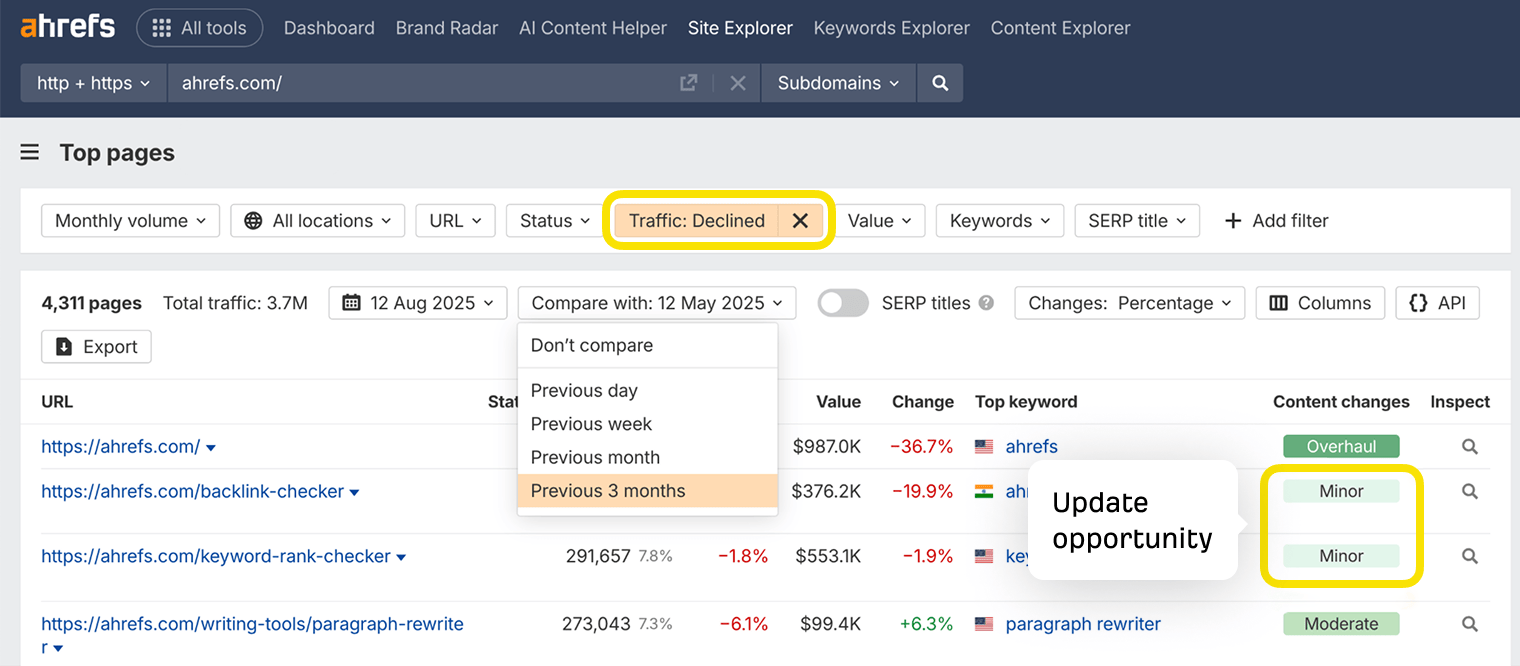
You can also view "Content changes" in the Top Pages report of Ahrefs’ Site Explorer tool to find and refresh outdated content—it’s proven that both search bots and AI assistants prefer fresh information.
Monitor your on-page SEO performance
So, you’ve made on-page changes like updating title tags or adding internal links.
Now you need to track whether these optimizations are actually improving your performance.
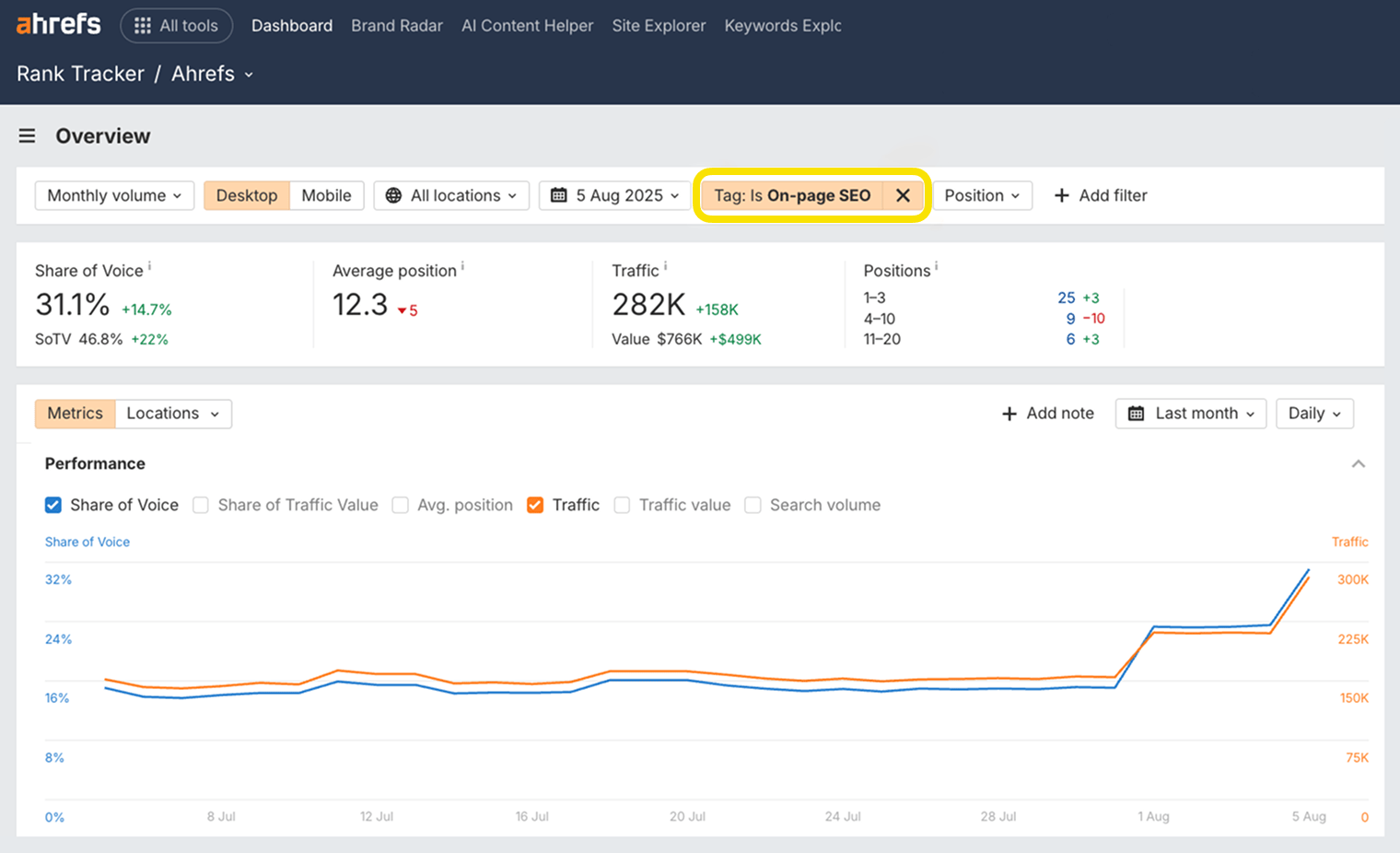
Track how your optimized topics are ranking
After updating your title tags and headings with your focus topics, use Ahrefs Rank Tracker to see if those specific pages are growing in terms of Share of Voice and traffic.
Measure traffic changes to optimized pages
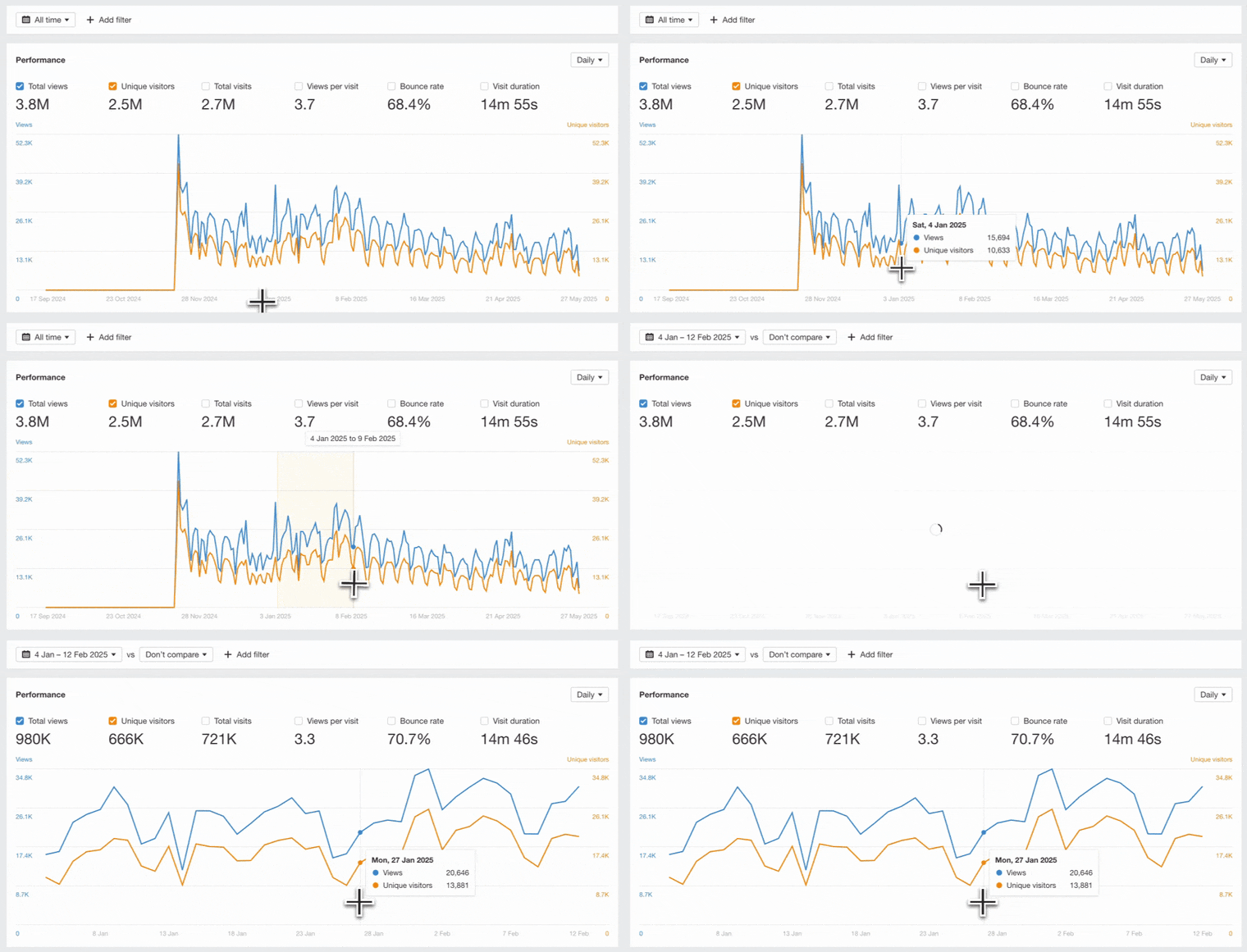
Use Ahrefs Web Analytics to check if your optimized pages are getting more organic traffic.
It’s free, privacy-friendly, and much easier to use than Google Analytics 4.
Look at traffic trends before and after your on-page changes to see what’s working.
Check user behavior on updated pages
It’s not just about traffic. After improving factors like content structure or mobile-friendliness, monitor metrics like bounce rate in Google Search Console or Ahrefs Web Analytics.
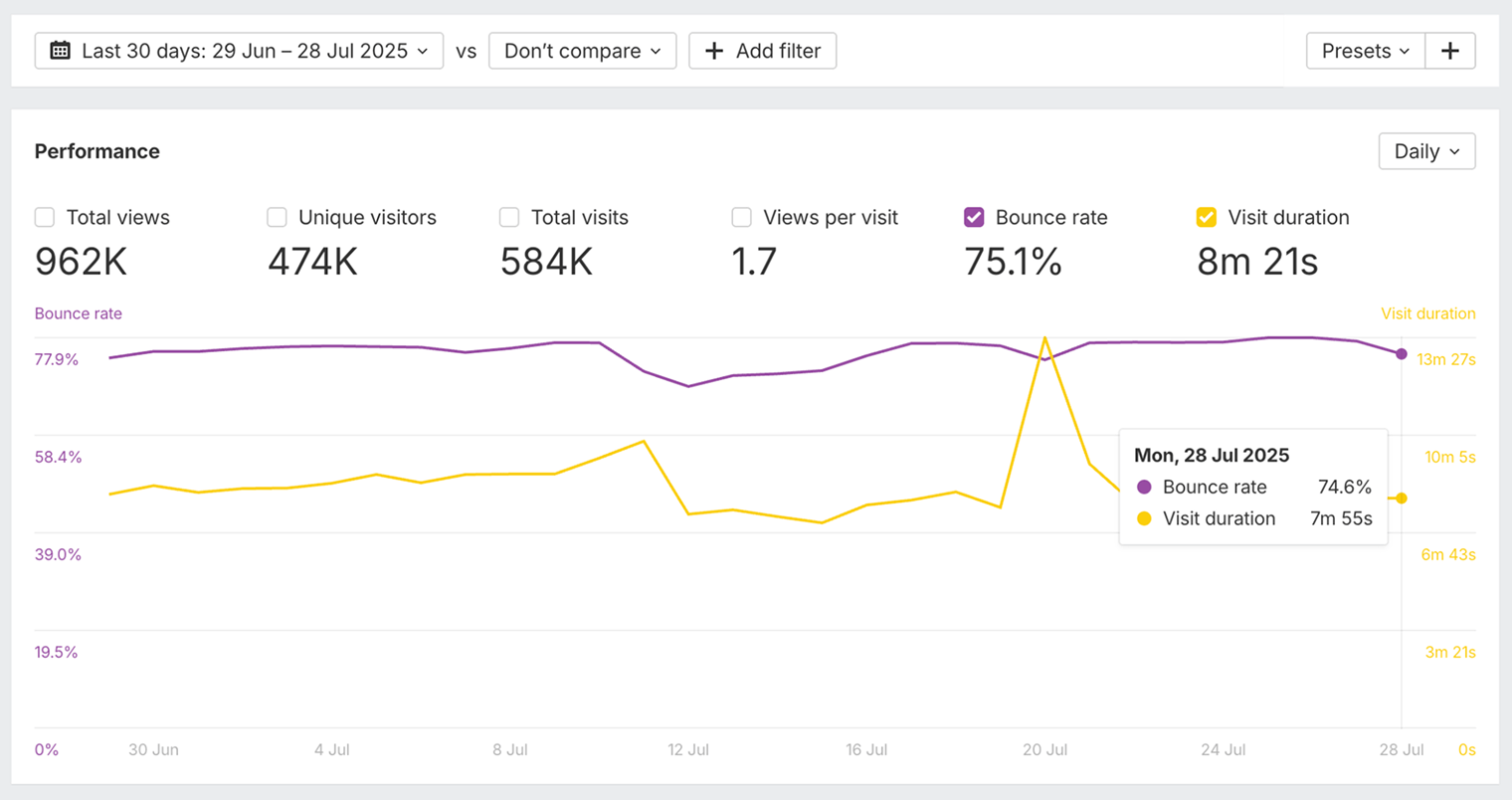
If people are staying longer on your optimized pages, that’s a good sign your changes are working.
Track your performance in AI search results
Check if AI assistants like ChatGPT or Google’s AI Overviews are beginning to reference your site more.
You can use Ahrefs Brand Radar for this. For example, you can search your brand name in AI Overview responses, and track whether mentions have increased following specific on-page optimizations.
Final thoughts
When you optimize your headers, fill content gaps, and demonstrate expertise, you’re making it easier for algorithms to confidently recommend your pages.
The difference now is that Google isn’t your only target—you’re also competing for citations in ChatGPT, Perplexity, and other AI assistants.
That said, the core on-page factors haven’t changed. The tactics above will stand you in good stead for visibility in both search engines and AI assistants.
If your visibility doesn’t improve, it’s worth trying to update or strengthen your content again.
We do this all the time on the Ahrefs blog, and we’ve had good results from updating or even completely rewriting content.
Further reading
Below, you can see an example—organic traffic grows and stays fairly consistent following regular updates (the green circles represent content changes!):
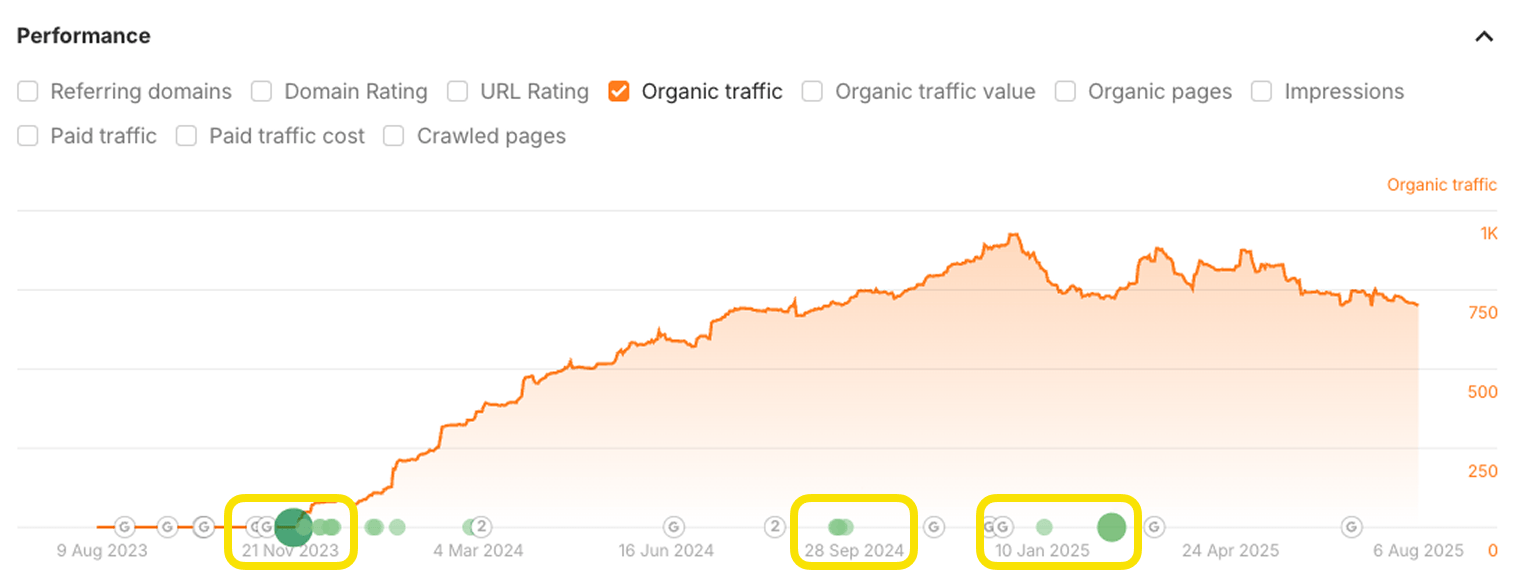
The key is to stay consistent with your on-page optimization—small, regular improvements compound over time to deliver outsized visibility gains.
Ryan Law is the Director of Content Marketing at Ahrefs. Ryan has 13 years experience as a writer, content strategist, team lead, marketing director, VP, CMO, and agency founder. He’s helped dozens of companies improve their content marketing and SEO, including Google, Zapier, GoDaddy, Clearbit, and Algolia. He’s also a novelist and the creator of two content marketing courses.
Master SEO Step by Step
How Search Engines Work
Before you start learning SEO, you need to understand how search engines work.
SEO Basics
Learn how to set your website up for SEO success, and get to grips with the four main facets of SEO.
Keyword Research
The starting point in SEO is to understand what your target customers are searching for.
SEO Content
Learn how to create content that ranks in search engines.
On-Page SEO
This is where you optimize your pages to help search engines understand them.
Link Building
Learn how to create content that ranks in search engines.
Technical SEO
Prevent technical problems that stop Google from accessing and understanding your website.
Local SEO
Learn how to improve your visibility in local search results and get more customers from your area.
What AI Means for SEO
You can’t talk about SEO today without mentioning generative AI.