
Custom Prompts
These are Custom Prompts in Brand Radar. And with them, you can monitor how AI tools respond to your own specific prompts.
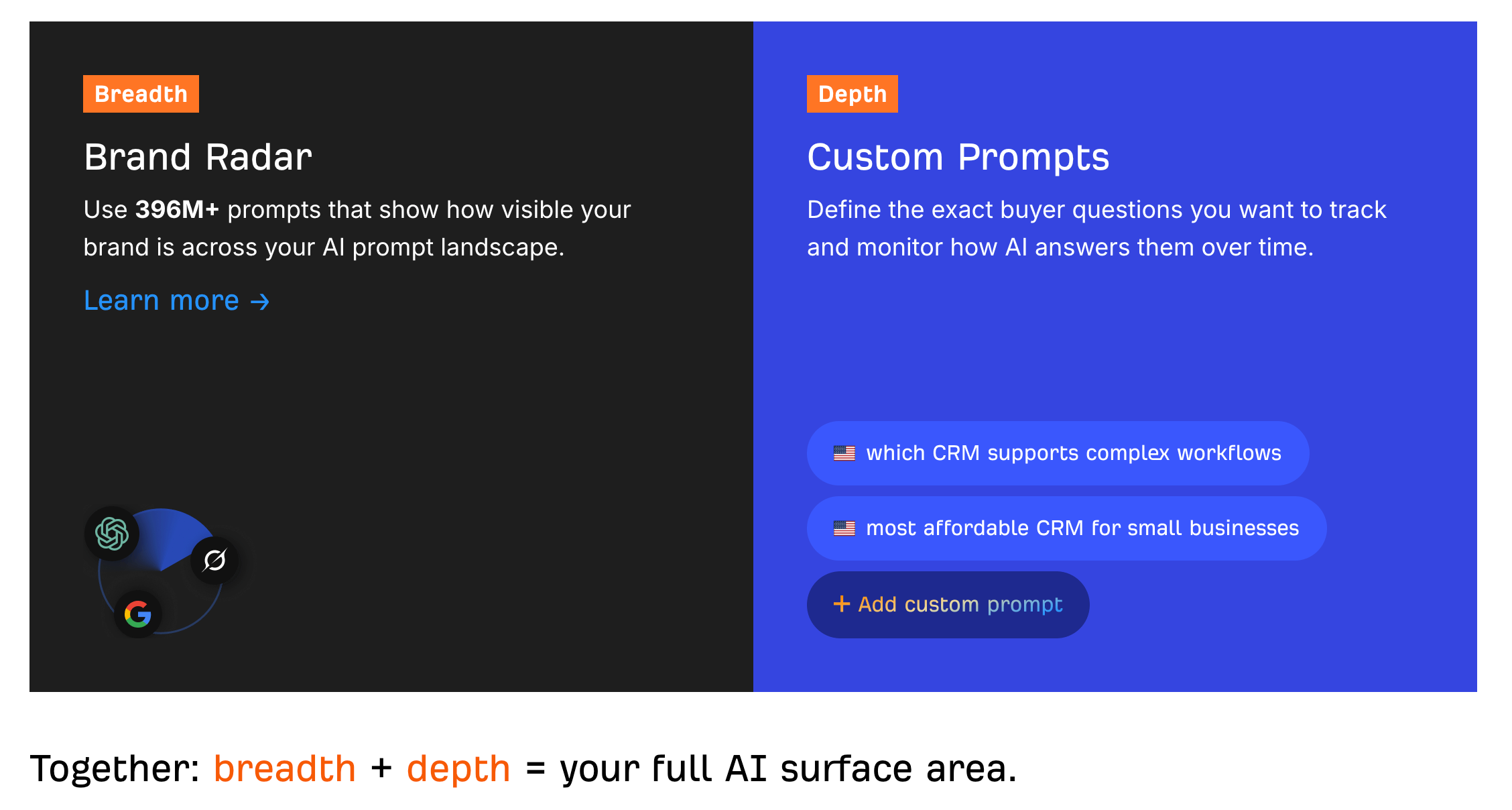
Now, Brand Radar already tracks your brand mentions across 400+ million search-backed prompts, visible under the AI responses report. Think of it as a discovery tool that maps the breadth of your AI funnel, showing you the topics and prompts you could be found for.
Custom prompts add a second layer of depth. You pick the exact questions your buyers ask about your product, your competitors, your category; and Brand Radar tracks how Google AI Overviews, Google AI Mode, ChatGPT, Perplexity, Gemini, Copilot, and Claude respond to each one.
To set them up, you first need a Brand Radar report.
If you don’t have one yet, click + Report and fill in your brand and competitors. Set the tracking frequency for custom prompts — daily, weekly or monthly — for each AI tool separately. And click Create report.
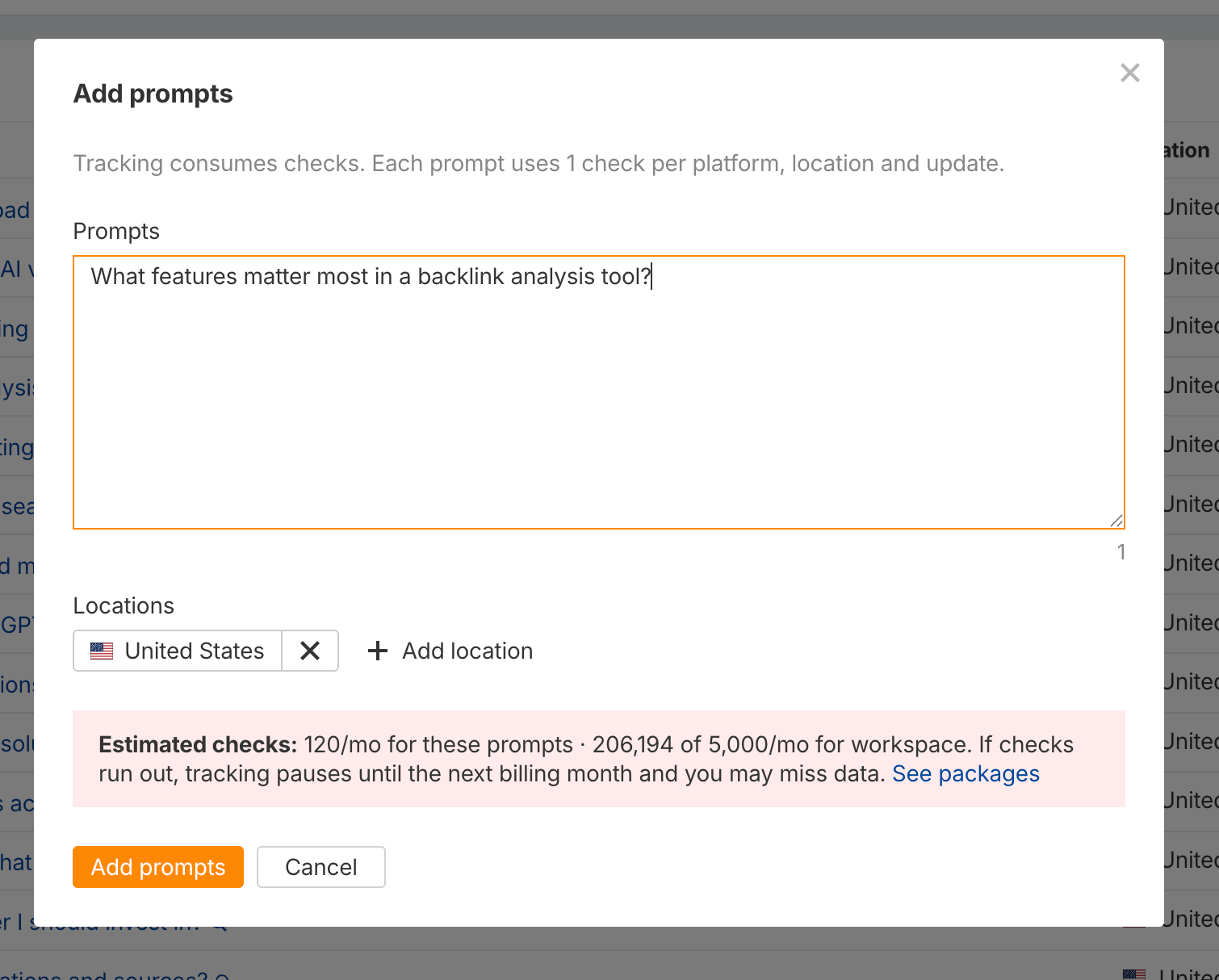
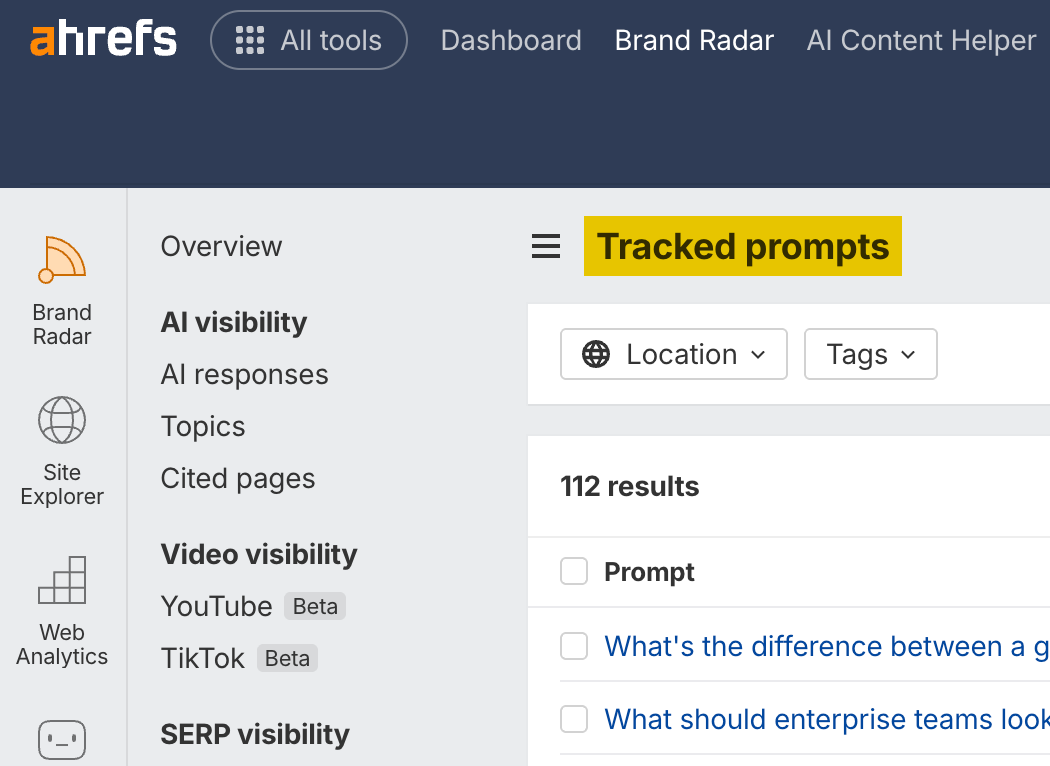
From here, click Tracked prompts in the sidebar. If you already know what prompts to use, add them here, one per line.
Next, select your locations, because AI responses vary by location.
Before you confirm, check the estimated check count. One check equals one prompt times one AI tool times one location. So 10 prompts across 4 AI tools in 2 locations — that’s 80 checks.
Finally, click Add prompts. The first AI visibility data should appear within 24 hours.
Generate prompts automatically
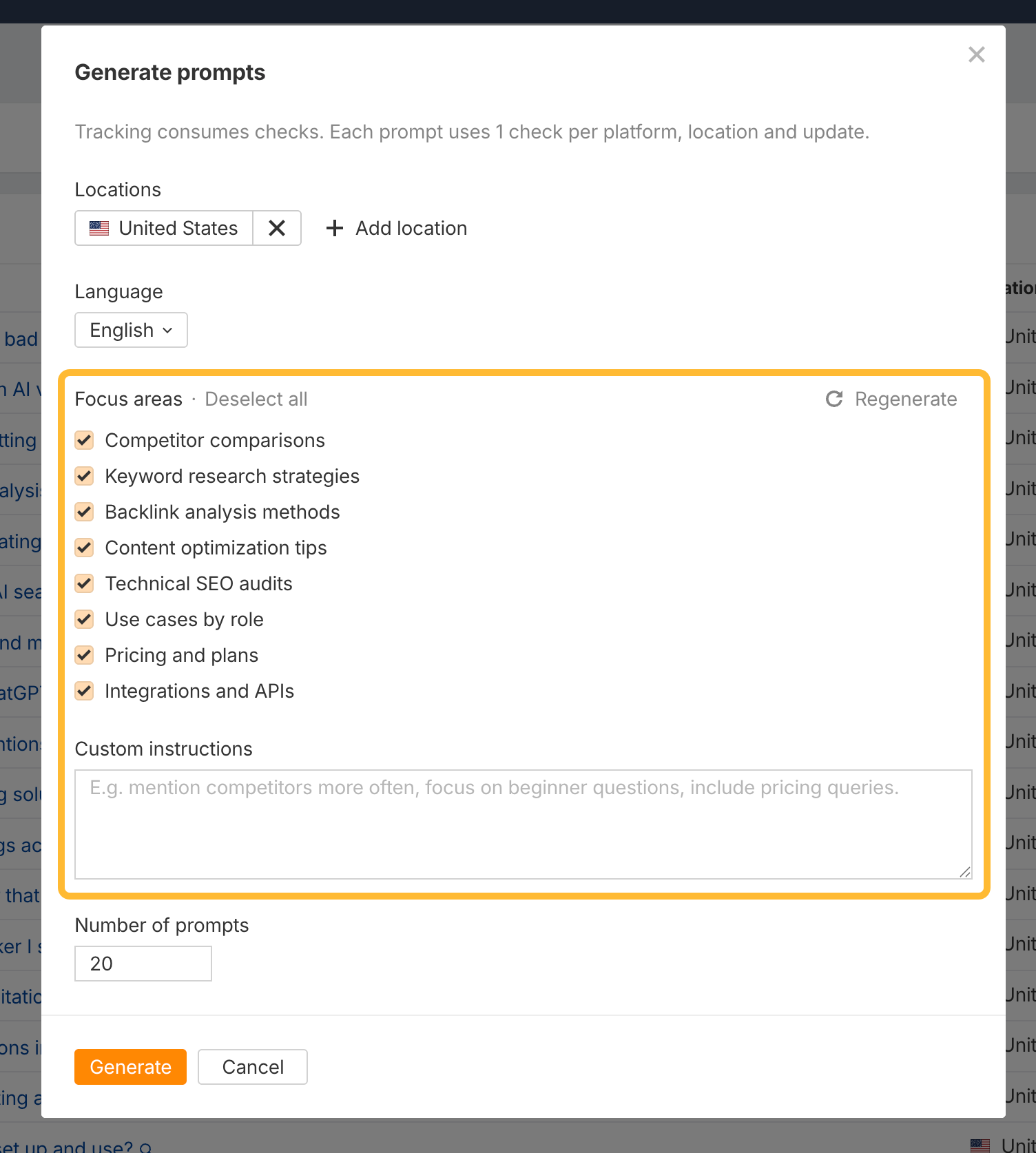
Not sure which prompts to track?
Click on Generate to generate them from competitor comparisons, pricing data, People also ask, Reddit and forum discussions, and other signals Ahrefs collects.

These are all great custom prompts to start from.
One tip: don’t obsess over individual responses since they can change from one minute to the next. Instead, group similar custom prompts together and look at the bigger picture.
This evens out the data and gives you a clear picture of how much market your own.
Custom prompt types
1. Competitive positioning. Questions like “what’s the best CRM for real estate agents” or “what’s the best CRM for construction companies.” These show how AI tools rank you against competitors for your key use cases.
2. Trust and validation. Questions people ask in forums and communities. “Are Hoka running shoes reliable long-term” or “is HubSpot worth it for a small business.” These reveal what AI thinks about your brand’s reputation.
3. And specific requirements. Niche queries like “best HIPAA-compliant project management tool” or “which CRM integrates with Xero.” These go beyond broad coverage and let you track exactly what your buyers are asking.
Custom prompts vs. Ahrefs prompts
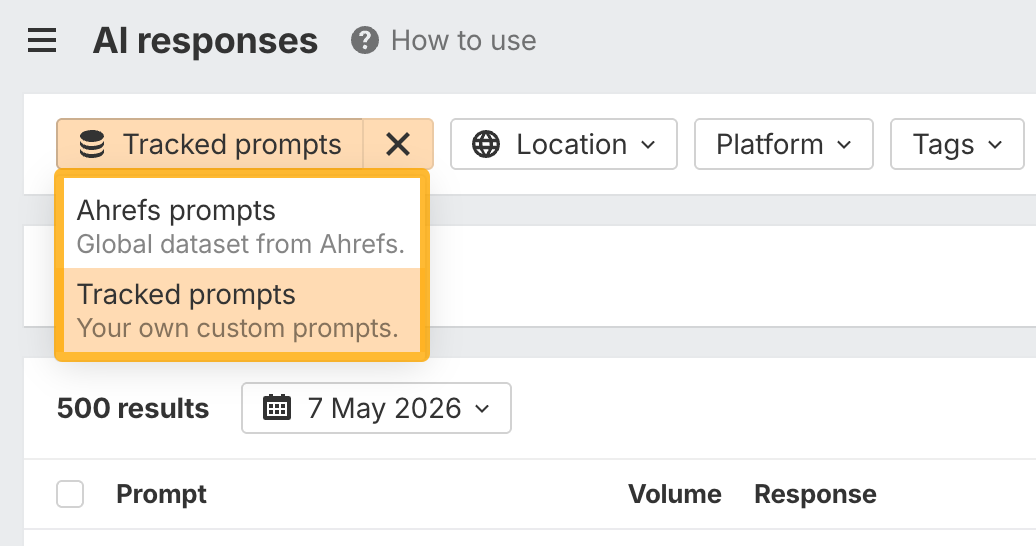
Once you’ve added your custom prompts, it’s worth noting that you can toggle between them and Ahrefs’ AI visibility index.
Just go to the Overview report, or any of the AI visibility reports in the sidebar, and set the Dataset filter to Tracked prompts only.
You’ll see how each AI tool answers these and whether they mention you, your competitors, or skip you entirely.
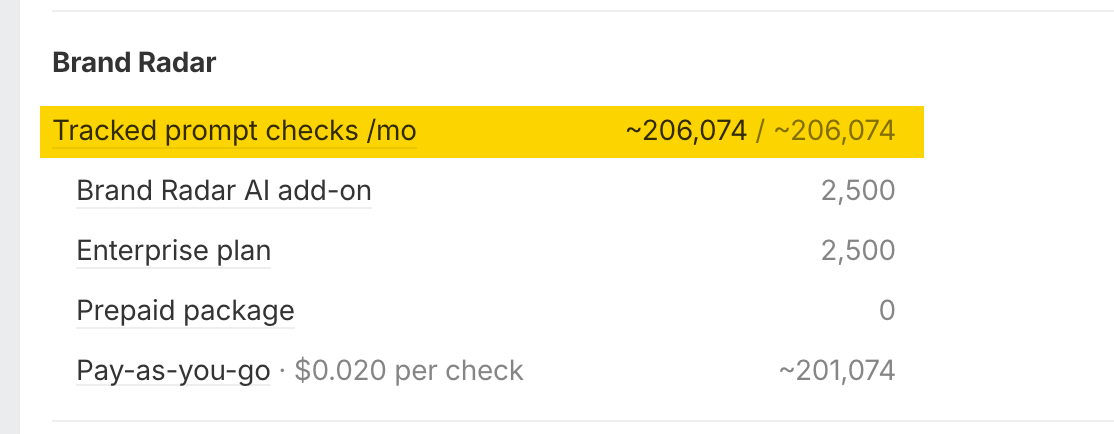
Custom prompts usage
Curious how many prompts you have left? You can check that anytime under Account Settings > Limits and Usage.
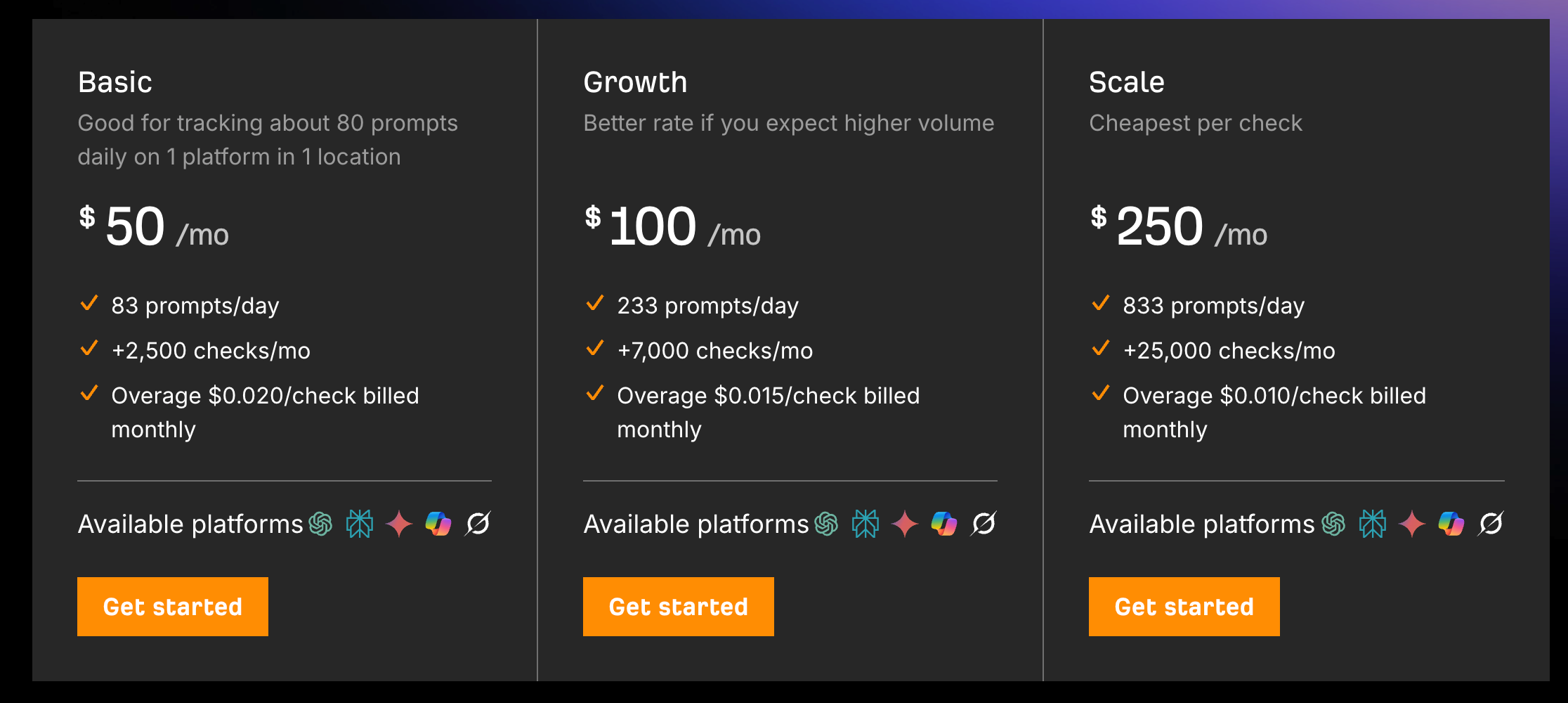
Custom prompts are available as stand-alone packages as follows:
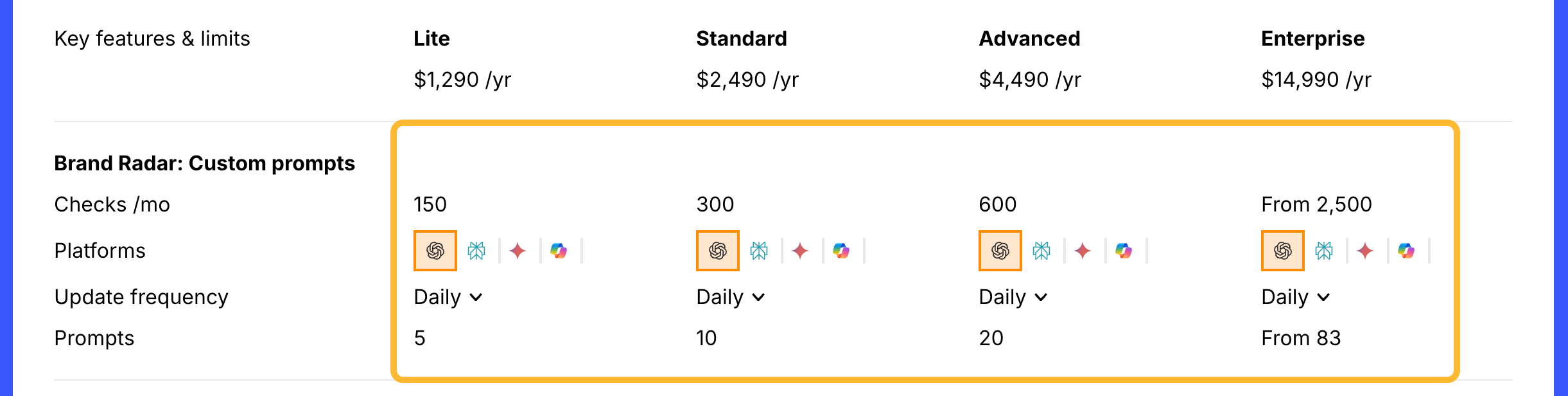
A limited amount are free for Ahrefs users only.
Read some of the articles on the AI search section on Ahrefs blog:
How to Use Brand Radar
What you’ll learn
How to monitor your brand's visibility
How to benchmark it against competitors in AI search
How to spot AI visibility gaps to show up in relevant conversations
How to find and secure valuable AI citations
How to monitor your brand's video visibility across YouTube and TikTok (soon)
How to monitor your brand's search demand and web visibility
