
Technical SEO for AI: Robots.txt, GPTBot & llms.txt Explained
Technical work for AEO isn't about rewriting your site's code. It's about making sure AI can actually access and understand your content.
A lot of sites are accidentally blocking AI without even knowing it. According to Ahrefs data, around 5.9% of 140 million websites are blocking GPTBot (OpenAI's crawler). That's millions of sites that are invisible to ChatGPT.
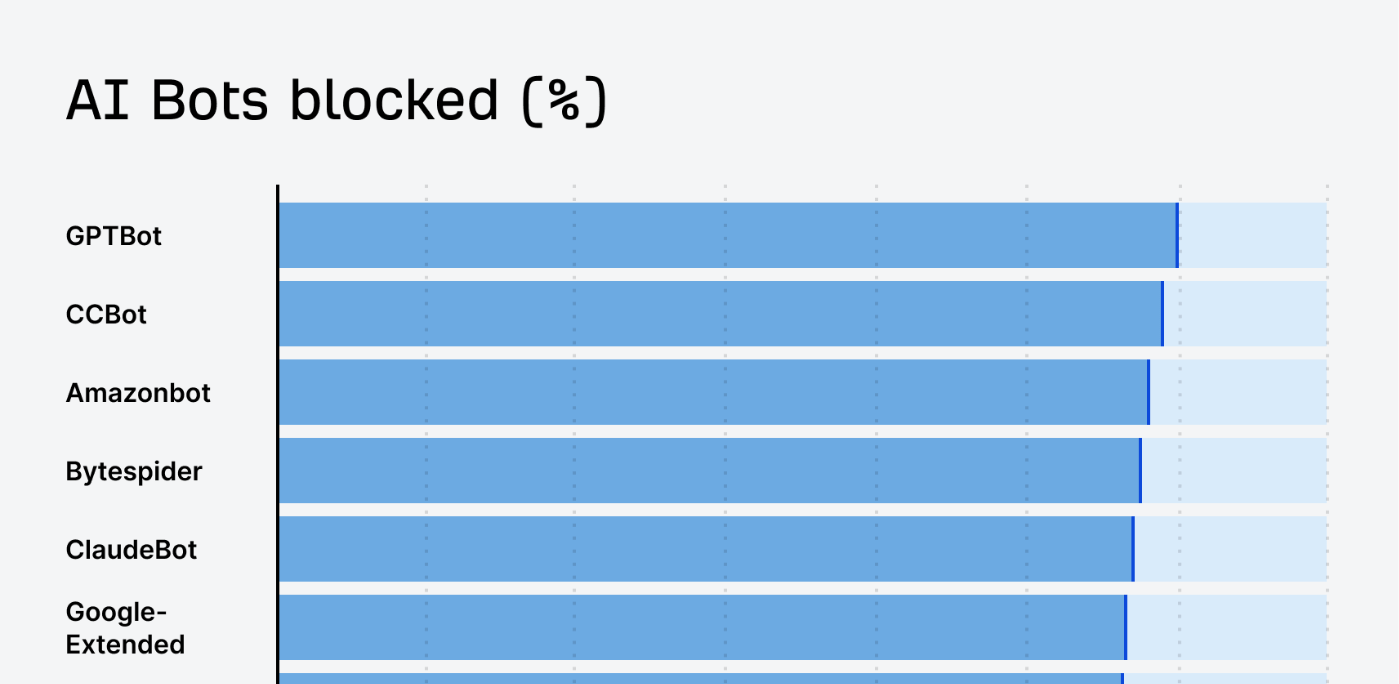
Here are six technical checks and tips to make sure AI can find you so that it can promote you.
1. Check your robots.txt file
Robots.txt is a file on your site that tells crawlers what they can and can't access. It's no longer just Google's crawler you need to think about. There are now dozens of AI-specific bots crawling the web. The main ones to know are:
GPTBot and OAI Search Bot (OpenAI)
ClaudeBot (Anthropic)
Google-Extended (Google)
If any of these are blocked in your robots.txt, you're telling those AI platforms not to crawl your content, and assuming they obey your rules, they won't be recommending your pages if they don't know what's on them.
To check:
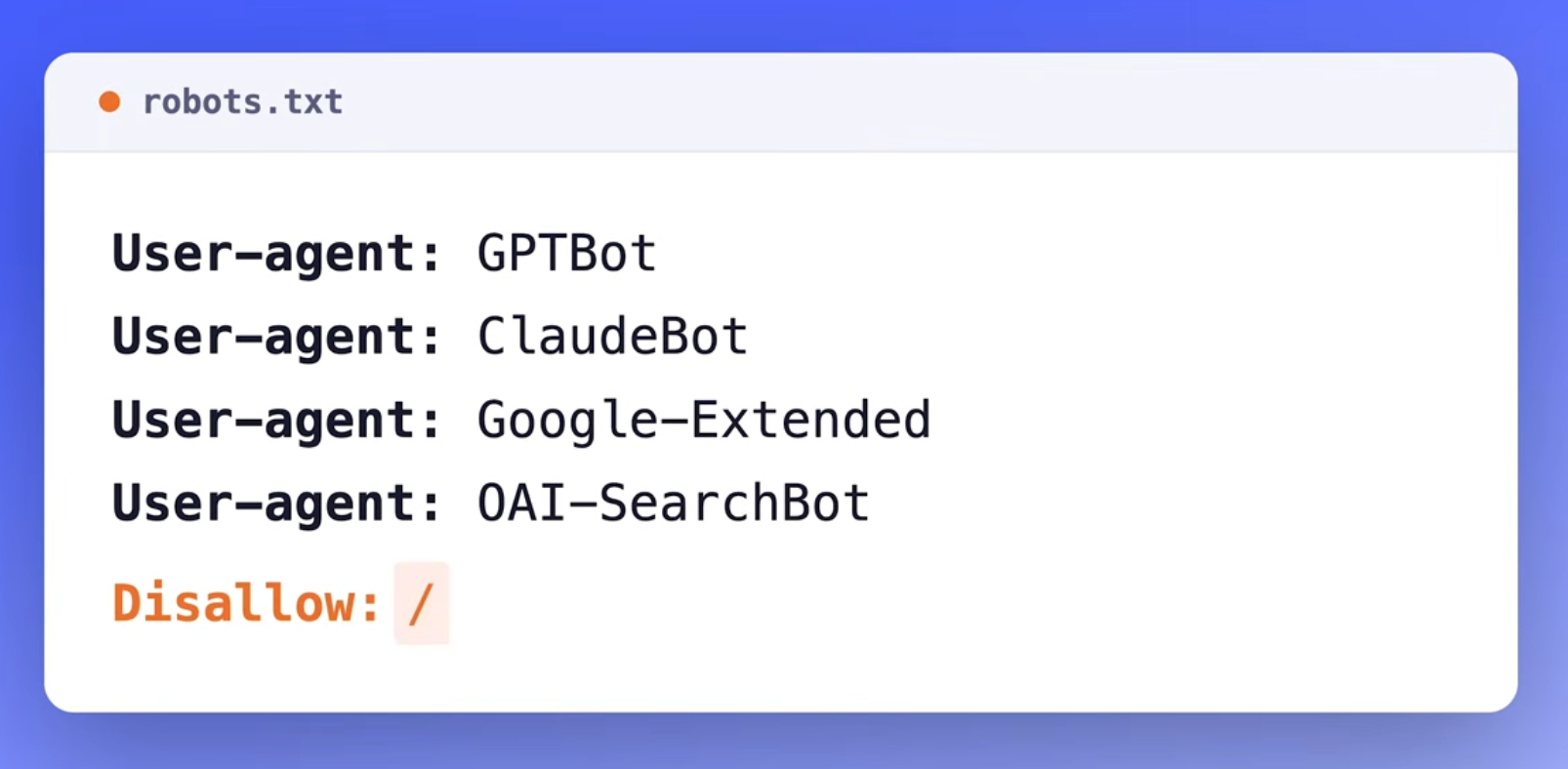
Look for any lines that mention GPTBot, ClaudeBot, Google-Extended, or OAI Search Bot
If you see a disallow rule next to any of those, you're blocking that AI crawler
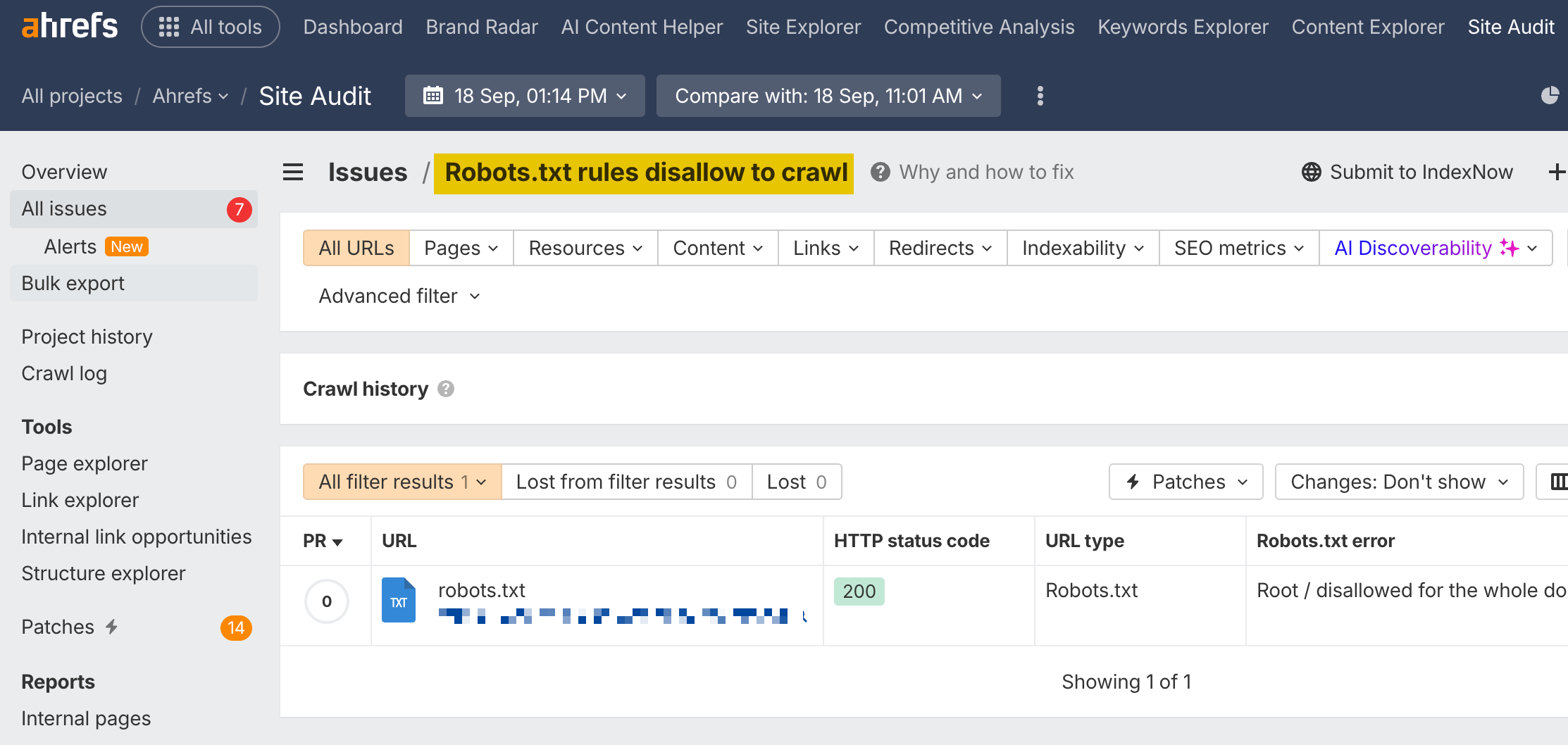
You can also use Ahrefs Site Audit to check this. Run a crawl on your site and it will flag any robots.txt rules that might be blocking AI crawlers.
While on the topic of files AI reads, it's worth mentioning llms.txt. This is a proposed standard, similar in concept to robots.txt, but specifically designed to tell AI systems about your site.
The idea is that you create a file at yourdomain.com/llms.txt that gives AI a summary of who you are, what your site covers, and where to find your most important content.
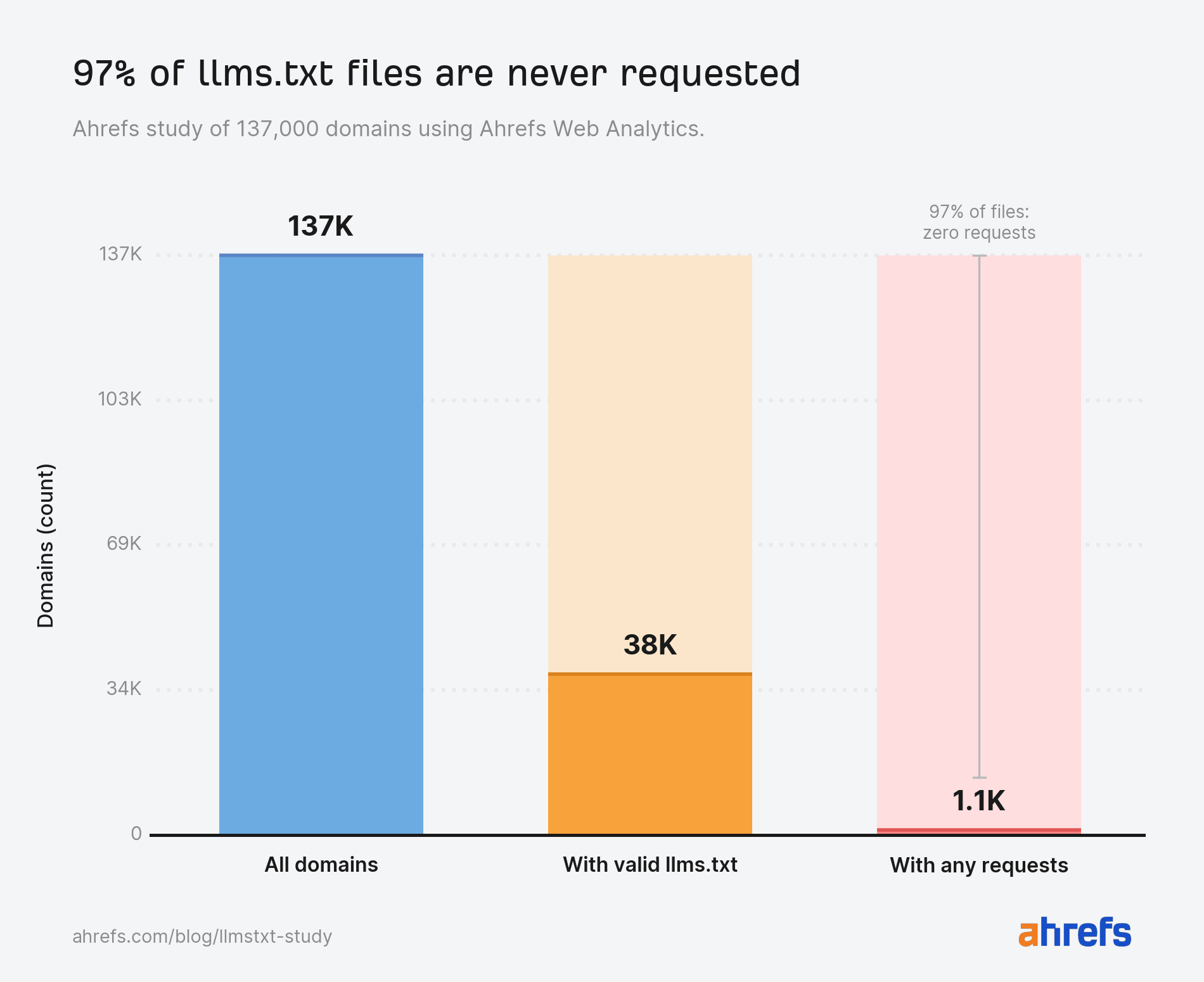
It's useful in theory, but right now no major LLM provider officially supports it. According to Ahrefs data, out of 137,000 websites analyzed, we found that 97% don't read llms.txt file.
Here's a free llms.txt generator in any case.
2. Check how your site handles JavaScript
Some AI platforms can render JavaScript and some can't.
Gemini and Copilot can render JS, while ChatGPT's crawler cannot.
If your content relies on JavaScript to load, which is common with single-page apps and some React or Angular frameworks, ChatGPT literally can't see your content. It visits the page and gets an empty shell.
The fix is server-side rendering, where your server sends the fully rendered HTML to the crawler instead of relying on JavaScript to build the page in the browser.
If you're already doing this for SEO, you're covered. If not, it's worth looking into, especially if AI visibility matters to you.
A quick way to test this: disable JavaScript in your browser and visit your own site. If the content disappears, you have a JavaScript rendering issue that's affecting AI crawlers too.
3. Consider page speed
Page speed might sound like an SEO concern rather than an AEO one, but it can actually matter more for AI retrieval than for traditional search.
When AI systems retrieve information in real time, they're fetching, parsing, and chunking your pages on the fly. If your page takes too long to load, it can get dropped before it's even scored, meaning it won't make it into an AI response, even if the content is great.
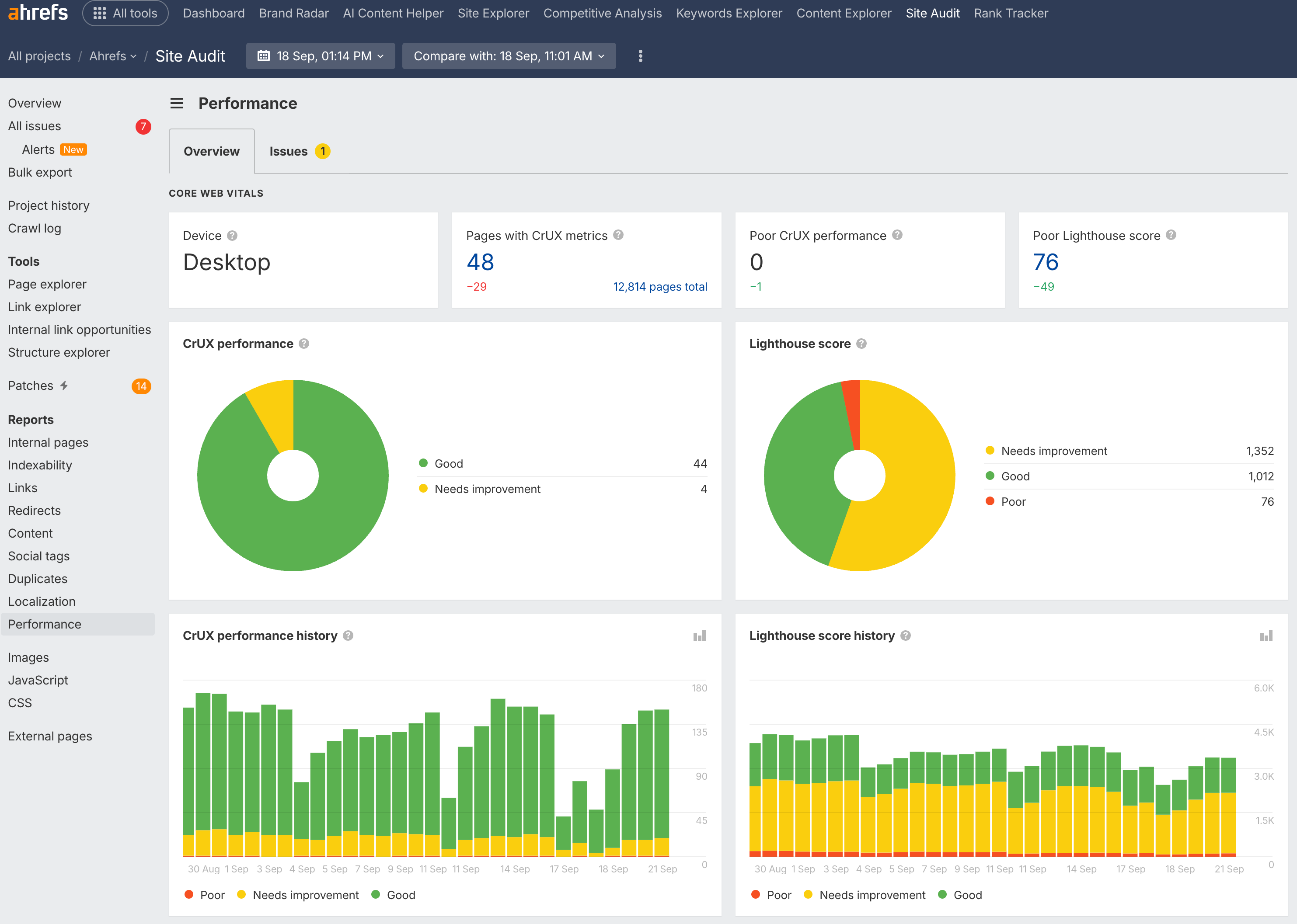
The good news: if you've already optimized your core web vitals for SEO, you're most of the way there. Fast-loading pages with clean HTML benefit both Google and AI systems.
4. Create clean HTML structure
AI systems parse your content by following your HTML structure. If your headings are logical, your sections are well organized, and your paragraphs are focused on one idea each, AI has an easier time extracting the right information.
This ties directly back to the content principles covered in lesson 3.1: BLUF, atomic content, and entity-rich writing. Those principles aren't just about writing style, they're about making your content technically parsable for AI.
When structuring your pages:
Use proper heading hierarchy: H1 for the title, H2s for main sections, H3s for subsections
Make sure each section can stand on its own, because AI might chunk your content at any heading boundary
5. Consider schema markup
Schema markup, also called structured data, is code you add to your pages to help search engines understand your content, things like Article schema, FAQPage, HowTo, and LocalBusiness.
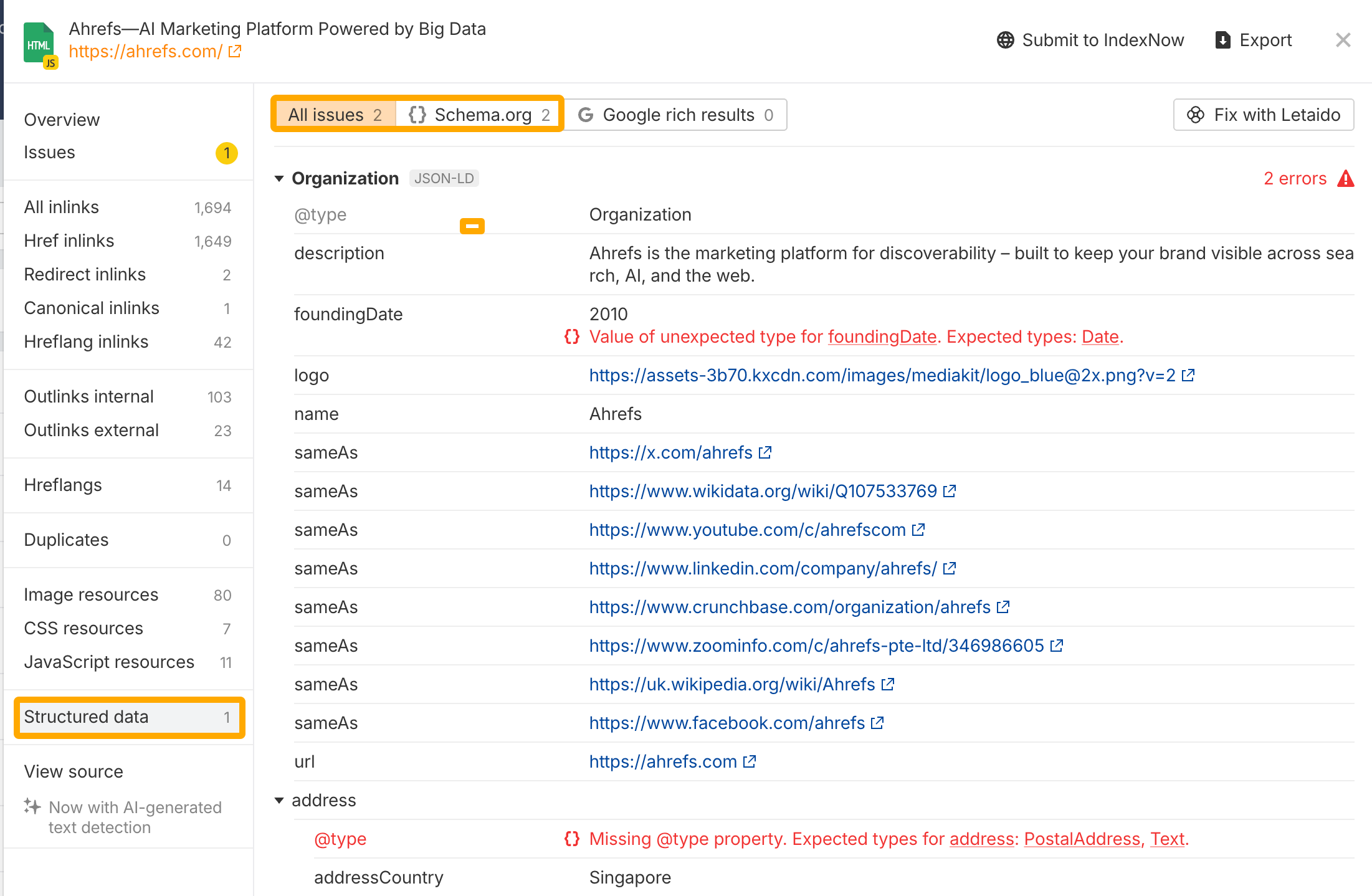
Does it help with AEO? The evidence is mixed.
There's no confirmed data that adding schema directly improves your chances of being cited by AI. But it doesn't hurt, and if you're already using it for SEO, there's no reason to remove it.
6. Optimize for AI hallucinated URLs
AI assistants sometimes make up URLs that don't exist on your site. They'll recommend a page to a user, the user clicks it, and they hit a 404 error. This happens more often than you'd expect.
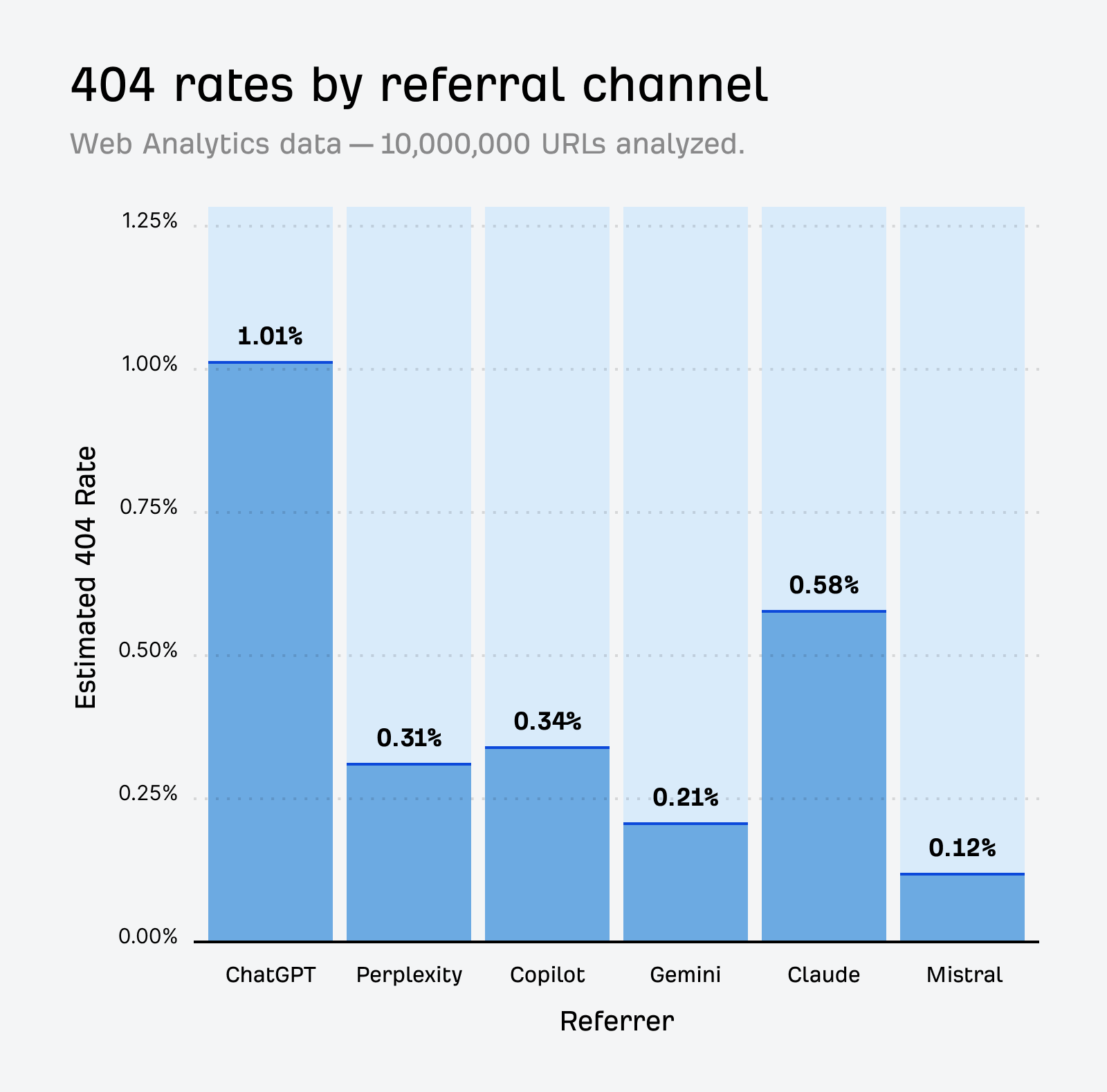
According to Ahrefs data, AI assistants send visitors to 404 pages 2.87 times more often than Google Search does. ChatGPT is the biggest offender, with about 1% of its clicked URLs leading to 404 pages.
Rather than letting that 404 be the end of a visitor's browsing journey, fix or optimize those pages to get more out of them:
Go to Ahrefs Web Analytics
Check the Possible 404 report
If you spot a hallucinated URL that's getting consistent traffic, set up a redirect to the most relevant real page on your sit
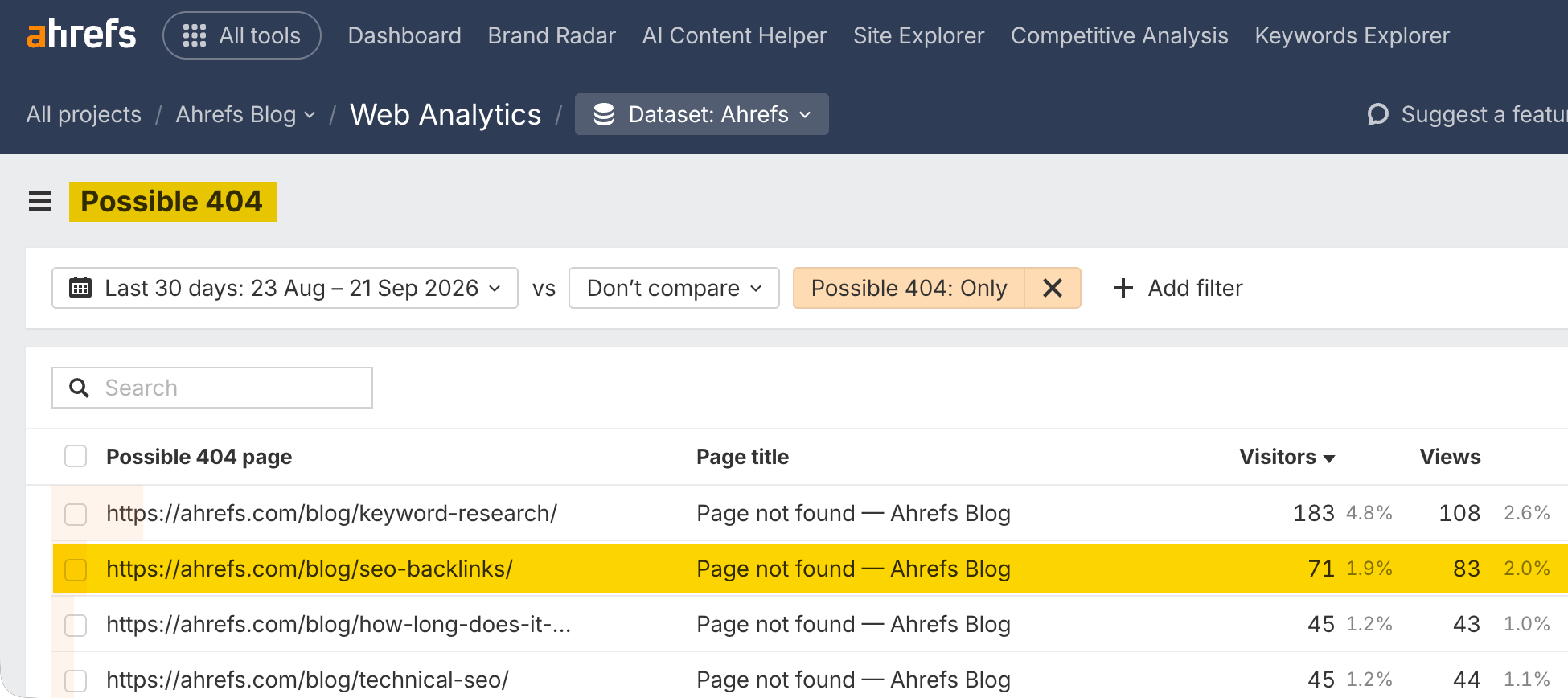
That way, you're capturing traffic that would otherwise be lost.
Check out some of the articles on the Ahrefs blog to learn about AEO:
Answer Engine Optimization (AEO) Course
What you'll learn
The fundamentals of how AI search works and why AEO matters
How different AI platforms decide what to cite
How to find gaps between your brand and competitors in AI search
How to do keyword and prompt research for AEO
How to create content that AI wants to cite
How to earn brand mentions across the web
How to optimize YouTube videos for AI visibility
Technical AEO best practices
How to track AI traffic and measure your progress
