
How to Track AI Traffic in GA4 and Ahrefs Web Analytics (ChatGPT & More)
Measuring AI visibility is harder than measuring traditional SEO results.
With SEO, Google Search Console gives you impressions, clicks, and rankings. With AI search, much of that data either doesn't exist or is hidden from you.
Still, there are three ways to track your AI visibility, and this lesson walks through how to set up each one.
1. AI referral traffic
The first thing to track is AI referral traffic: visits that happen when someone clicks a link from ChatGPT, Perplexity, Claude, or another AI platform and lands on your site.
In analytics tools like Google Analytics or Ahrefs Web Analytics, this shows up as a referral visit, which helps you understand how many people are finding you because of AI.
The tracking gap
Not all AI platforms pass referral data properly. Some strip it out entirely, which means the visit shows up as direct traffic in GA4, with no way to know it actually came from AI.
Here's the specifics by platform:
ChatGPT: source links in search results pass referral data properly, but in-content links on paid accounts use a no-referrer attribute, so those visits are invisible
Claude: tracks properly
Perplexity: tracks on the web, but not on its desktop app
Copilot: tracks on the web, but not on Windows
Grok: doesn't pass referral data at all
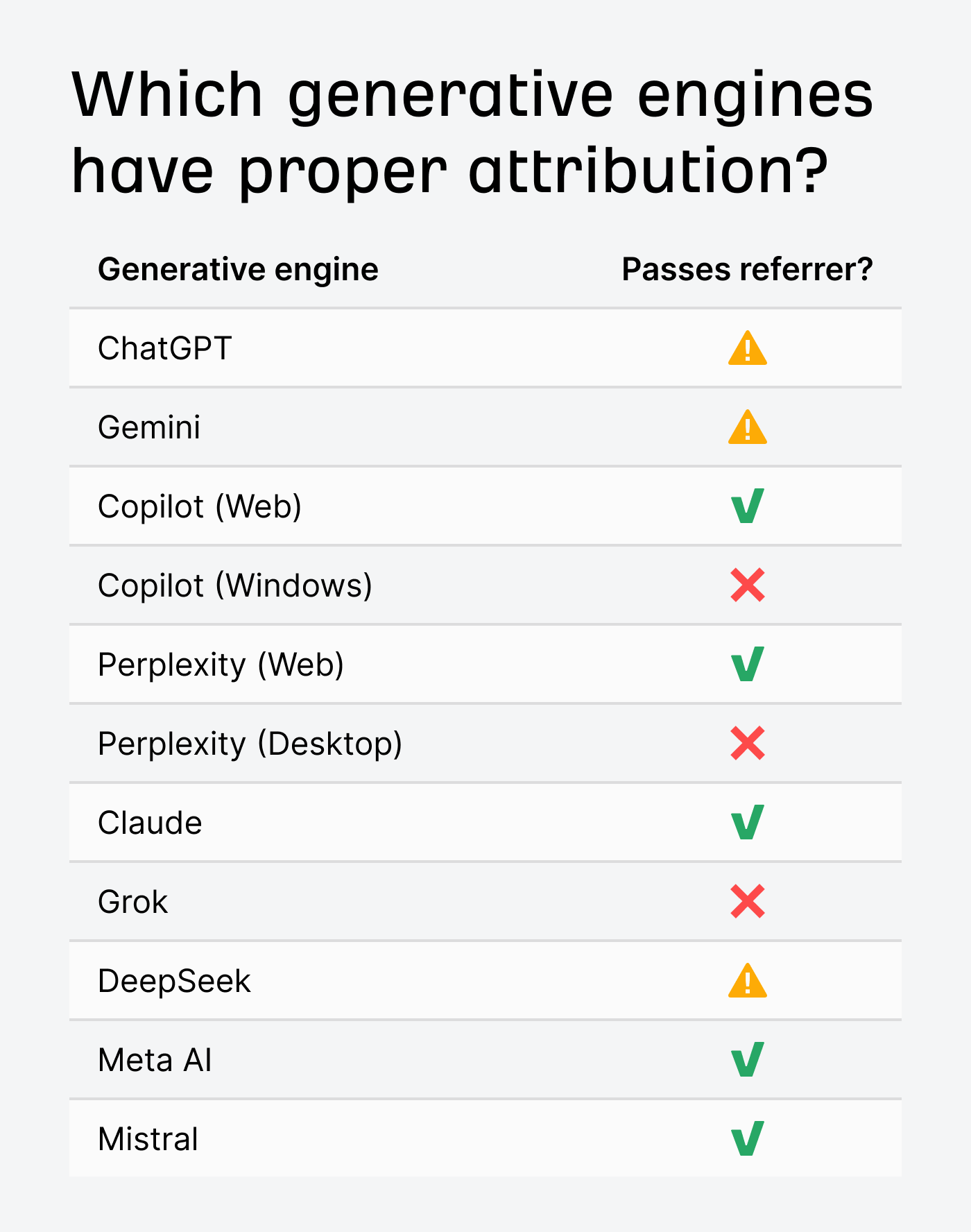
Use AI referral traffic to understand the general trend of which AI platforms are sending you visitors, but treat the numbers you see as an undercount.
Setting it up in GA4
Go to Admin, then Data display, then Channel groups
Copy your default channel group and add a new channel called AI traffic
Set the source to match a regex that includes: chat.openai.com, perplexity, gemini.google.com, copilot.microsoft.com, claude.ai, and deepseek.com
Go to Reports, then Acquisition, then Traffic acquisition, and select your new channel group
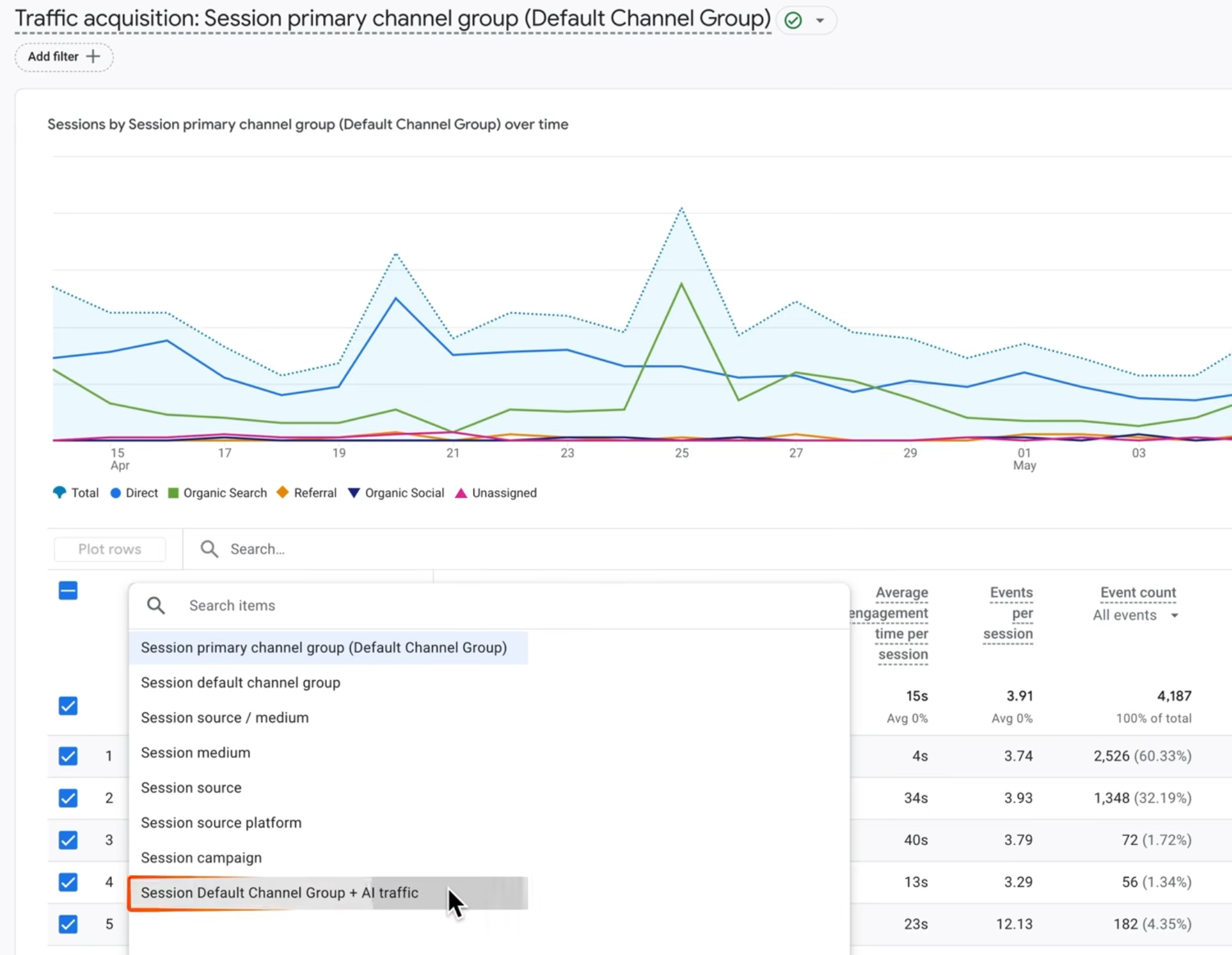
This lets you see the traffic AI is sending you, the pages it's directing people to, and how those visitors behave compared to other channels.
Setting it up in Ahrefs Web Analytics
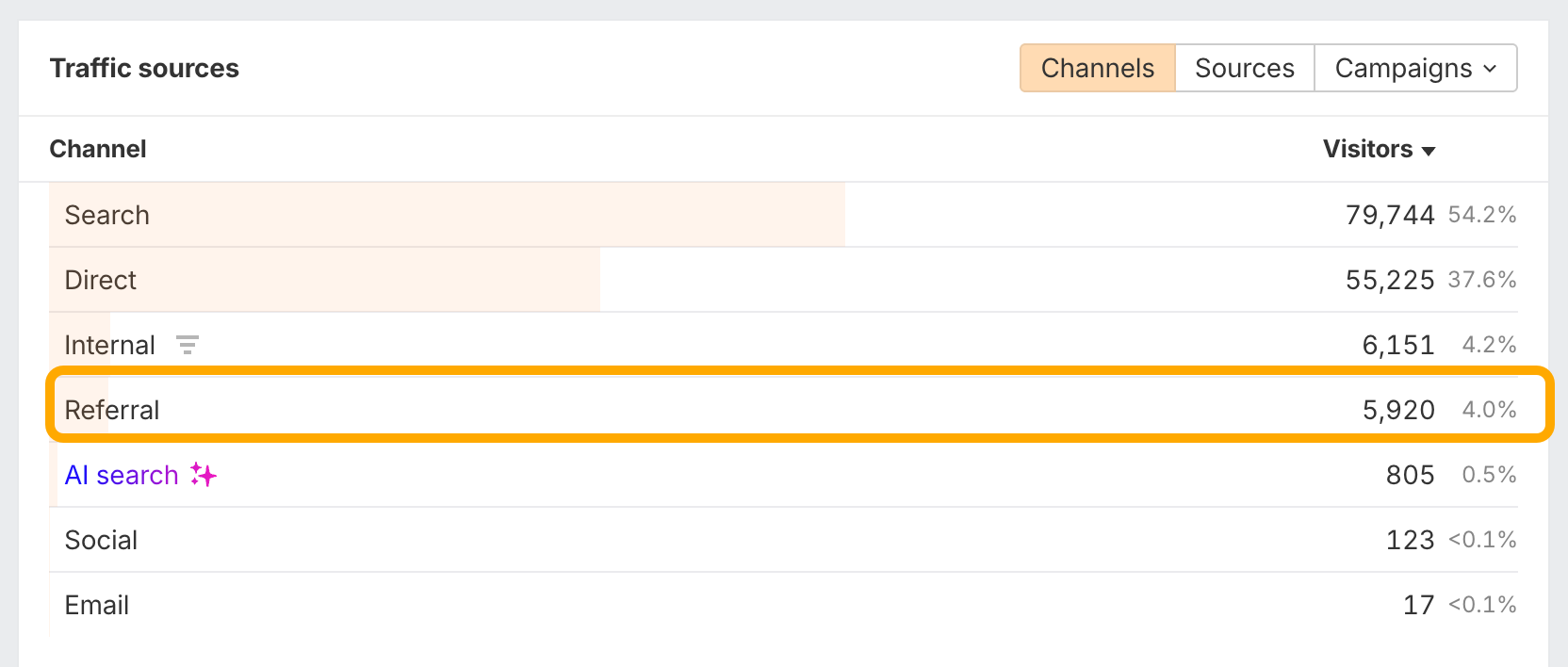
If you want something simpler than GA4, Ahrefs has a free tool called Web Analytics that does this automatically.
It has a built-in AI search channel, so there's no need to set up any custom groups. It also separates unknown traffic from direct traffic, which GA4 doesn't do, giving you a clearer picture of where your traffic is actually coming from.
What to look for once it's set up
Pages getting AI traffic: these are the pages AI is already recommending to users. Keep them up to date, accurate, and with clear calls to action. If AI is sending people to a page that hasn't been updated in a year, it will probably stop being recommended sooner than you'd like.
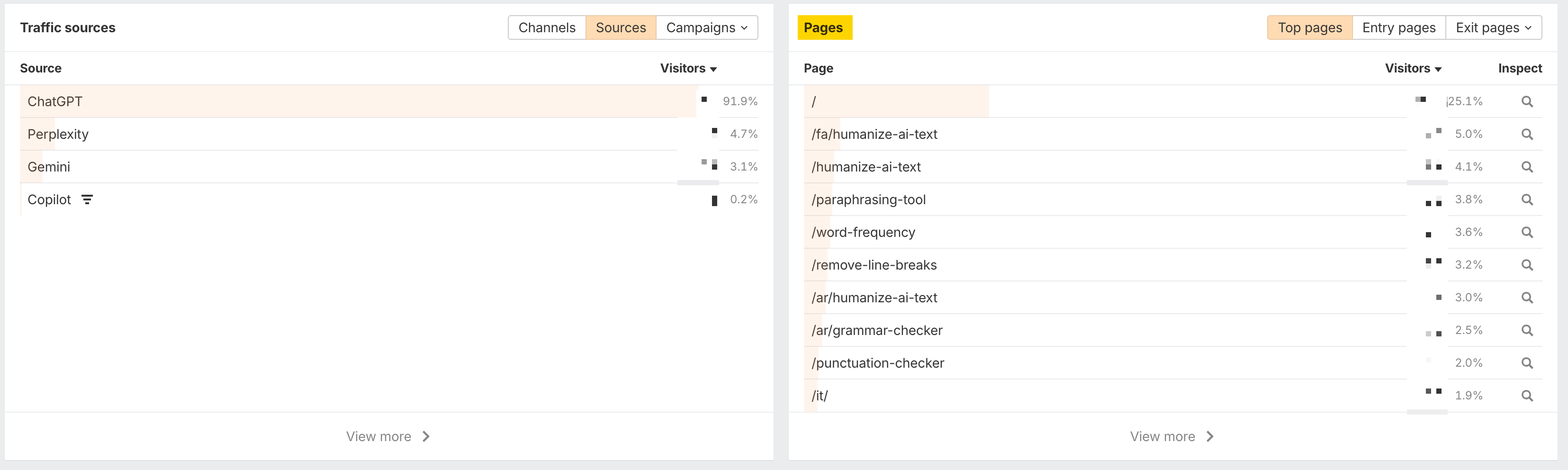
Important pages not getting AI traffic: if a key product page or high-value blog post is getting zero AI referrals when it should be getting some, that's worth investigating. It could be a content issue, a crawling issue, or it could simply mean AI isn't surfacing that topic yet.
2. AI bot activity
The second thing to track is AI bot activity on your site.
AI bots visit your pages far more often than humans do, so the pages they hit the most are likely your strongest citation candidates.
There are two types of AI bots to know about:
Training bots like GPT bot and Google Extended (these take your content and use it to train AI models)
Search and citation bots like ChatGPT user and OAI search bot (these fetch your pages in real time when a user asks a question; they're the ones driving referral traffic)
To track bot activity, you can use server logs if you have access to them. The easier way is to use Ahrefs Bot Analytics, which has a Cloudflare integration that shows exactly which AI bots are visiting your site, how often, and which pages they're focusing on. This works with a free Cloudflare plan.
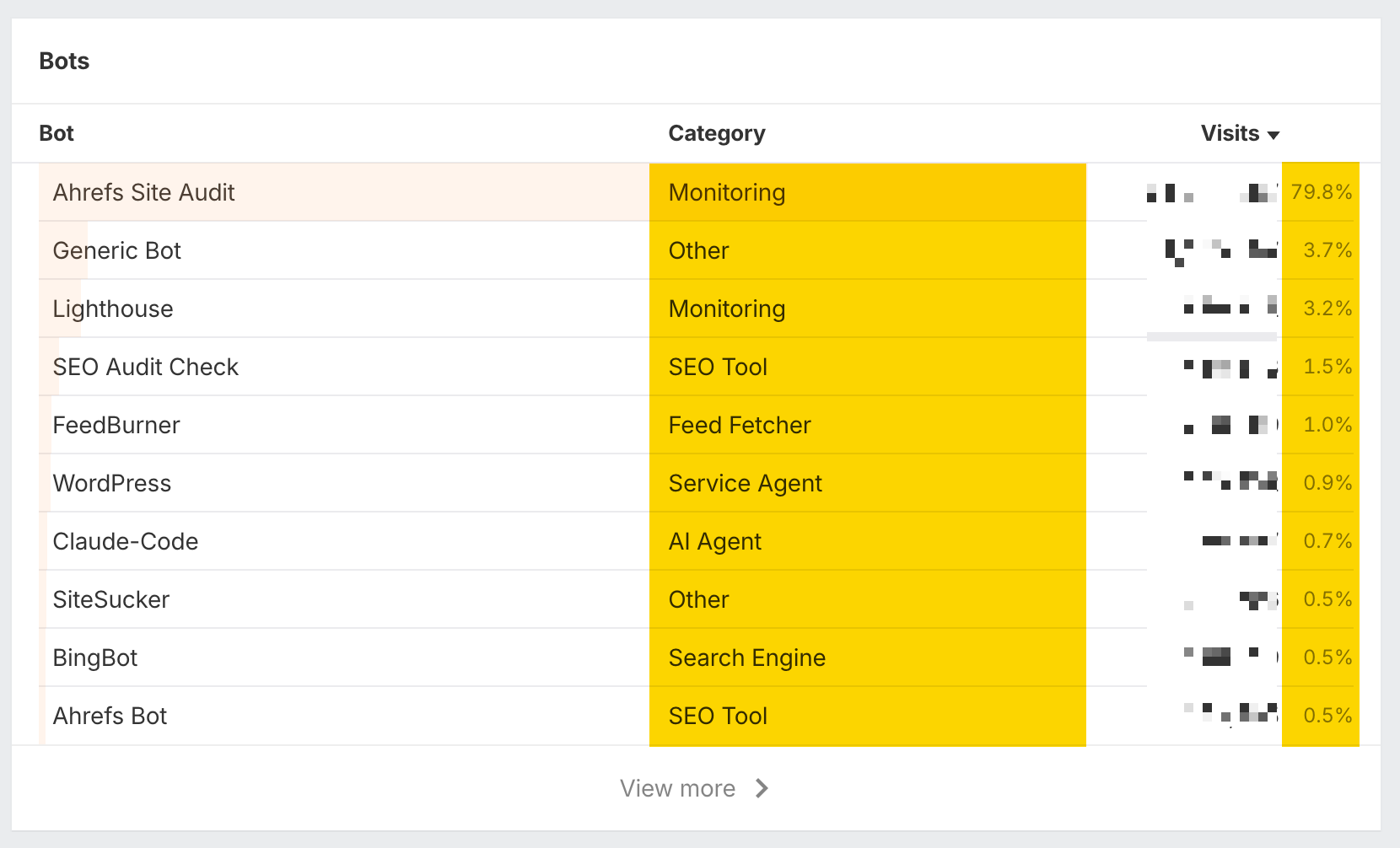
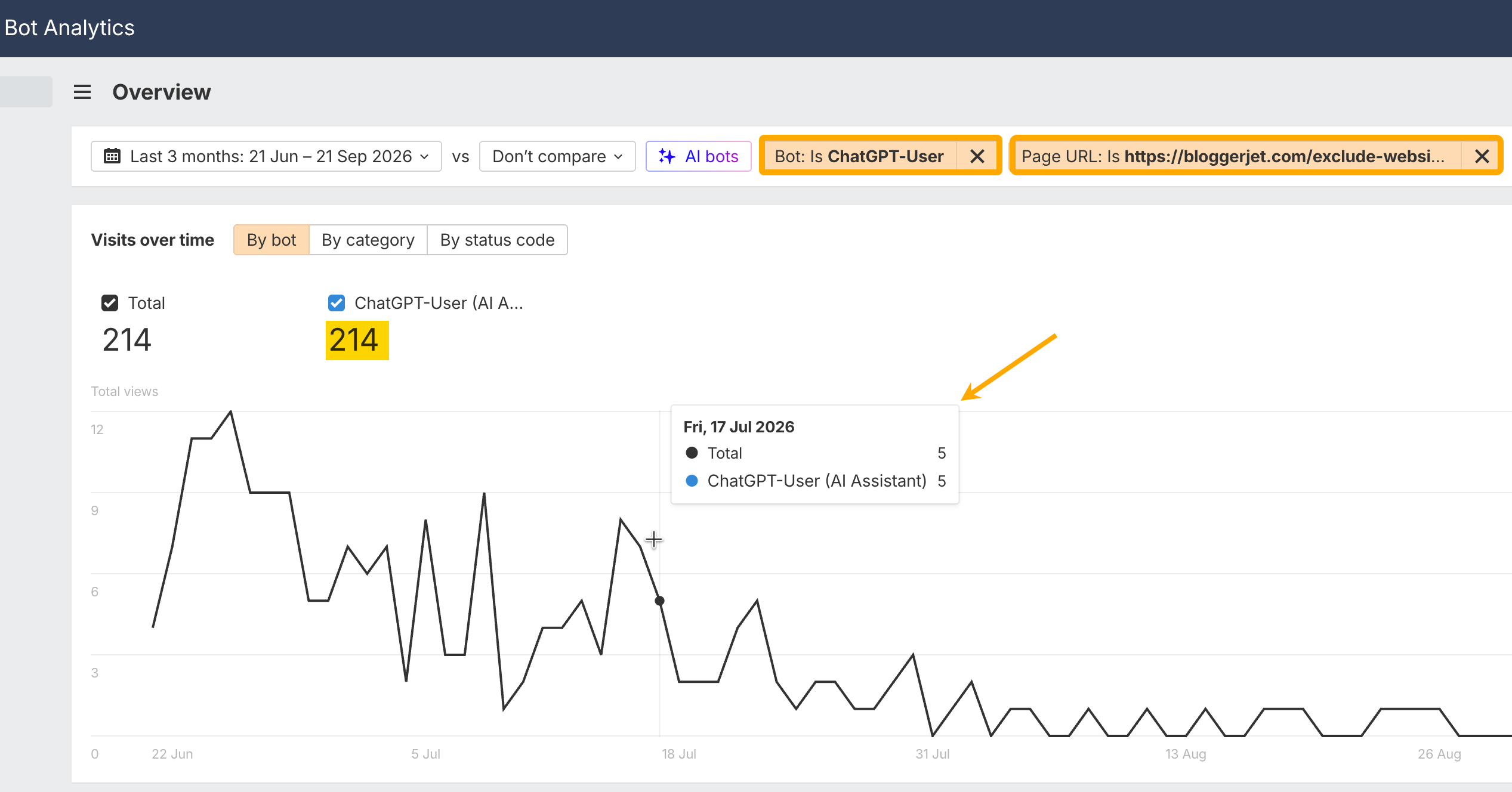
What you're looking for here are patterns:
If a citation bot is hitting a specific page repeatedly, that page is likely being used as a source in AI responses.
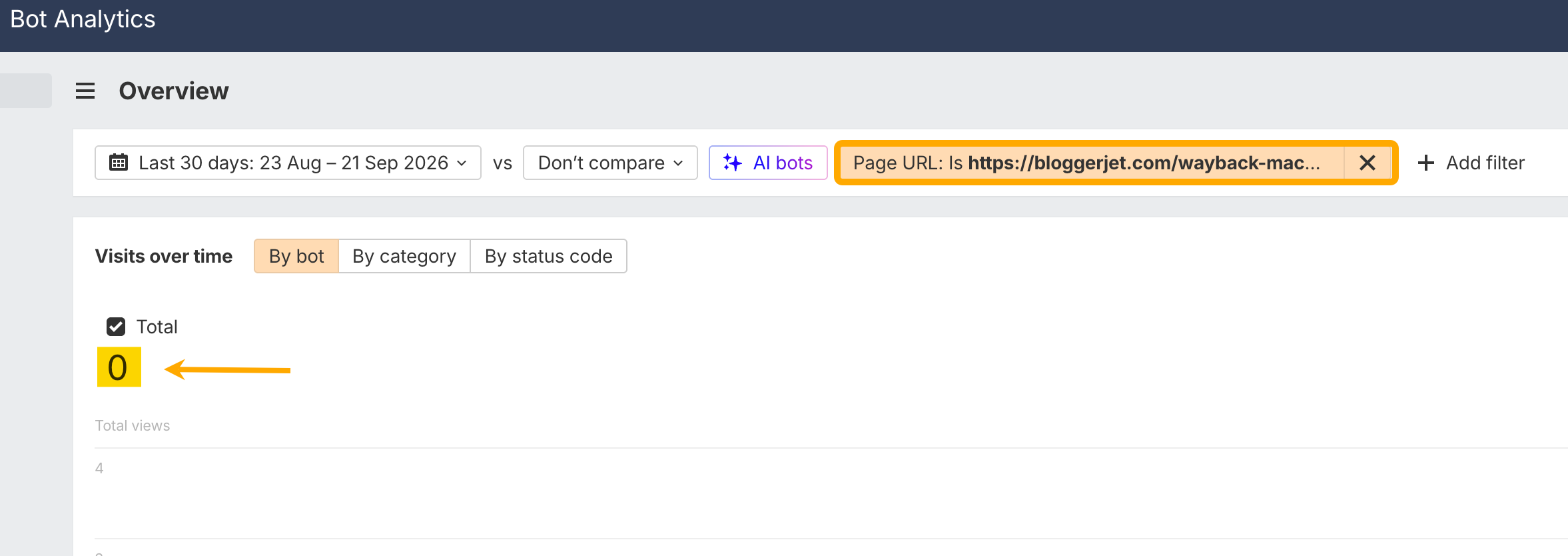
If important pages aren't being visited by bots at all, that could mean they're hard to discover, which ties back to internal linking and site structure.
3. Self-reported attribution
The third thing to track is self-reported attribution. This is the simplest to explain, but it might be the most important for proving the value of AEO to your team or clients.
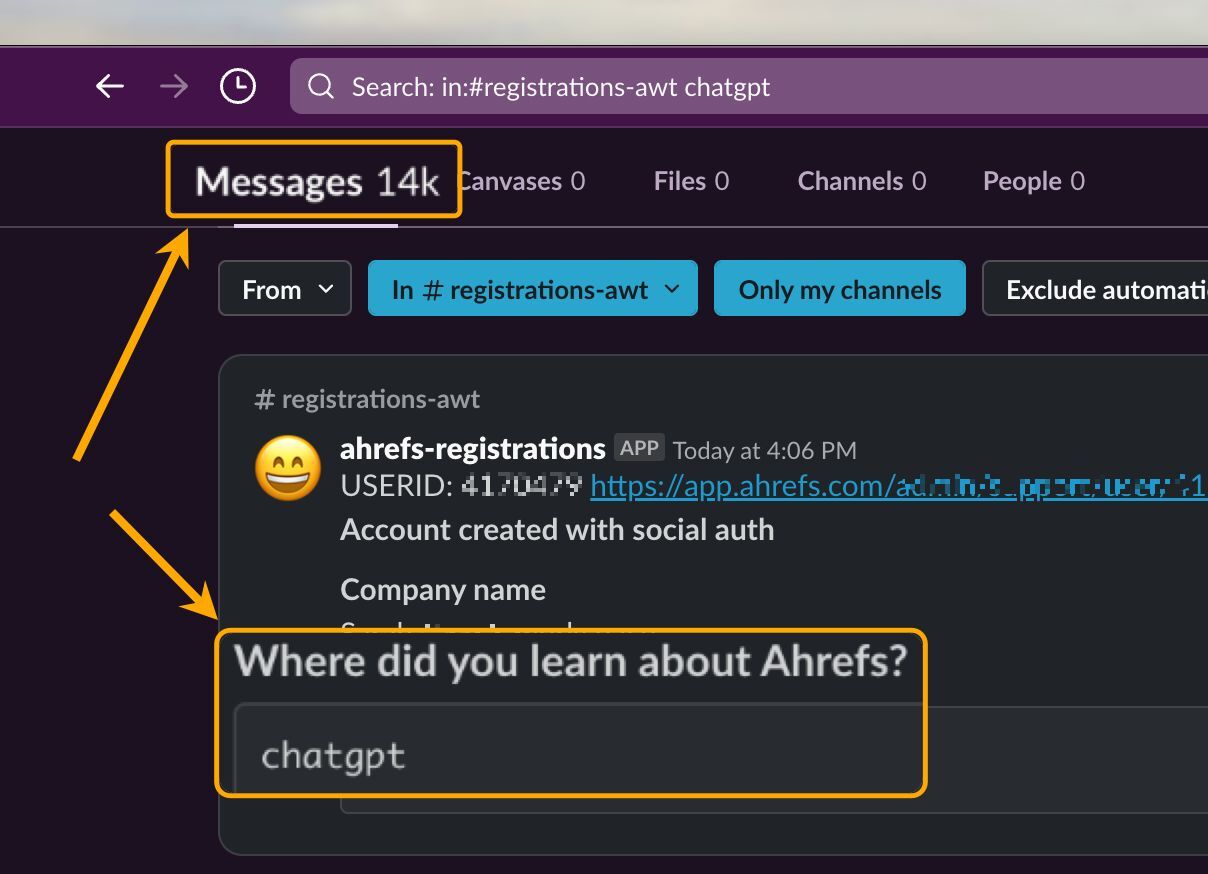
A lot of the impact of AI visibility doesn't show up in analytics at all. Someone asks ChatGPT for a recommendation, gets your brand name, and then types it directly into the browser bar, which shows up as direct traffic. Or they Google your brand name after hearing about you from AI, which shows up as organic search traffic. The only way to capture this is to ask people directly.
Add a "How did you hear about us?" question to your sign-up flow, checkout process, or post-purchase survey, with options like AI assistant, ChatGPT, Perplexity, and AI search (like Google AI Overviews).
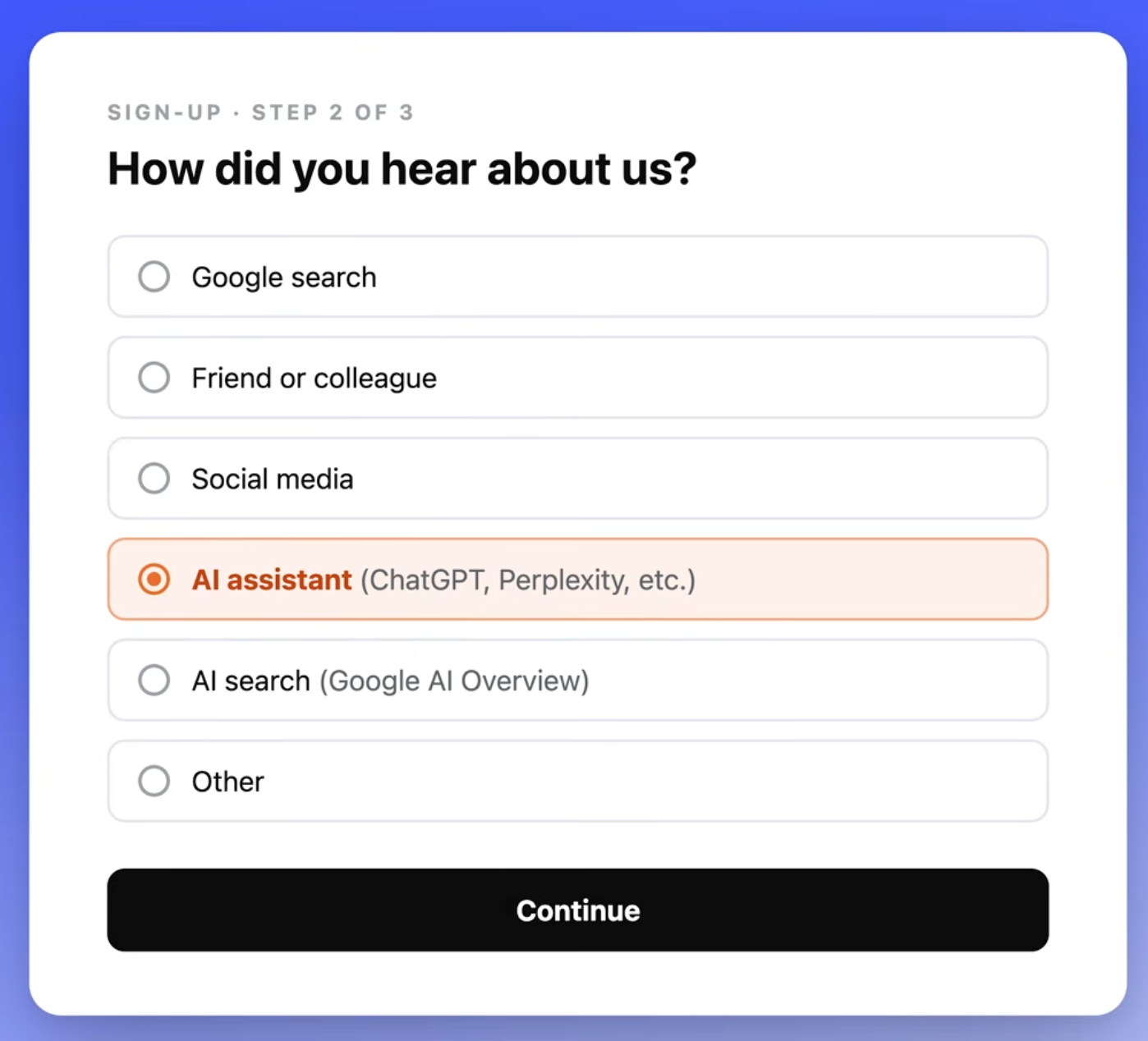
At Ahrefs, around 3% of conversions came from AI over the last year, based on self-reported data, and AI visitors converted at a 23x higher rate than organic search visitors. That insight would never have been visible without asking directly.
Putting the three pillars together
These three pillars work best used together:
Referral traffic tells you what AI is sending to your site
Bot analytics tell you what content AI is paying attention to
Self-attribution tells you what's actually driving revenue
No single source gives you the full picture, but together they give a clear view of how AI is interacting with your brand and where to focus your efforts.
Check out some of the articles on the Ahrefs blog to learn about AEO:
Answer Engine Optimization (AEO) Course
What you'll learn
The fundamentals of how AI search works and why AEO matters
How different AI platforms decide what to cite
How to find gaps between your brand and competitors in AI search
How to do keyword and prompt research for AEO
How to create content that AI wants to cite
How to earn brand mentions across the web
How to optimize YouTube videos for AI visibility
Technical AEO best practices
How to track AI traffic and measure your progress
