
Overview
Traffic Analytics shows you where any website's traffic sources comes from, beyond just Google. That includes other search engines like Bing and Yep.com, plus direct, referral, social, and paid search traffic (10+ traffic sources in total).
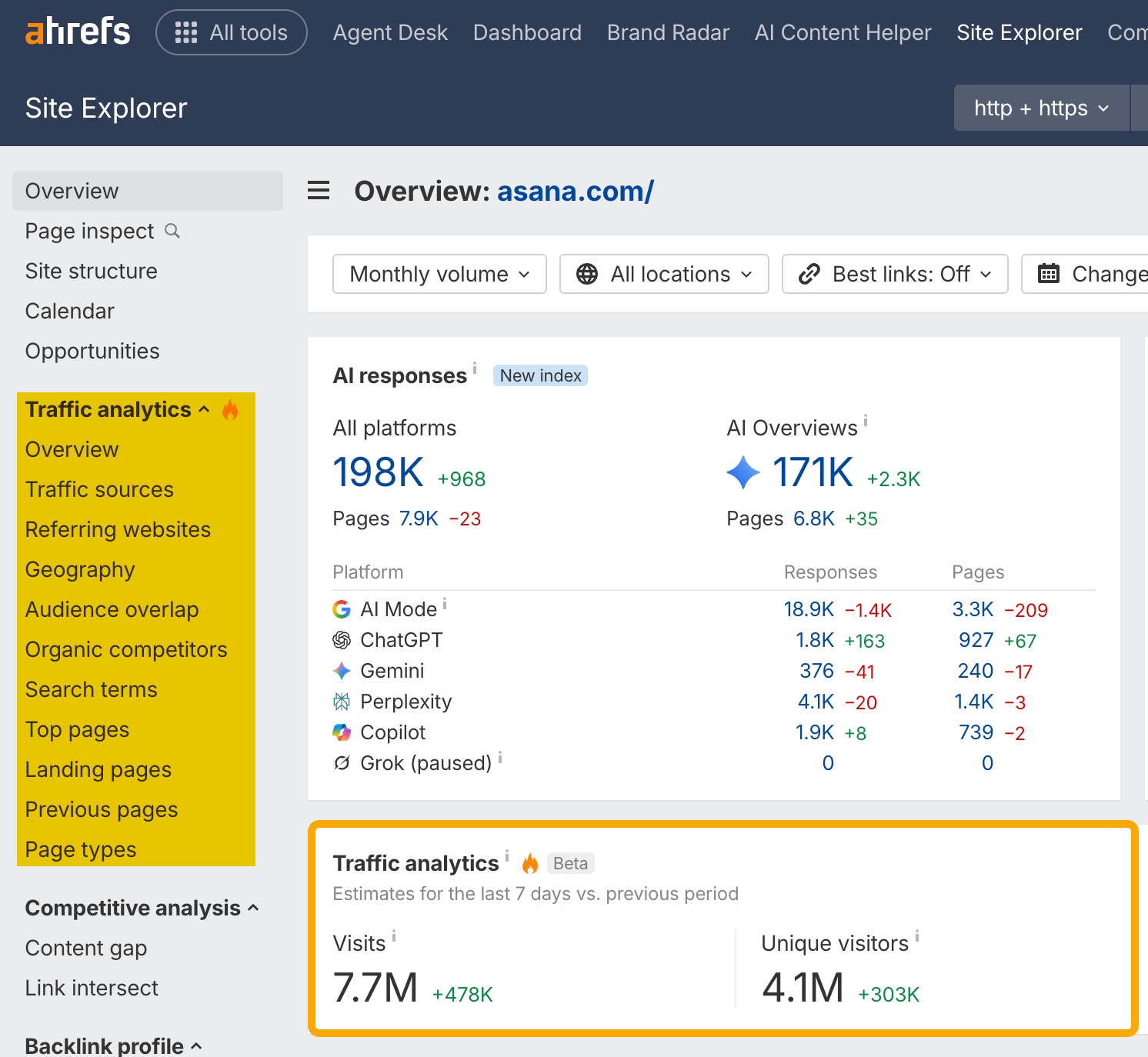
The visitor metrics sit rit below the SEO and AEO ones. If you click on the header, you'll be redirected to the Overview report.
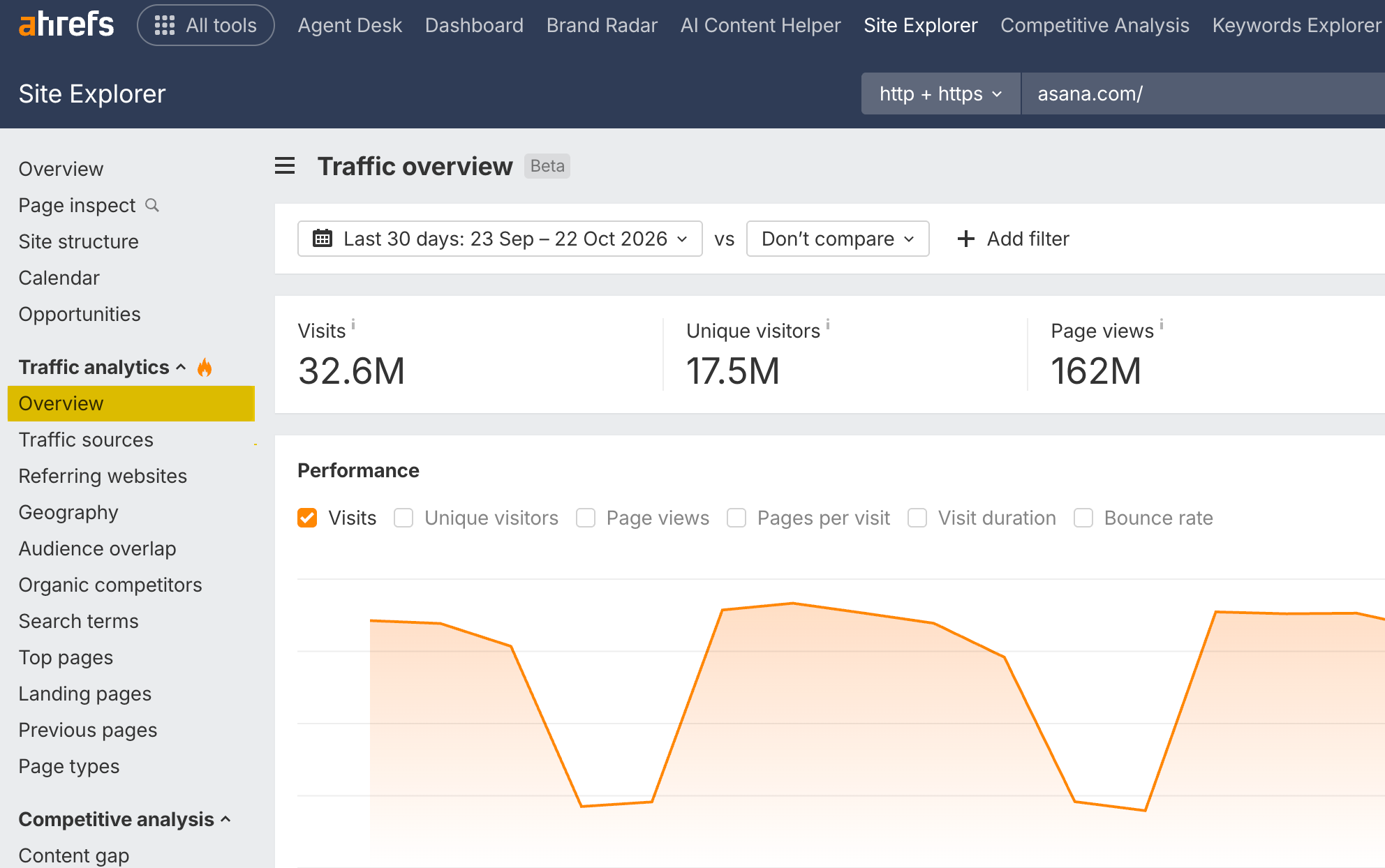
Here are some actionable use cases.
See where any website's traffic comes from
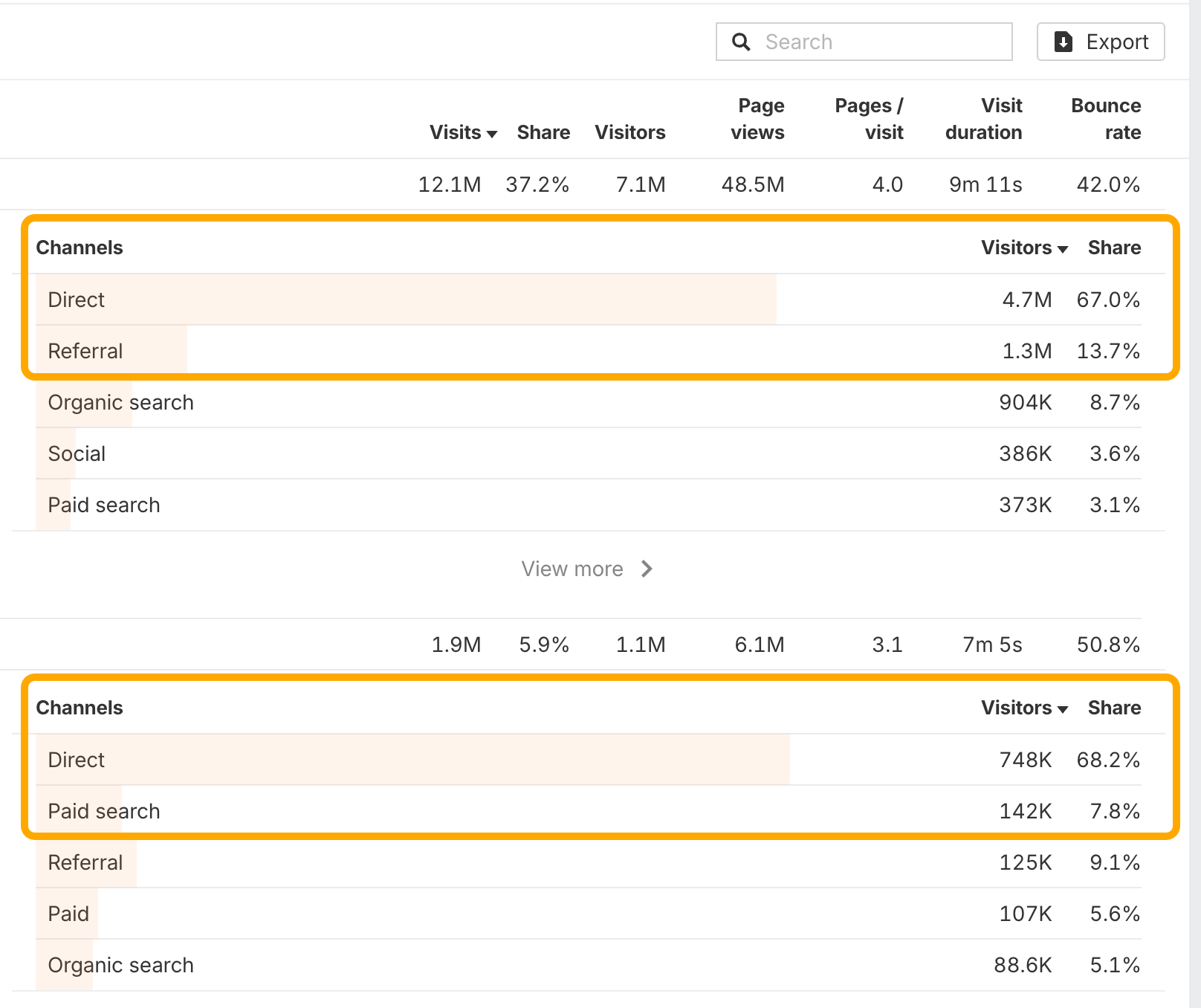
In the Overview report, check the Chanels widget to see a website's main traffic channels across 10+ traffic channels. Next to each channel you'll find the total number of visits and its share of traffic.
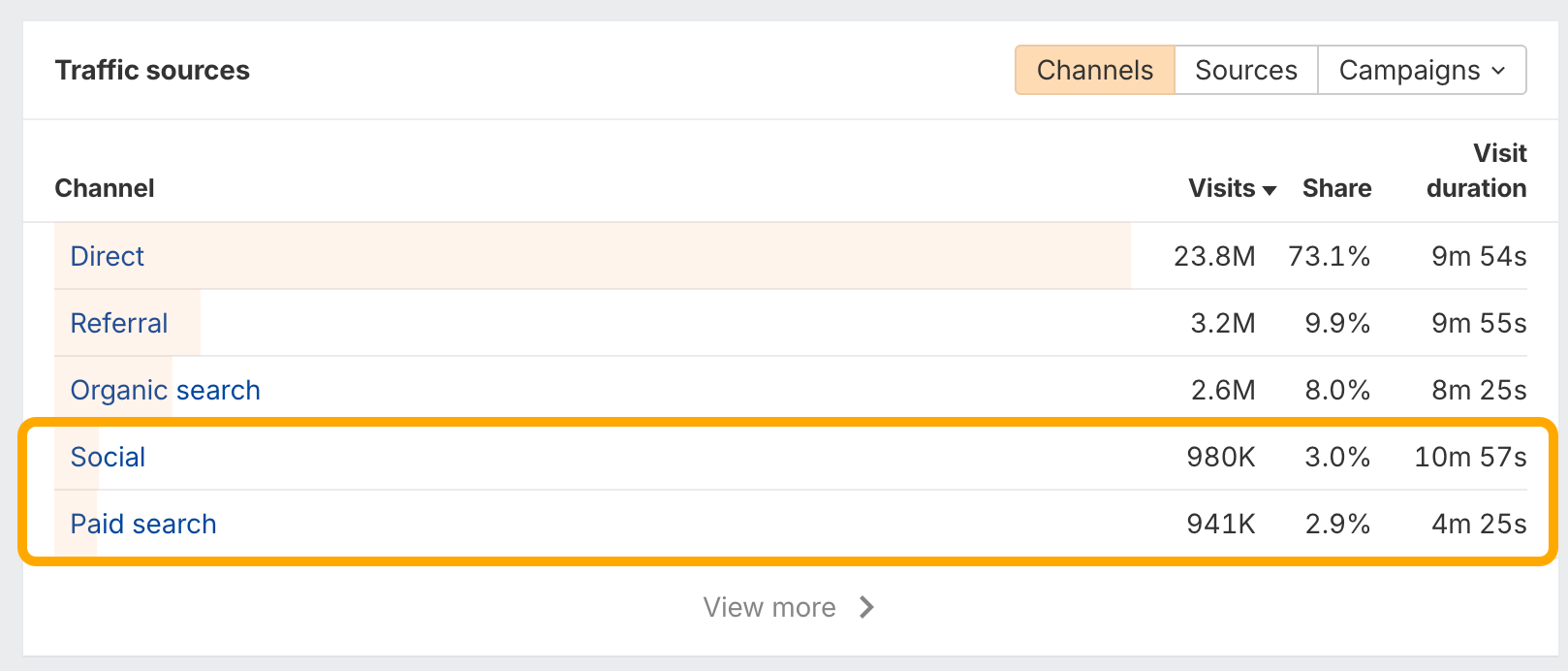
For asana.com, the Social and Paid search traffic shares are more or less equal. That suggests a strong social following that brings in about as many visits as the budget they put into Google Ads.
Check the Sources tab next to Channels to see the individual websites and search engines behind each channel.
Find your competitors' biggest markets and how they win in each
The Overview shows the countries where a website's visitors come from. Click View more to open the Geography report, then check the traffic makeup of each country individually.
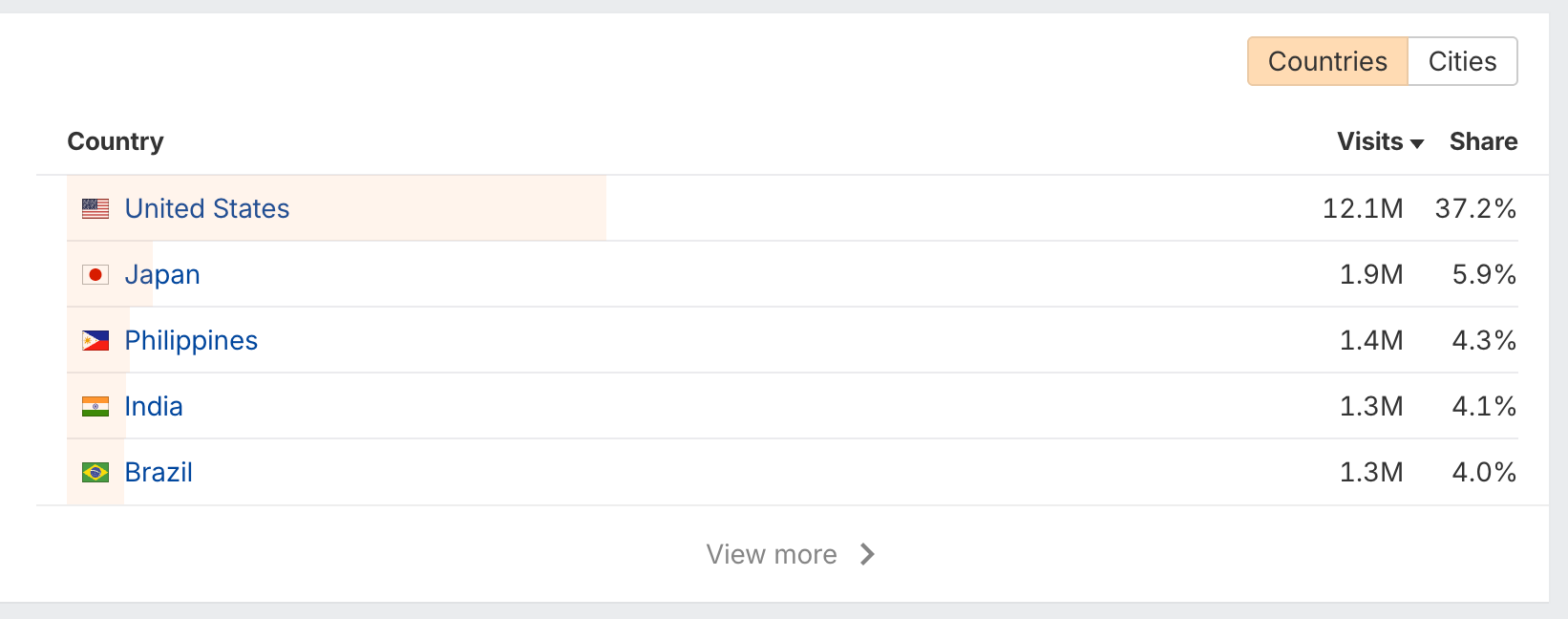
For asana.com, the United States is the obvious top market. Japan, though, is the second largest, which is easy to miss.
The channel mix differs by country:
United States: the primary channels are Direct, Referral, and Search.
Japan: the primary channel is Direct, and the second is Paid search, not Referral.
That likely means project management software is a highly competitive category in Japan, and paid search is the main way in.
Discover which websites your audience also visits
The Overview report also shows the Audience overlap that features which websites a target's visitors are likely to browse as well.
For asana.com, the top results include Slack, Loom, HubSpot, Zapier, and airtable.com. These are complementary tools to Asana's project and task management software. The list also includes a direct competitor: monday.com.
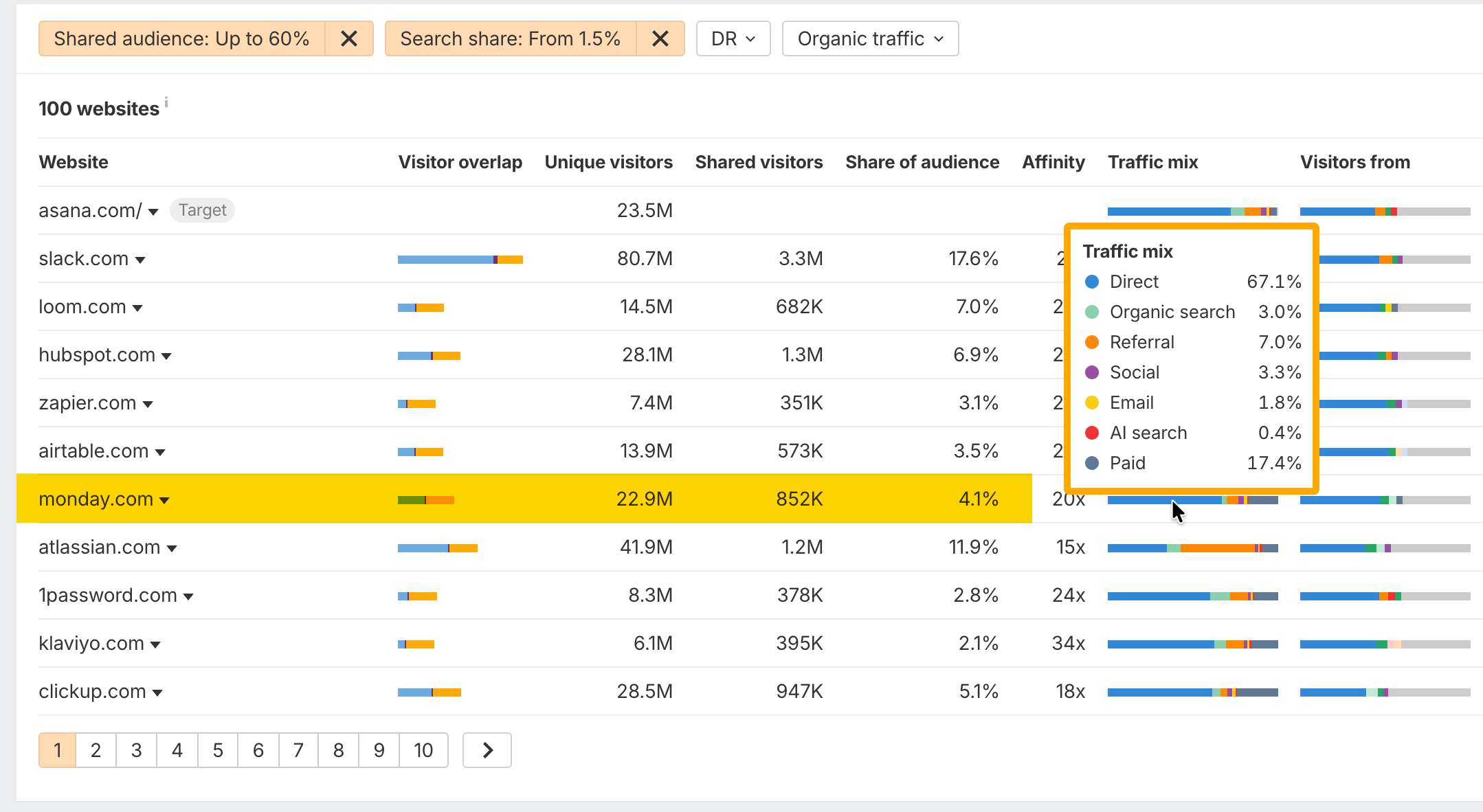
Complementary tools are natural partnership candidates. Direct competitors show who you're fighting for the same attention.
Two sort options make the report more useful:
Share of audience: the share of the target's visitors who also visit the other website. For asana.com, this surfaces much the same group: Slack, Figma, Atlassian, and Dropbox.
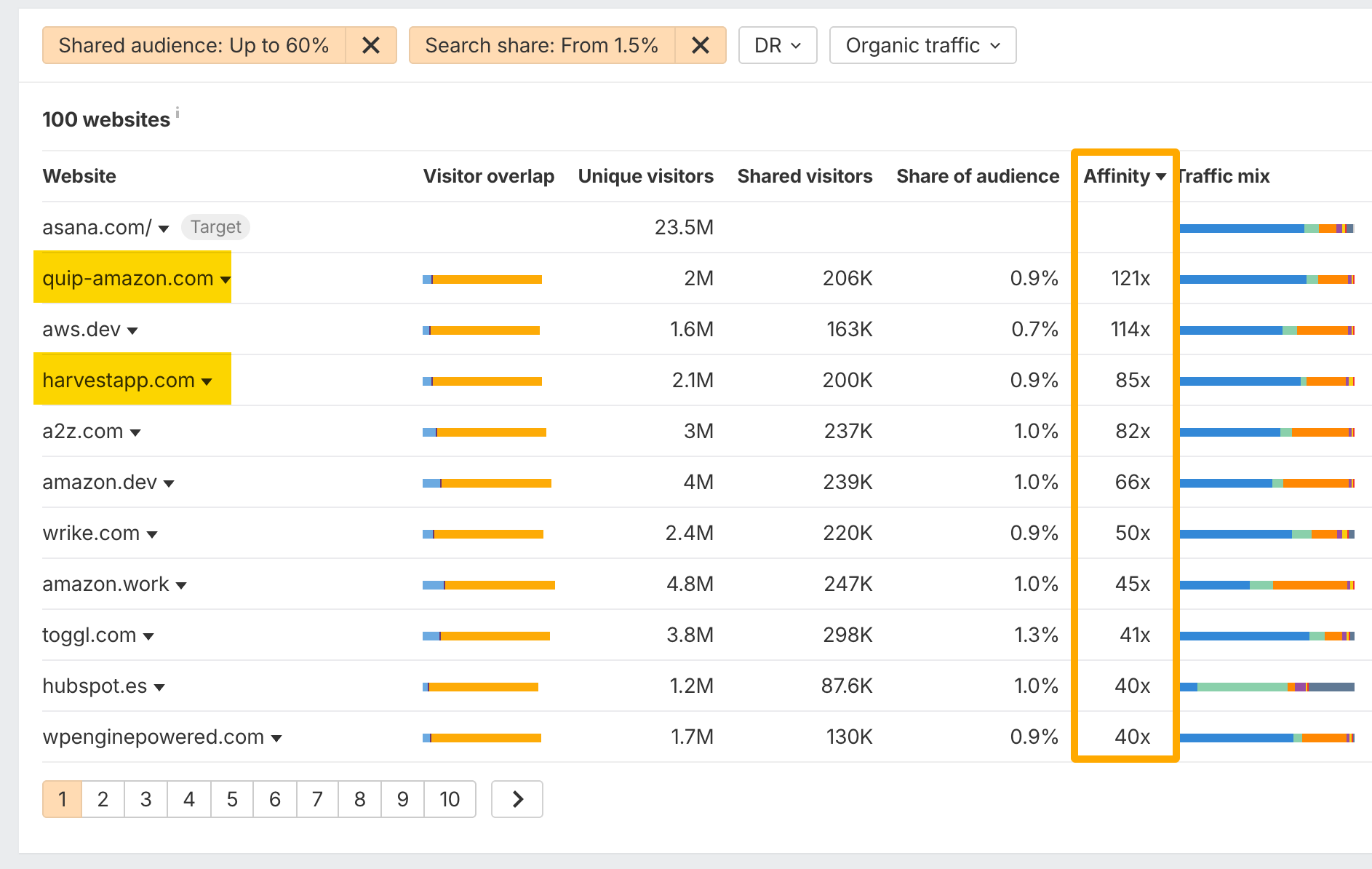
Affinity: how much more likely the target's visitors are to visit the website compared to the average visitor.
Sorting by affinity gives more surprising results. Asana's visitors are also likely to visit quip-amazon.com, which looks like an internal task management tool for Amazon, and harvestapp.com, a time tracking tool.
Analyze customers instead of visitors
The reports above cover everyone who visits asana.com.
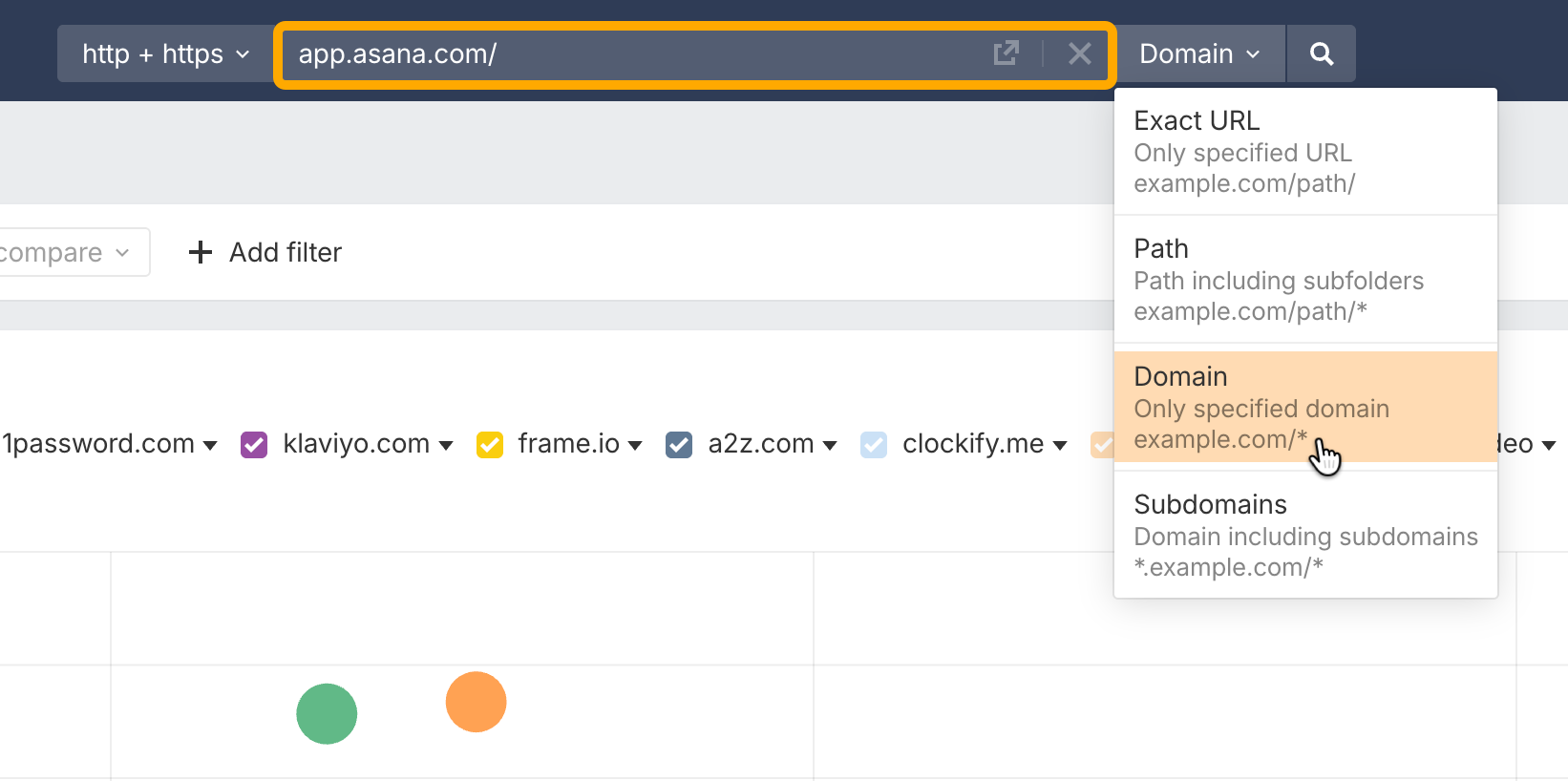
To see only the customers, and which websites they're more likely to visit, swap the target for the product's sign-in URL and change the mode from Subdomains to Domain.
Find the outlets that quietly send traffic to a website
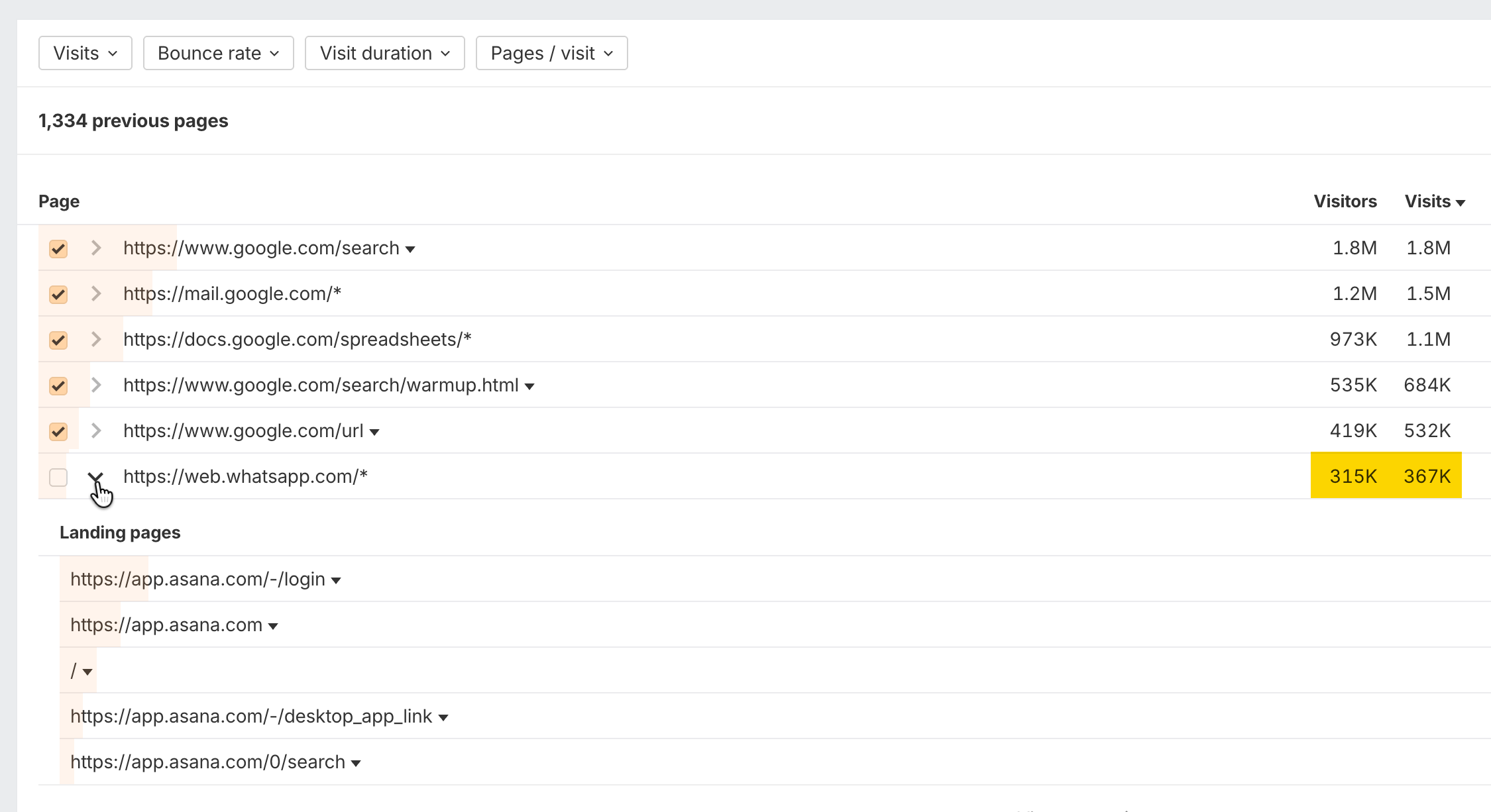
The Previous pages report shows the pages visitors were on right before they landed on the website. It's essential for finding outlets and publications that send traffic without you noticing.
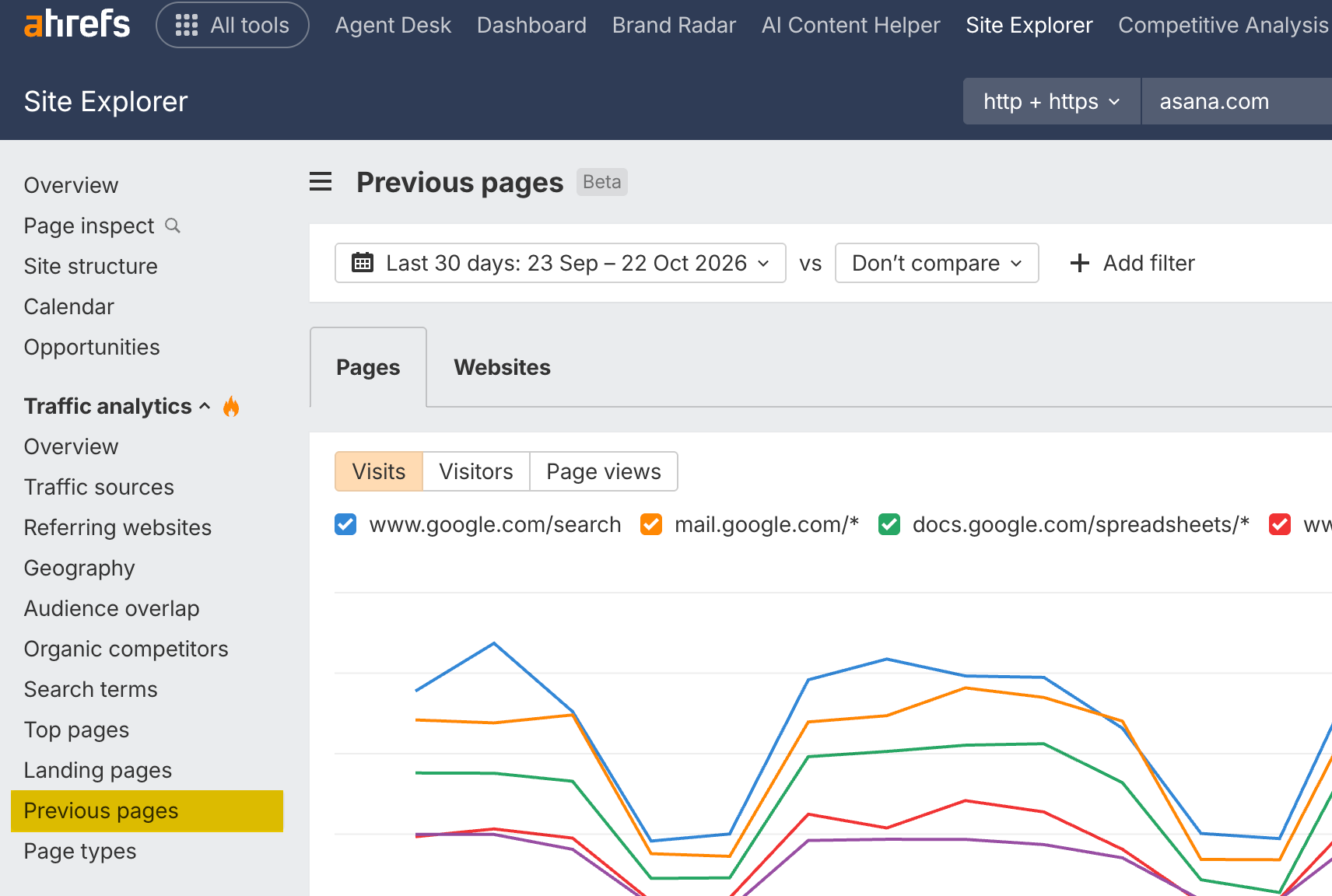
For asana.com, a big share of visitors come from WhatsApp, about 366,000 visits a month. That likely means people share Asana forms and links from the app inside WhatsApp.
Learn which types of content brings in the most visitors
The Page types report groups a website's pages by type, such as Site page, Article, Landing, and Listing. Use it to see what kind of content brings in the most visitors, so you can create more of what already works.
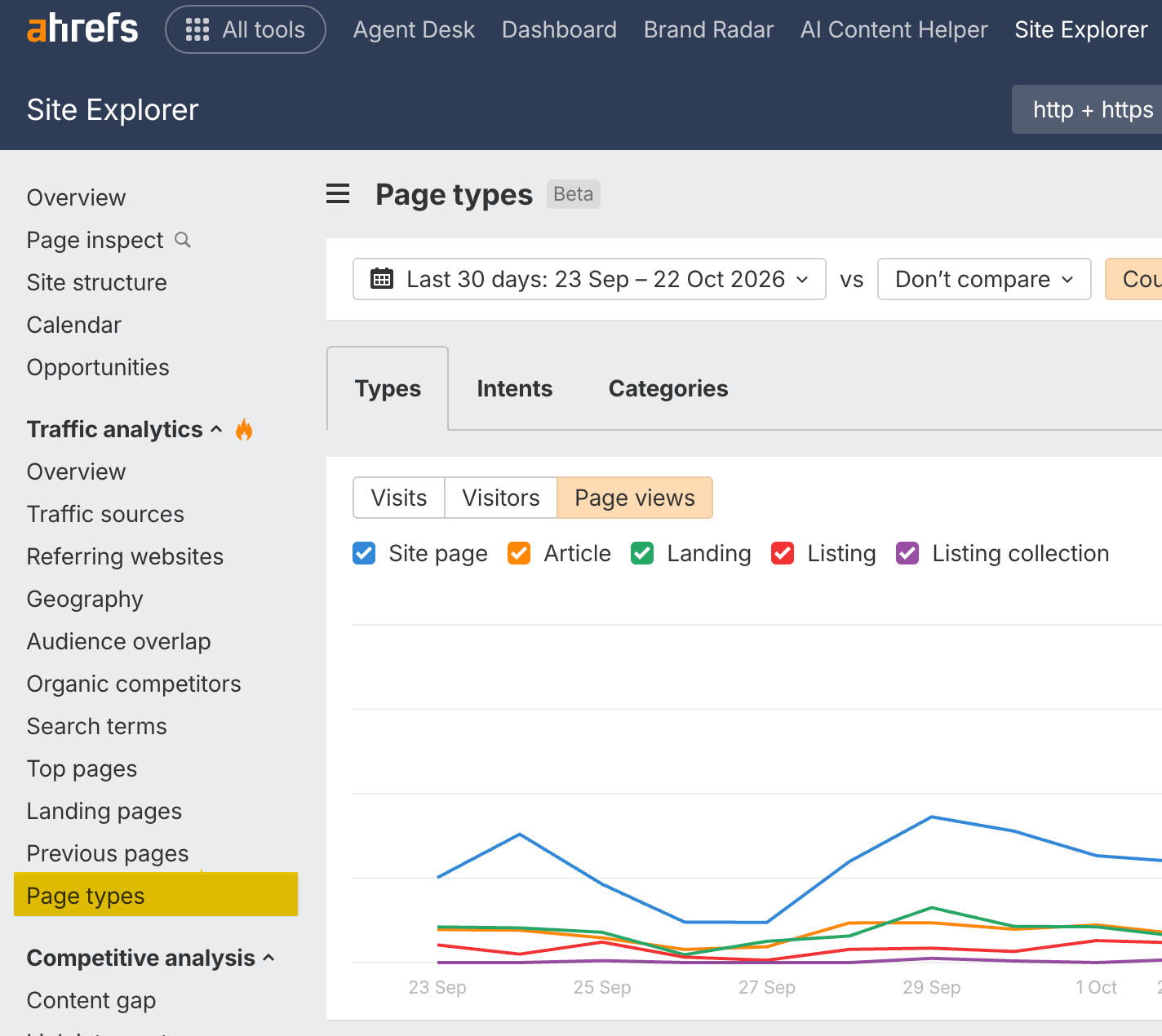
For asana.com, ignore the Site page group and dig into Article. The Guide articles bring in close to 270,000 visits a month. The top ones cover effective communication in the workplace, needs assessment, SWOT analysis, and executive summaries.
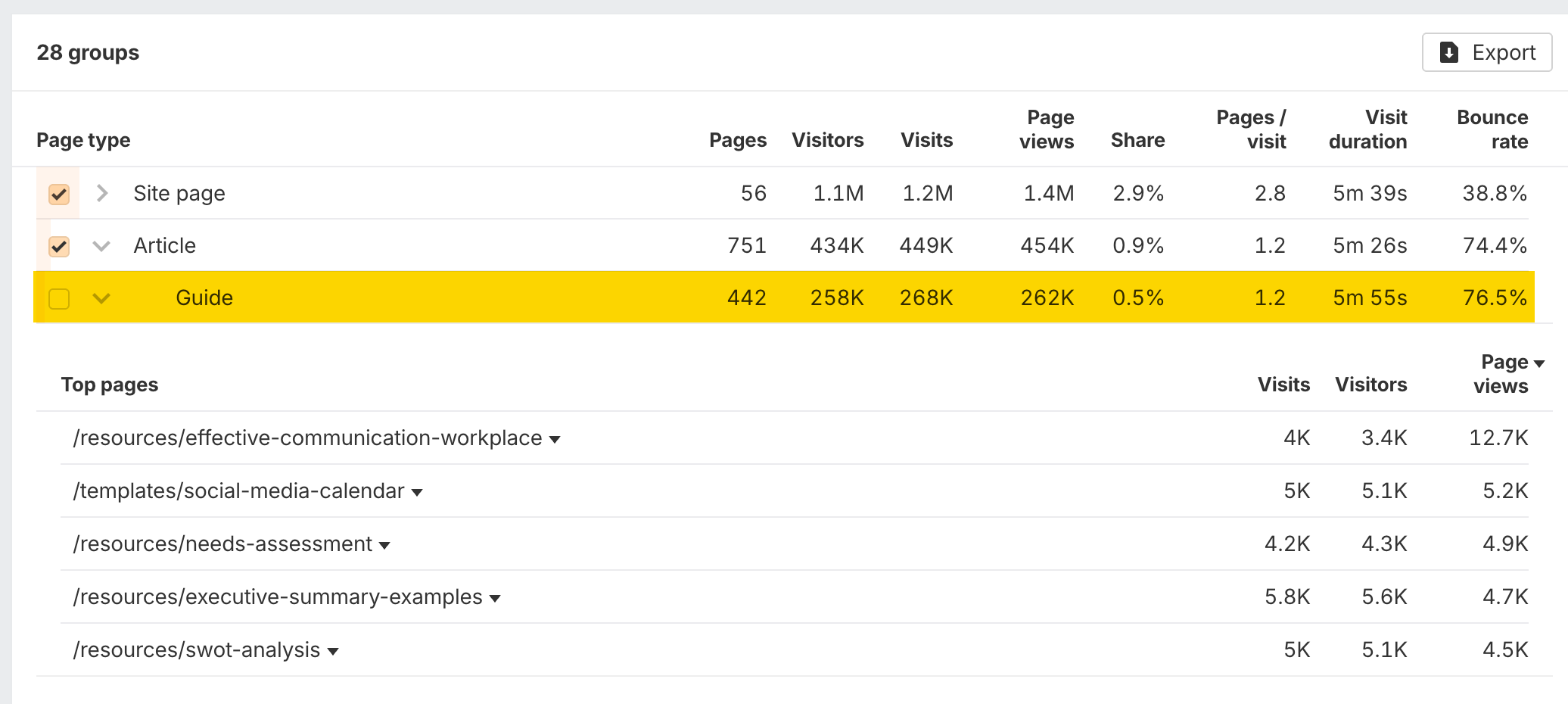
There's also an outlier: a template for a social media calendar.
So if you were a competitor of Asana.com, you'd probably want to create similar, sticky resources like these.
How to Use Ahrefs
What you’ll learn
How to analyze yours and your competitors’ websites with Site Explorer
How to increase your AI visibility in LLMs with Brand Radar
How to master keyword research with Keywords Explorer
How to improve your on-page and technical SEO with Site Audit
How to track and improve your Google rankings with Rank Tracker
How to find untapped keyword and link building opportunities with Content Explorer

