
We’ve got 9 updates this month, focused on deeper brand visibility across AI, search, and social, plus a few quality-of-life improvements that make analysis faster.
Let’s dive in.
TikTok tracking
Brand Radar now includes TikTok. The Video visibility section already covered YouTube, and now TikTok joins the mix, so you can see where your brand appears across high-traffic videos.
We scan video descriptions and transcripts, and only surface the snippets where your brand is actually mentioned, no noise, no walls of text.
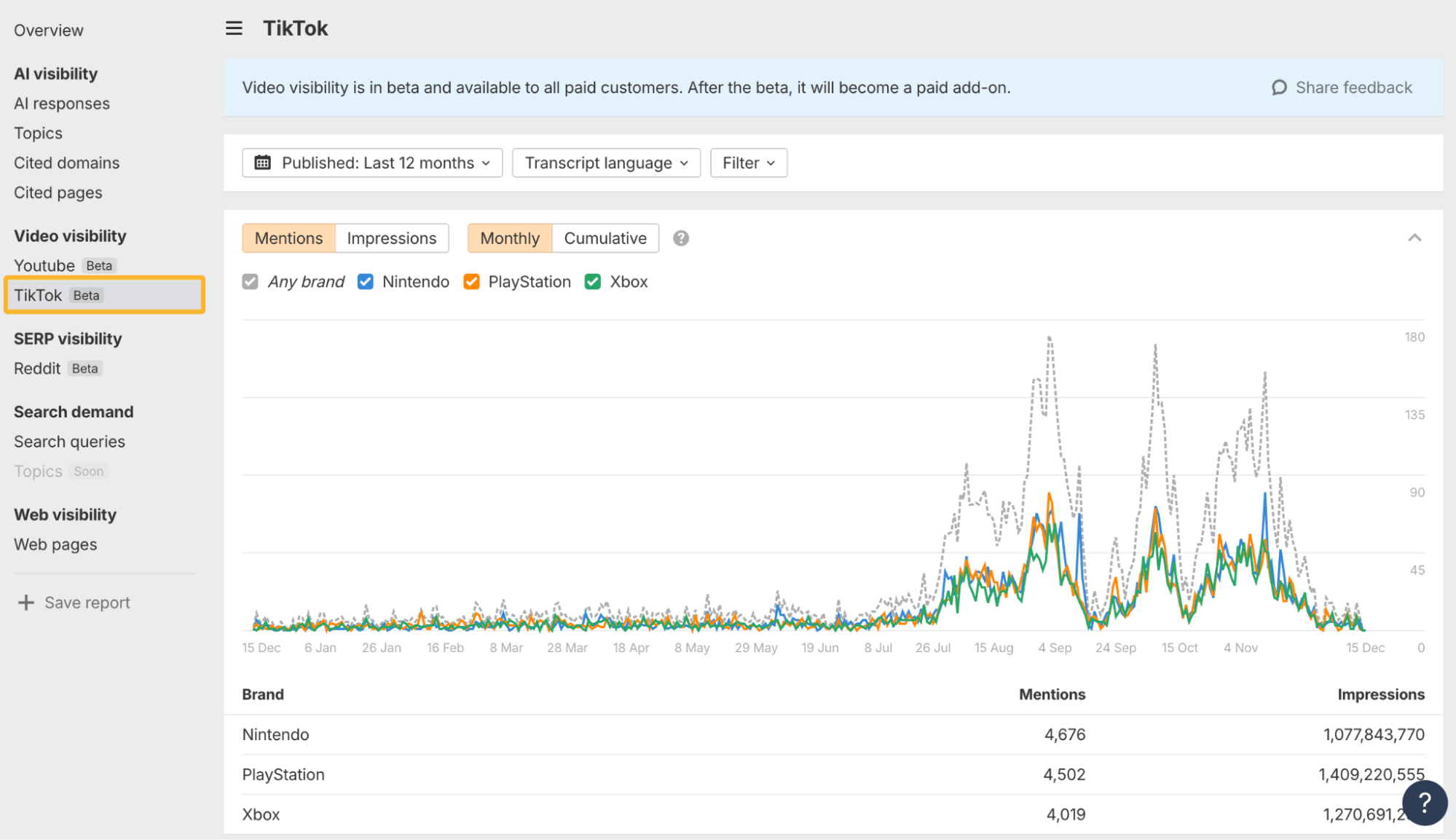
YouTube and TikTok are both in beta and available to all paid plans. After beta, they’ll move into a Video visibility add-on for $199/month.
Reddit visibility in Google Search
We’ve added a new Reddit-in-SERP index that shows how visible your brand is across Reddit results ranking in Google.
It works similarly to AI Visibility, but instead of scanning AI responses, we look at Reddit titles, descriptions, and subreddit names that appear in SERP snippets. This helps you understand how Reddit contributes to discovery and decision-making in search.
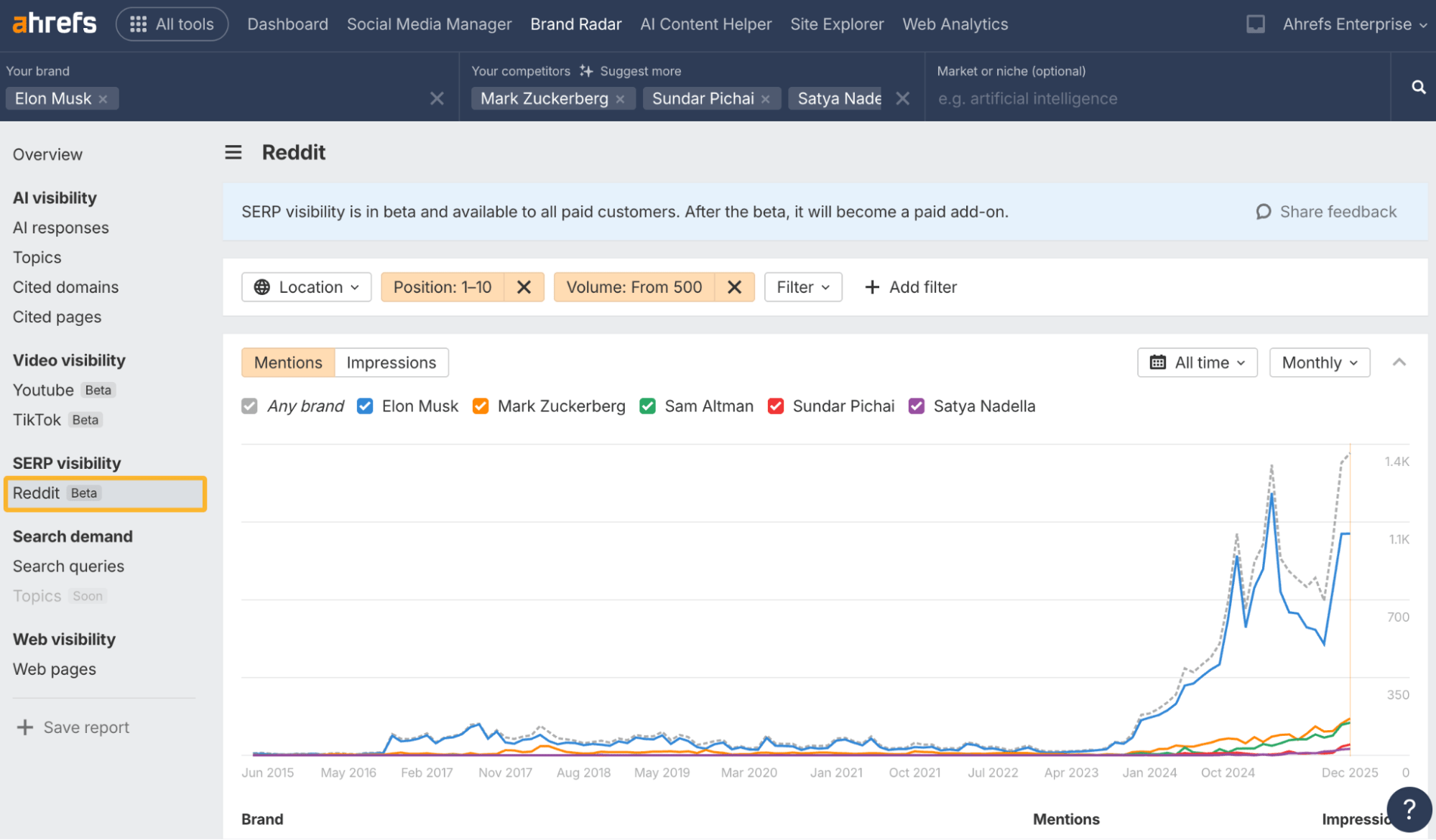
Reddit tracking is free during beta. After that, it will become part of a broader SERP Visibility package, alongside Google AI Overviews, AI Mode, YouTube in SERPs, and more.
Custom queries for AI visibility
This is a big one: you can now track brand mentions for your own prompts, so you see how AI assistants talk about your brand for the exact questions your buyers ask, not just broad market prompts.
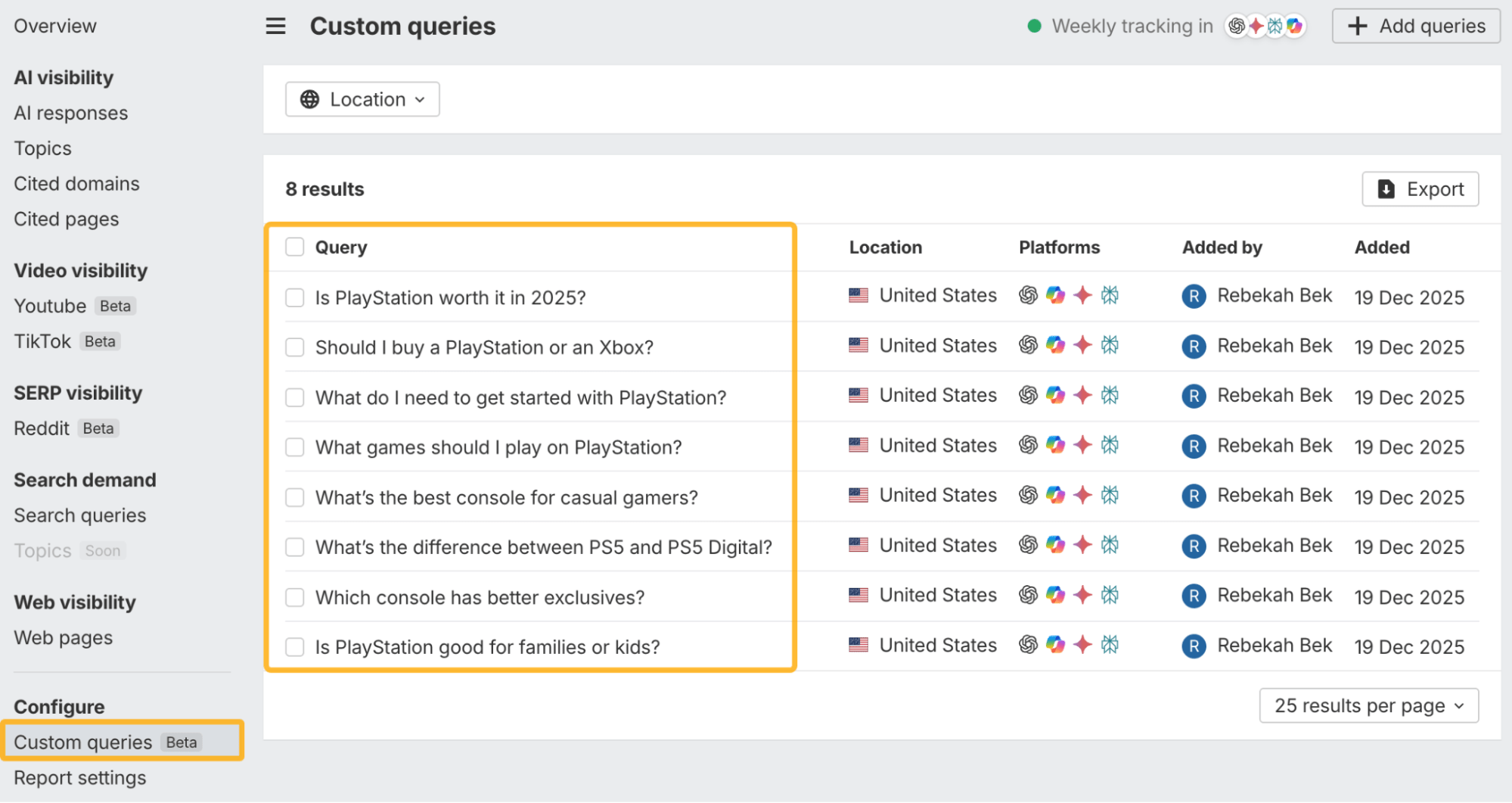
Custom queries currently support ChatGPT, Gemini, Perplexity, and Copilot.
To use it, attach a saved report to a project, set a tracking frequency, and add your custom queries. You can track daily, weekly, or monthly, with different frequencies per chatbot.
Brand Radar now runs on two datasets: the global Ahrefs dataset and your project’s custom queries. You can view both in the same report, or switch between them using the new Dataset filter, depending on whether you want market-level or buyer-level visibility.

Custom queries use checks based on prompt, model, and location. Checks can be included, prepaid, or pay-as-you-go. You can track usage in Account settings or add a prepaid package if you want predictable spend.
Cleaner prompt results
We’ve also improved how prompts look across Brand Radar.
Long AI responses are now collapsed by default, with full details opening in a side panel. We’ve added columns for mentioned brands and favicons for cited websites, making it much easier to spot patterns across results.
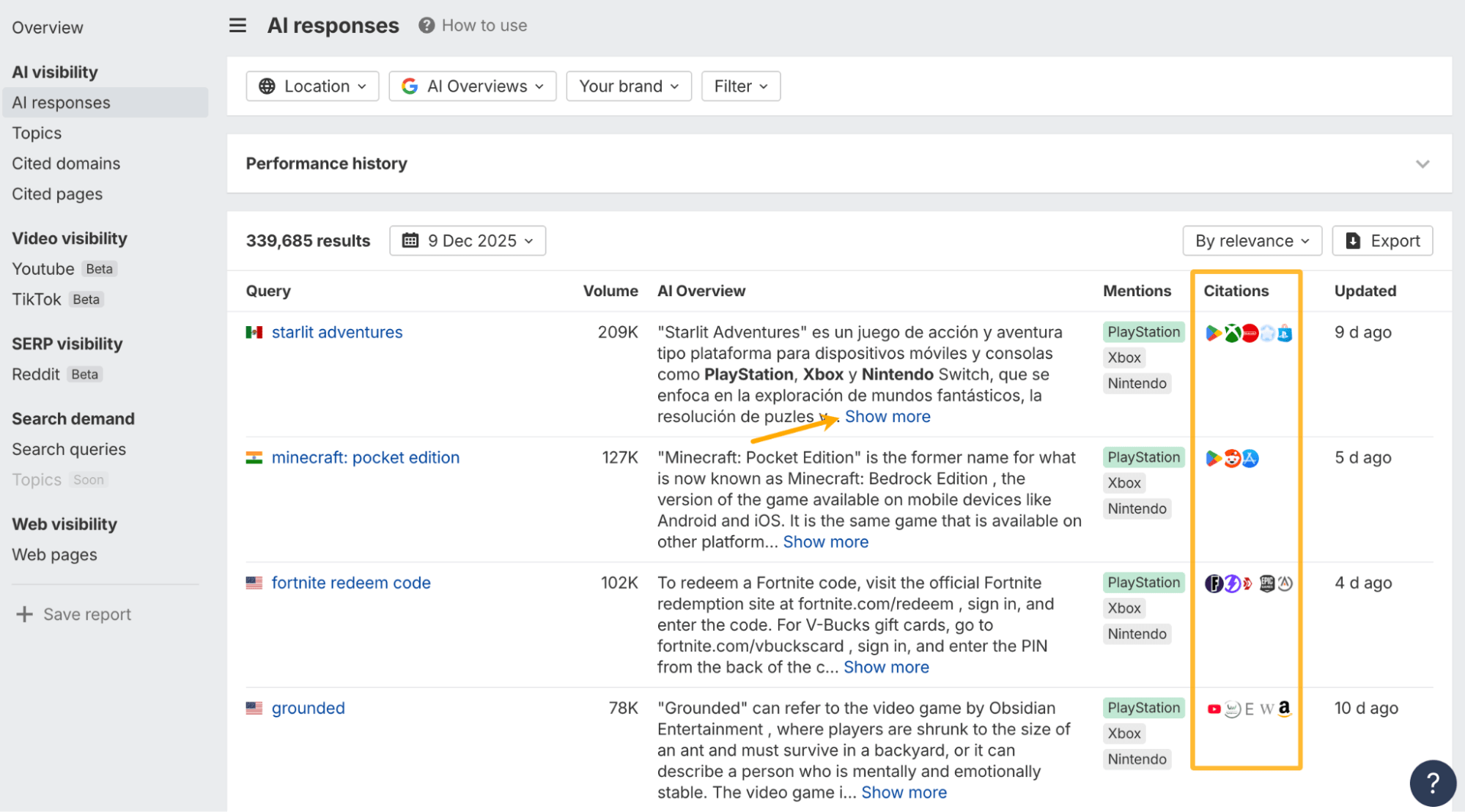
Favicons now appear across more reports too, including Cited Pages and Cited Domains.
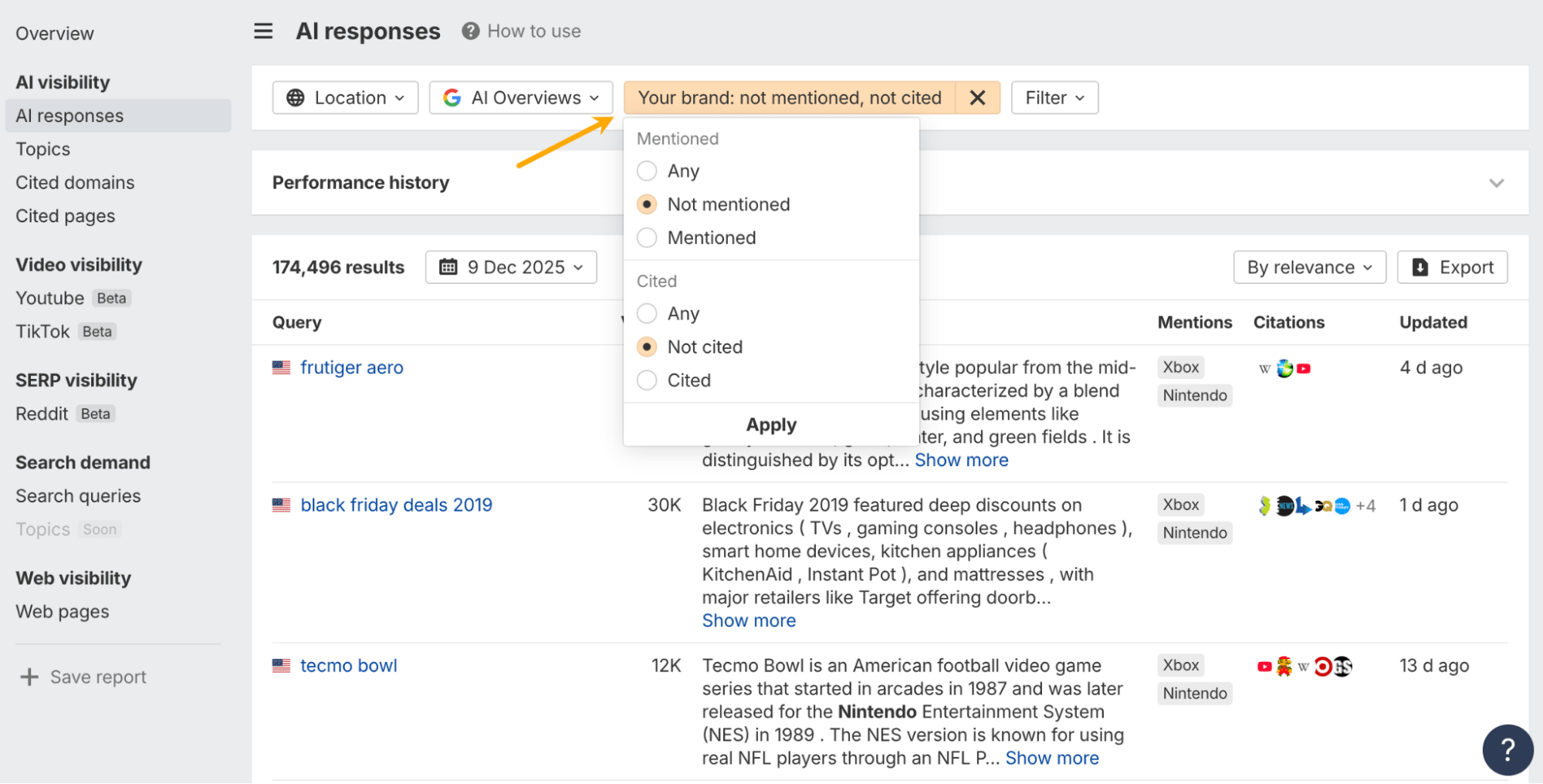
“Your brand” quick filter
There’s also a small change that makes a big difference.
You can now include or exclude your own brand from mentions and citations in AI Visibility reports with one click. This makes it easier to separate brand-led visibility from competitor or category noise.
Historical Google Analytics import
You can now analyze trends without losing historical context.
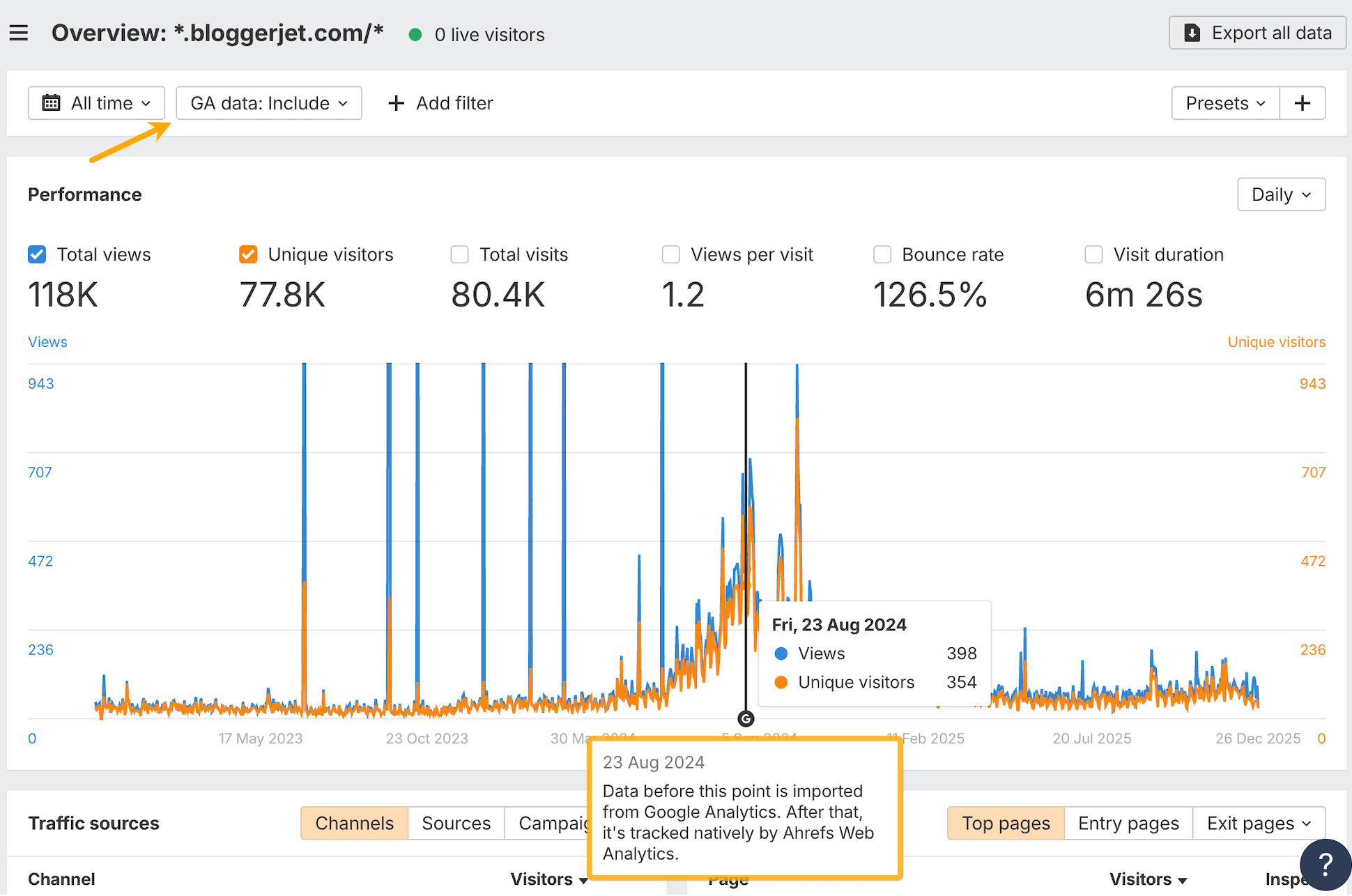
If your Google account is linked to a project, we’ll import historical Google Analytics data from before native Web Analytics tracking started, so your reports don’t begin at zero.
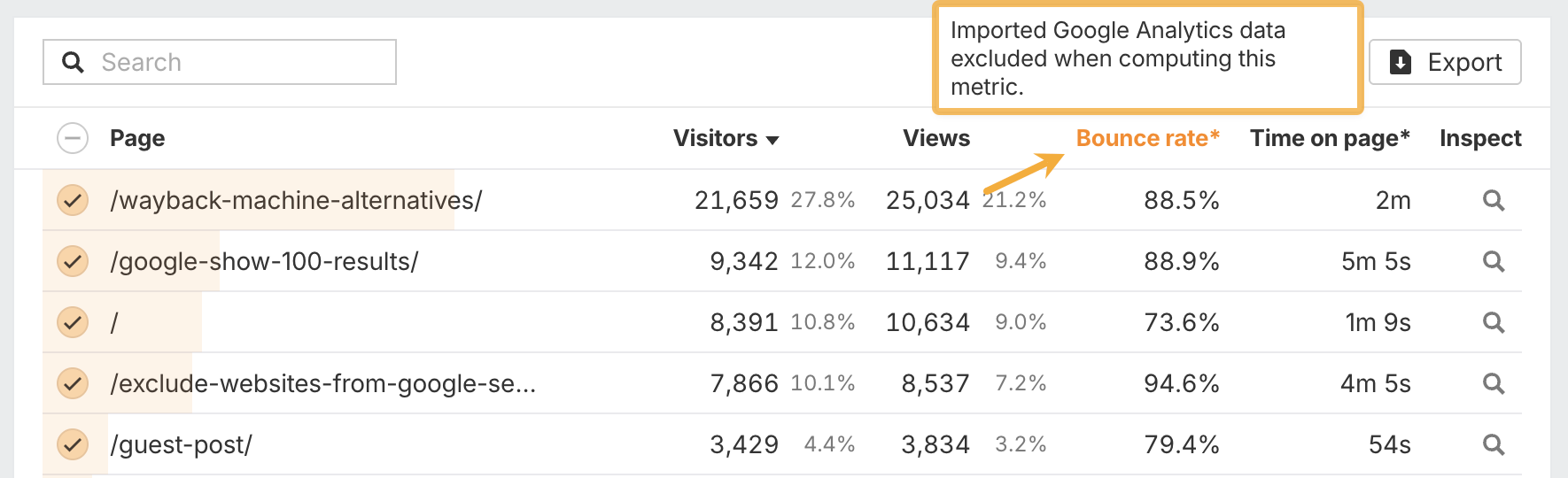
Not every GA metric is supported. Any excluded metrics are clearly marked with an asterisk and tooltip, so there are no surprises.
Expanded Brand Radar widgets
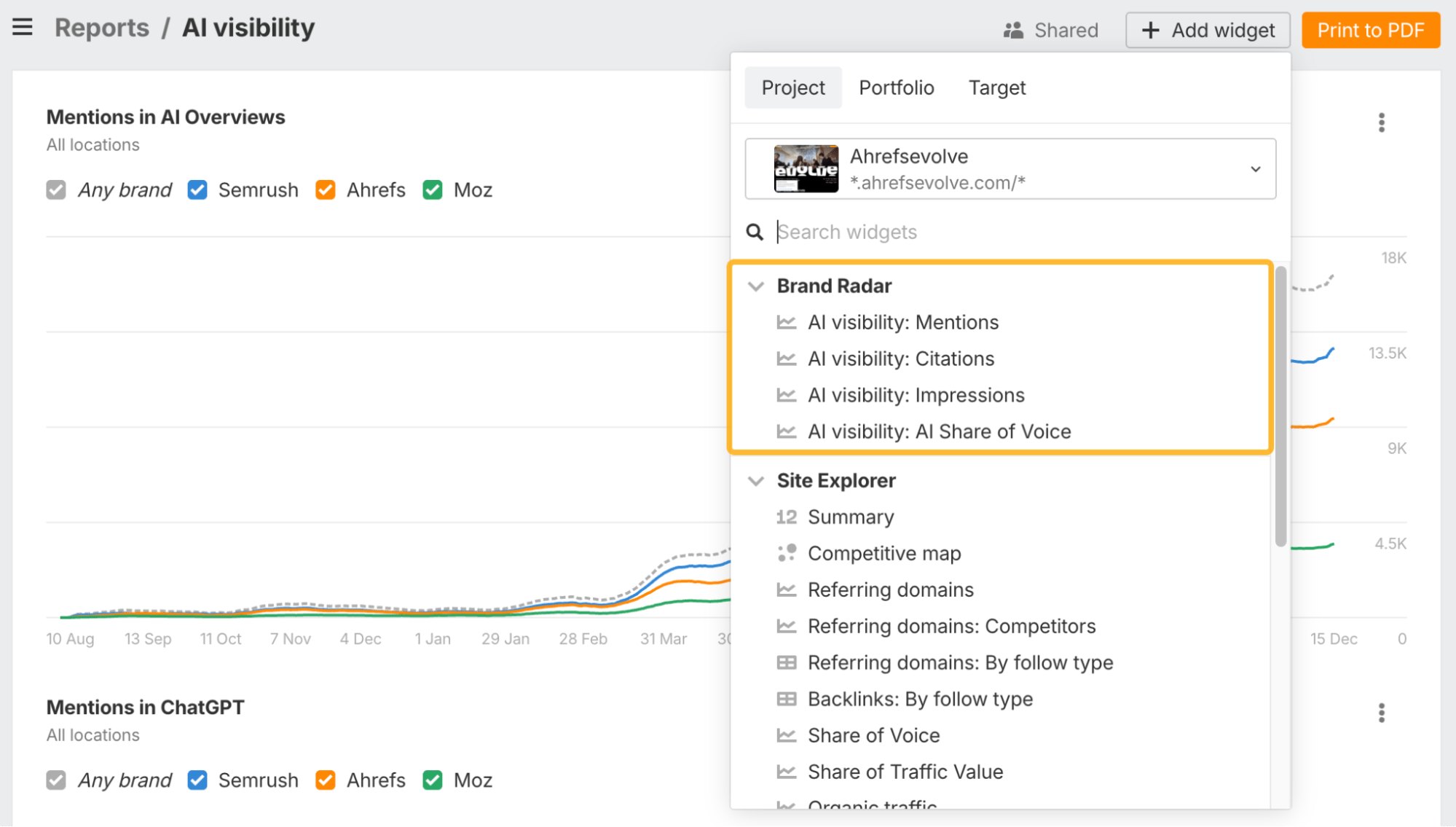
Brand Radar widgets now support more AI visibility metrics, including Citations, Impressions, and AI Share of Voice, not just Mentions.
We’ve also moved platform and metric selection directly into widget settings. Combined with widget duplication, this makes it much faster to spin up multiple views without rebuilding widgets from scratch.
Traffic by intent over time
The intent history graph in Overview now includes organic traffic by intent, with traffic set as the default view.
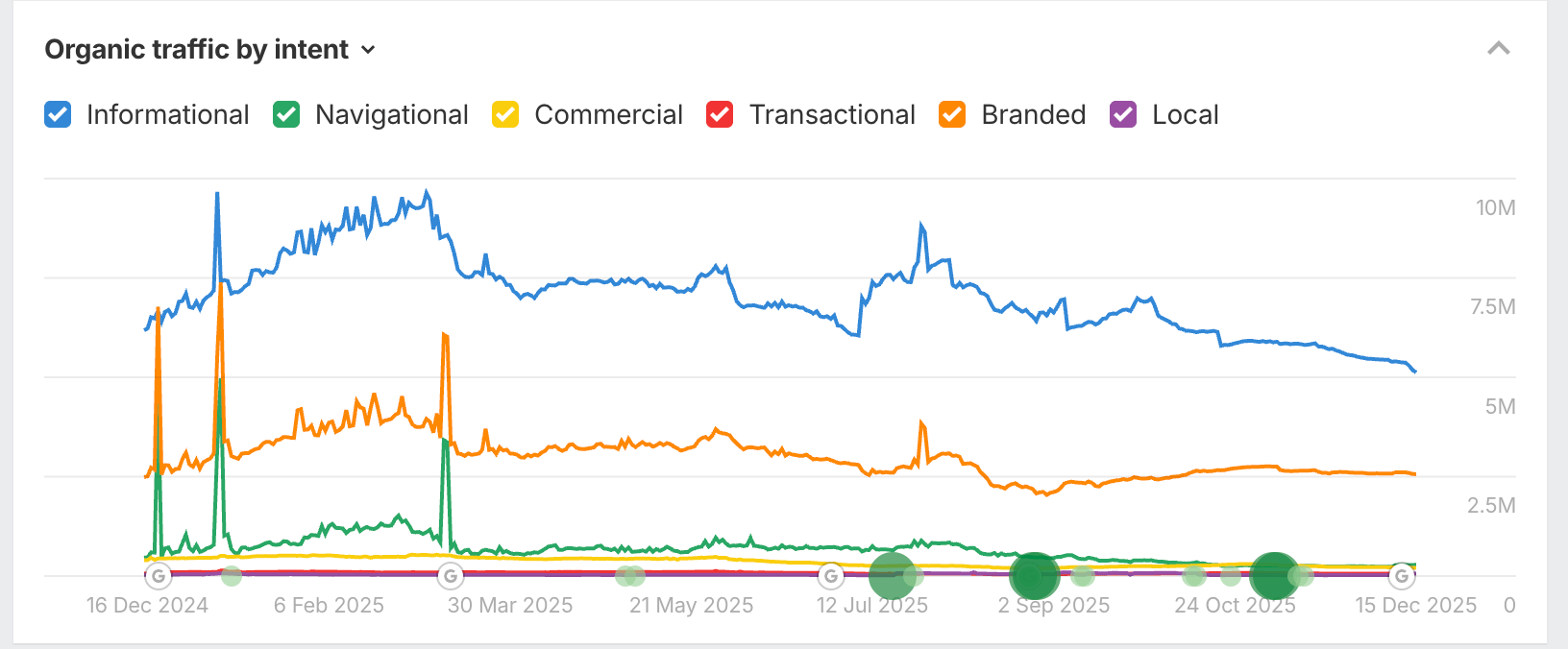
This means you’re not just seeing where keywords rank, but whether those intents are actually driving visits.
Page type classification in SERPs
There’s also a new Page type column in the SERP overview report.
Using AI, we classify what kind of content ranks, such as articles, landing pages, or tools, with subtypes like how-to, listicle, or product pages. This makes it much easier to understand what Google rewards for a given SERP at a glance.
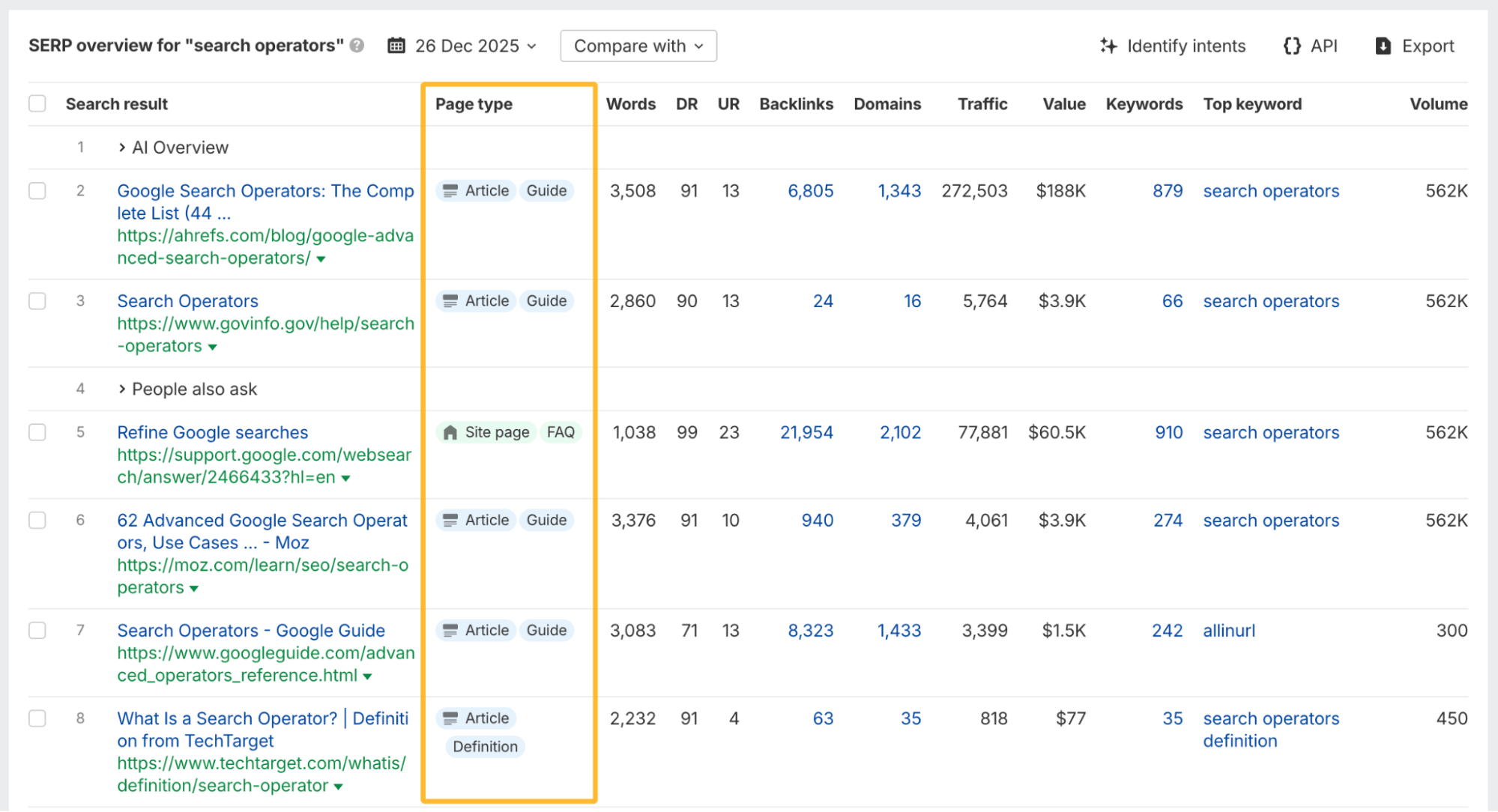
This is available across Site Explorer, Keywords Explorer, and Rank Tracker.
Post performance metrics
You can now see how your posts perform directly inside Social Media Manager.
Every published post shows engagement metrics like views, reactions, and channel-specific signals, all in one place.
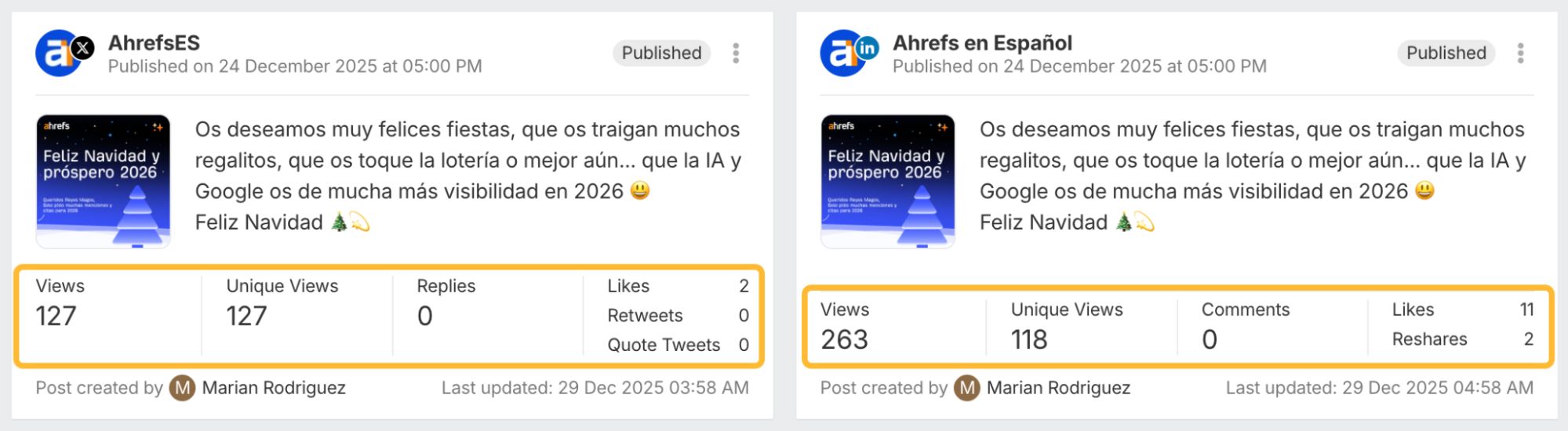
We’ve also added historical backfilling and post sync. When you connect a channel, we automatically pull in past posts, including content published before Social Media Manager was connected or posted directly on the platform.
This gives you a complete performance baseline and a clearer view of how each channel performs over time, not just what was scheduled in Ahrefs.
More Brand Radar endpoints
We’ve added new Brand Radar API endpoints, including Mentions distribution across AI clients and time-series data for Mentions and Impressions, with the same filters available in the UI.
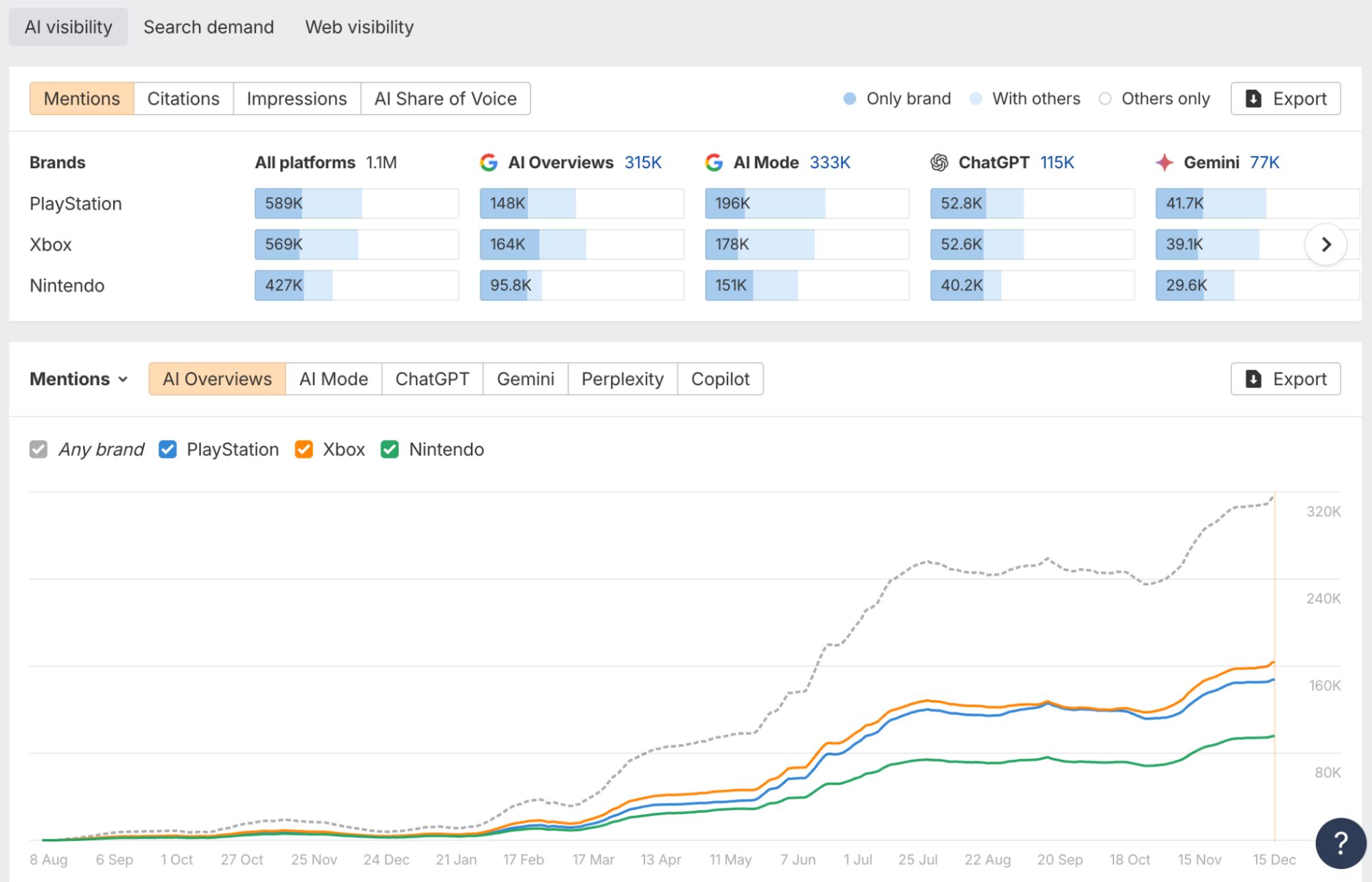
Read API docs for Mentions distribution →
Read API docs for Mentions and Impressions →
Expanded Site Audit Projects API
The Site Audit Projects API now supports historical crawl data, individual project queries, always-on audits, and richer metrics like URL counts, errors, warnings, and notices, not just Health Score.
That’s all for this month. Check out our changelog for more updates, or leave any feature requests on our Canny board. Enjoy!